
Use this guide to set up and register for the iBusiness Mobile App.
Before You Begin
Download the iBusiness Mobile App from the App Store or Google Play Store.
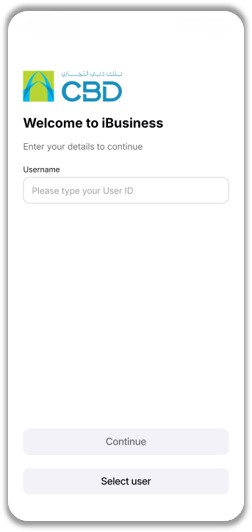
Step 1: Start registration
- Open the iBusiness Mobile App
- Enter your Username
- Tap Continue
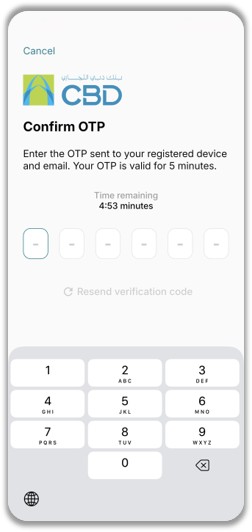
Step 2: Verify your account
- Enter the One-Time Password (OTP) sent to your registered email
- Tap Continue
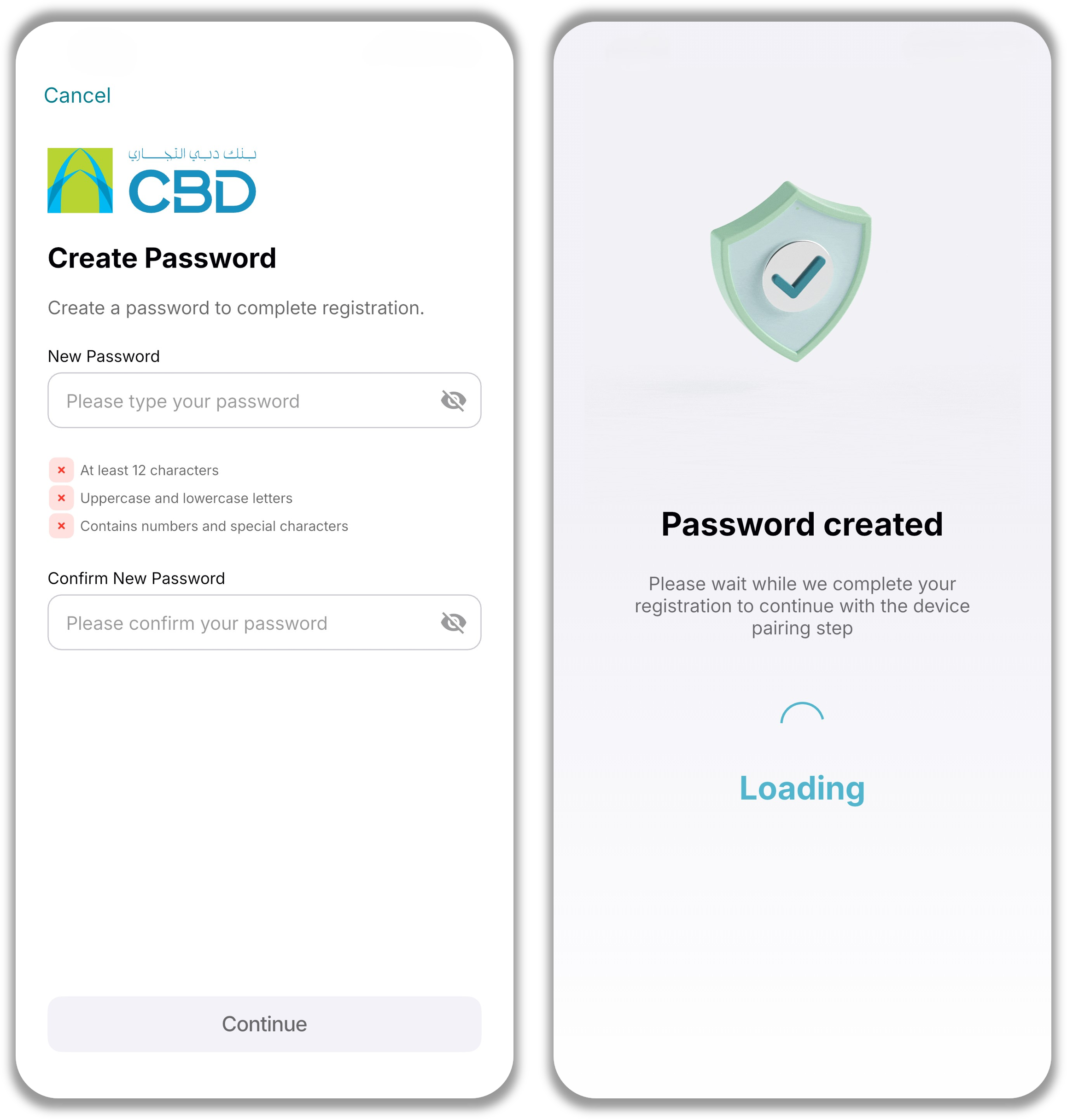
Step 3: Create your password
- Enter a new password
- Confirm the password
- Ensure it meets the required password policy
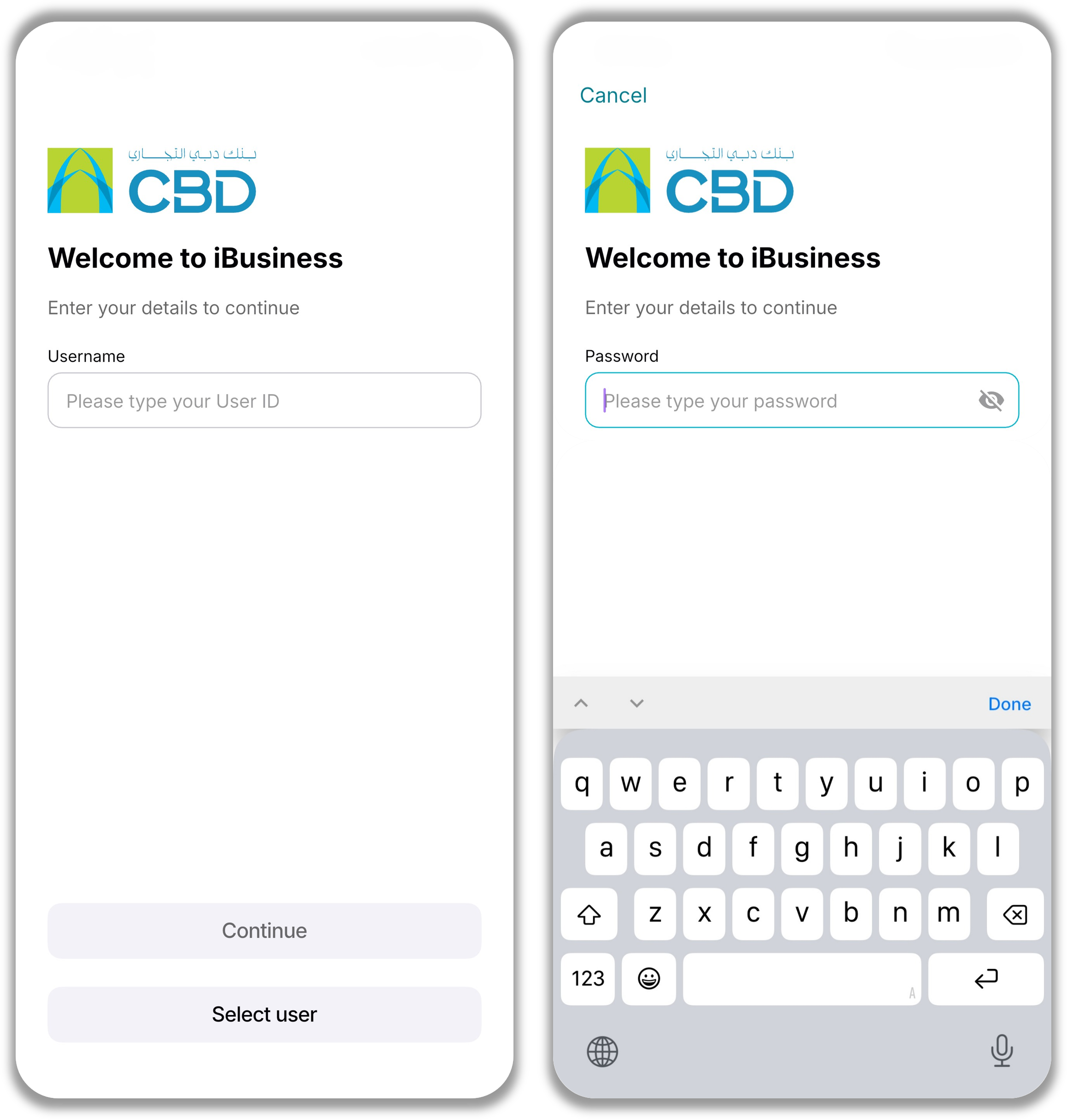
Step 4: Log in to the app
- Enter your Username
- Enter your Password
- Tap Continue
Step 5: Complete device pairing
- Enable:
- Biometric authentication (Face ID / Touch ID)
- Push notifications
- This completes the device pairing process
Step 6: Access the app
- Once setup is complete, you can start using the iBusiness Mobile App
Helpful Tips
- Keep your OTP ready when starting registration
- Choose a strong password that meets the required policy
- Enable biometrics for faster login and transaction approvals
- Allow notifications to ensure you receive important alerts and approvals