
Overview
This guide provides step-by-step instructions for tracking SWIFT GPI transactions using the iBusiness Mobile App.
The SWIFT GPI Tracking service allows users to:
• Track transaction status in real time
• View transaction details
• Download SWIFT Advice documents
• Download transaction details for reference
Step 1: Access SWIFT GPI Tracking
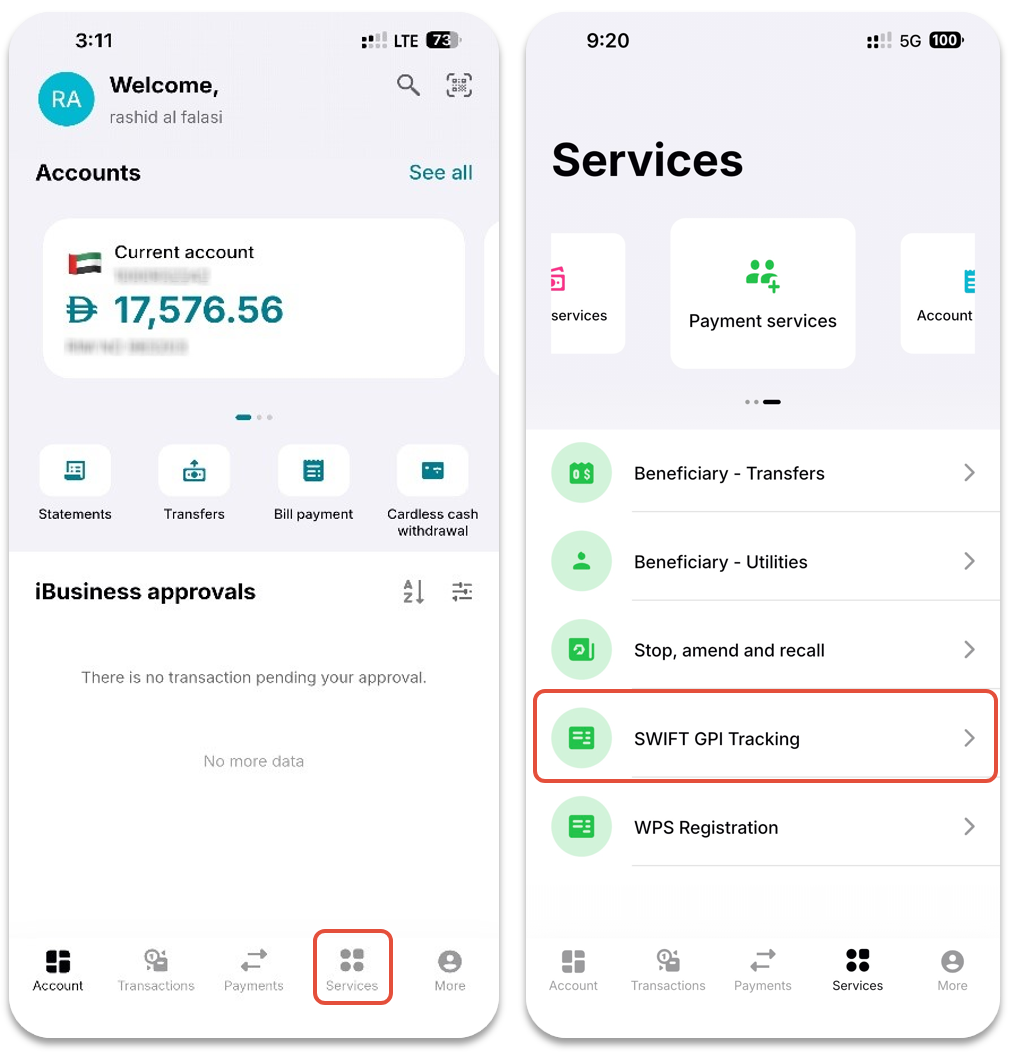
1. Log in to the iBusiness Mobile App.
2. Navigate to: Services ➜ Payment Services ➜ SWIFT GPI Tracking
Step 2: Search for SWIFT Transactions
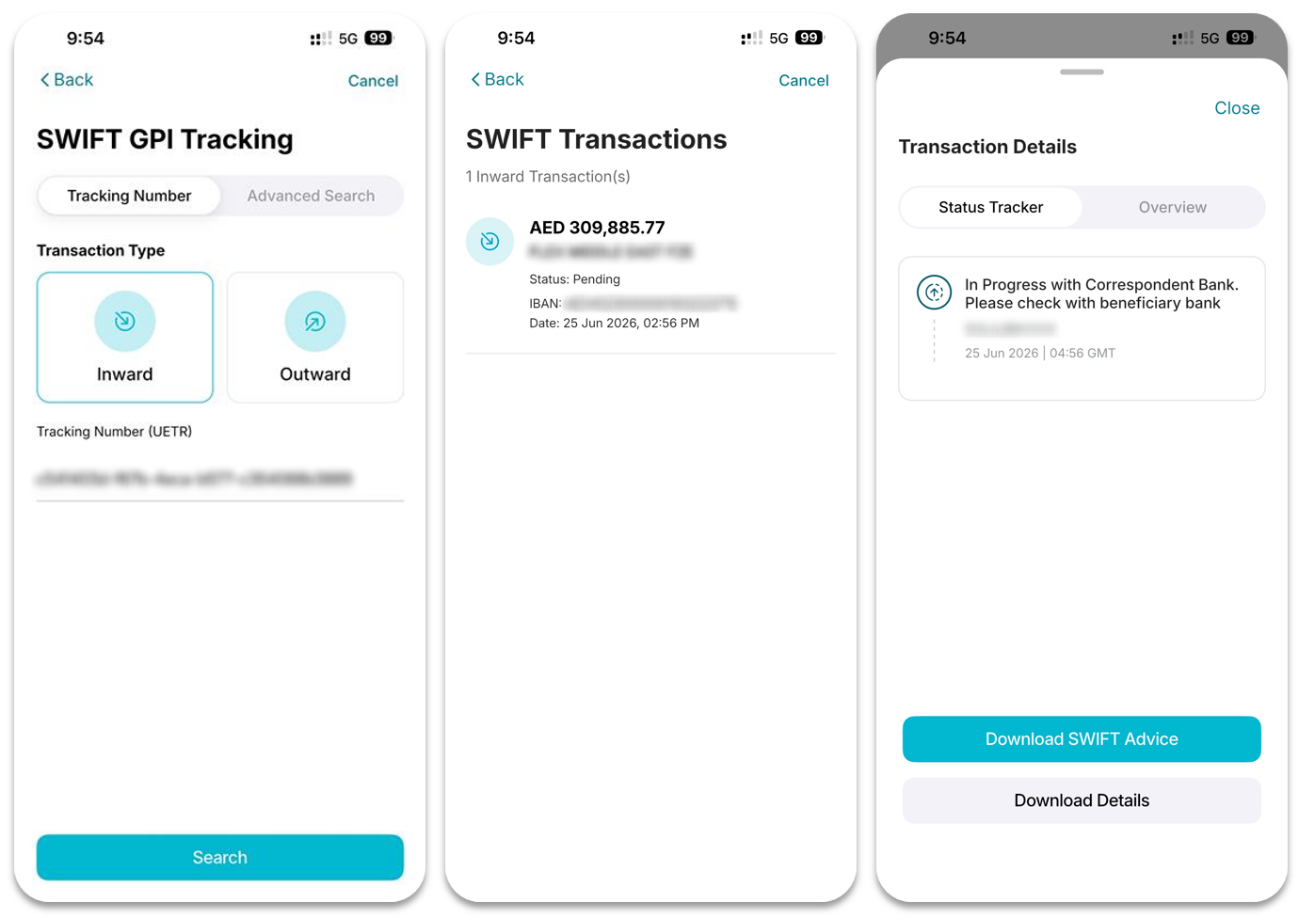
You can search for SWIFT transactions using one or more of the following criteria:
Basic Search
- Transaction Type:
- Inward
- Outward
- Unique End-to-End Reference (UETR)
UETR can be found in Transaction Hub in iBusiness online (web version)
Advanced Search
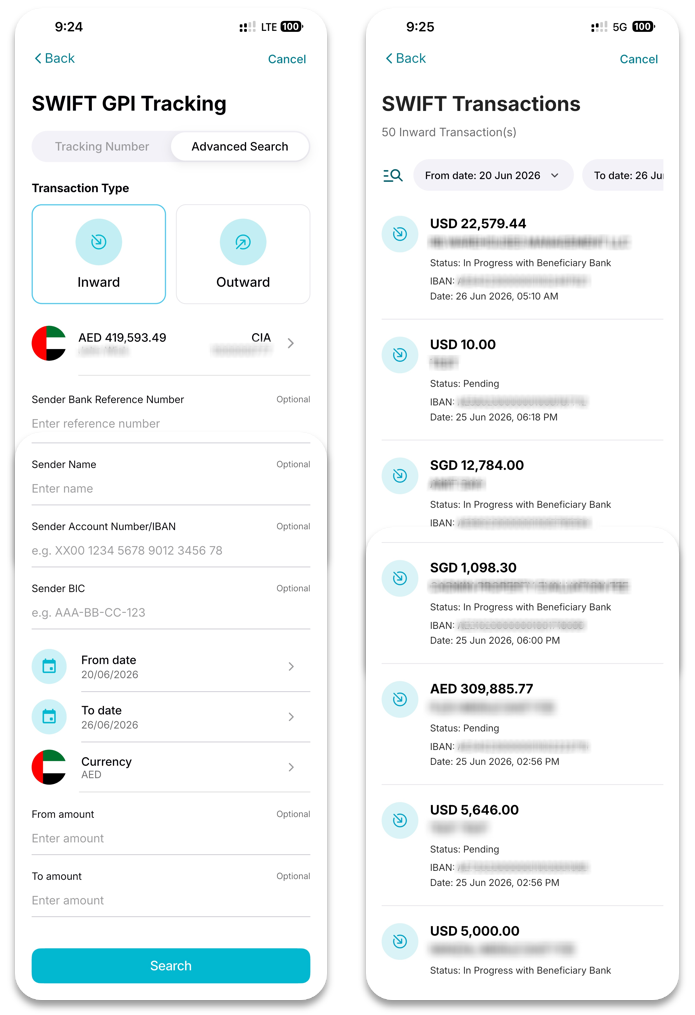
You can refine your search using:
• Account Number
• Sender's Bank Reference Number
• Sender's Name
Step 3: Track Transaction Status
1. Select the required transaction from the search results.
2. Tap the transaction to view its details and tracking information.
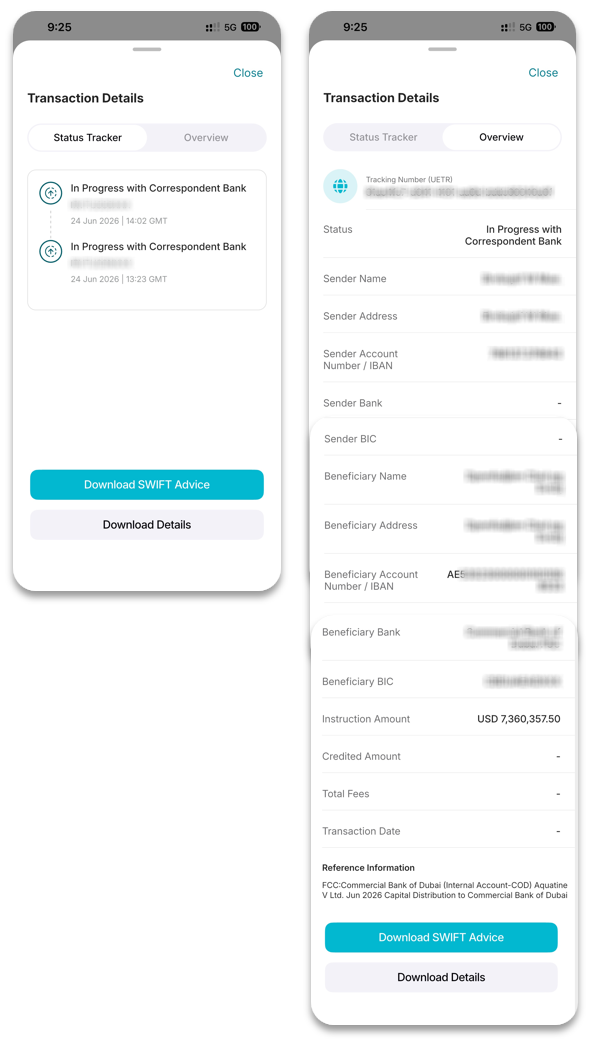
The following options are available:
- Download SWIFT Advice: Download the SWIFT Advice document for the selected transaction.
- Download Transaction Details: Download a copy of the transaction details for reference.
- Status Tracker: View the current transaction status and track its progress through the payment journey.
- Overview: View detailed transaction information, including payment details and transaction history.