
Use this guide to view the status of all cheques linked to your account in Next Gen CIB.
Step 1: Access cheque status
- Log in to iBusiness
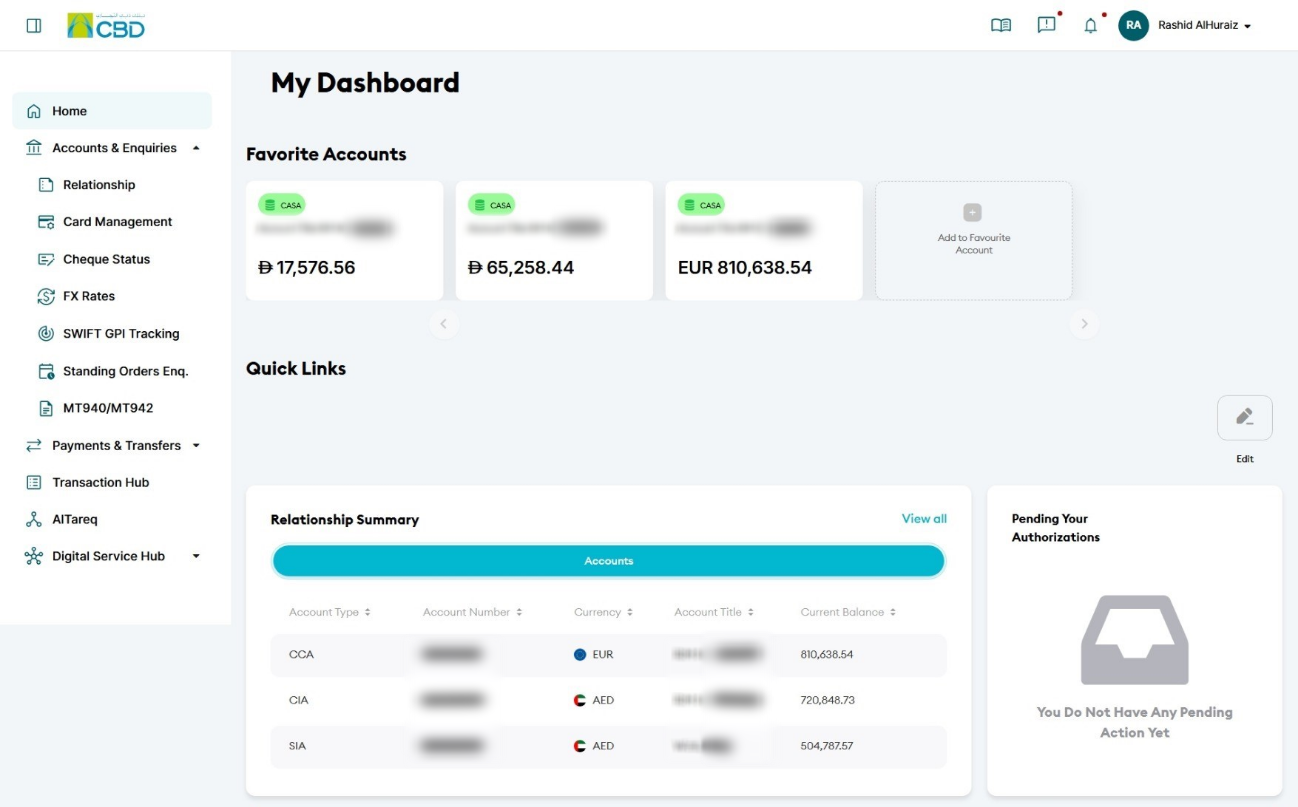
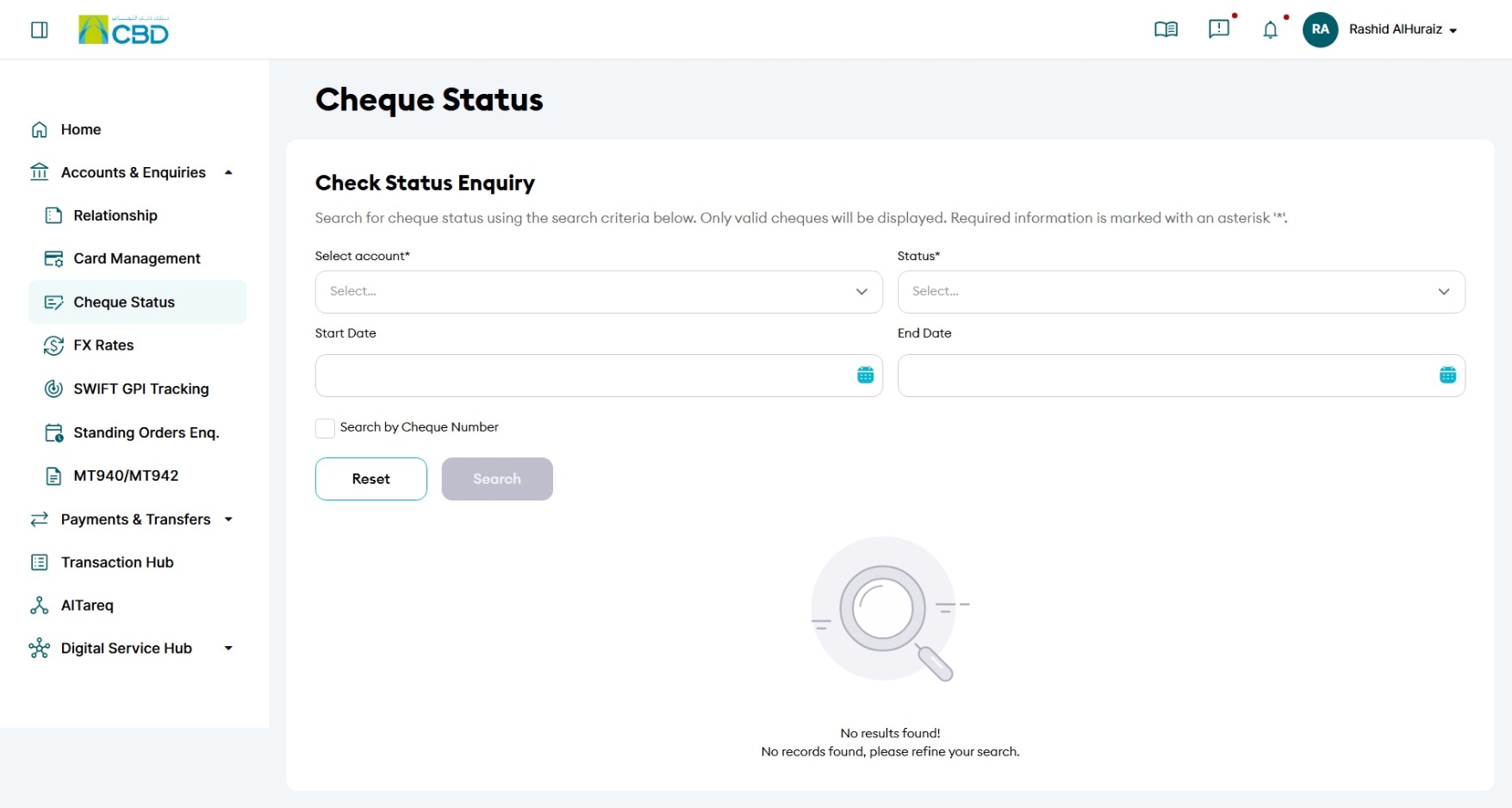
- Navigate to:
Accounts & Enquiries > Cheque Status
Step 2: Filter your search
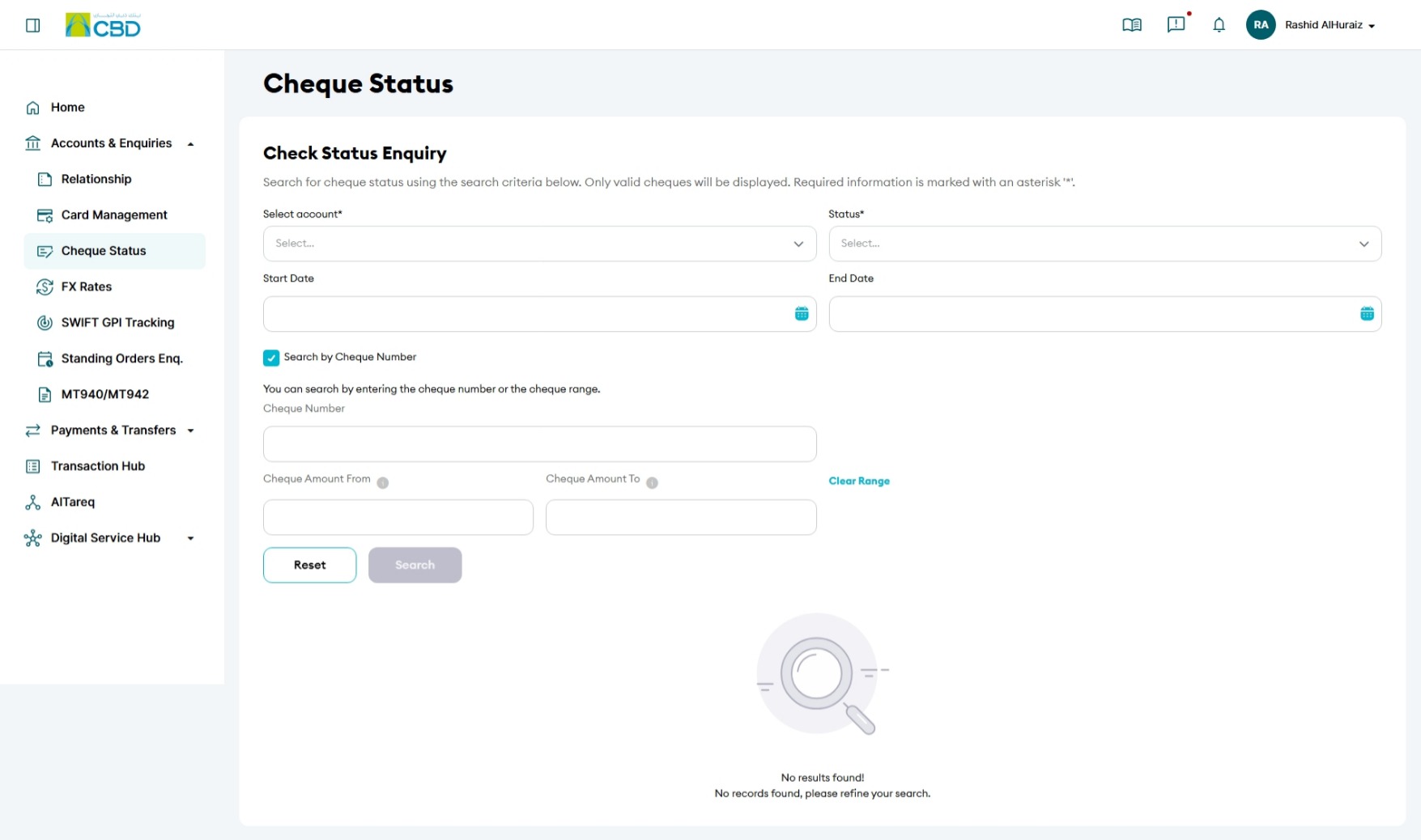
- Select the Account Number
- From the Status dropdown, choose All
- (Optional) Use Start Date and End Date to refine your search
- Click Search
Step 3: View cheque details
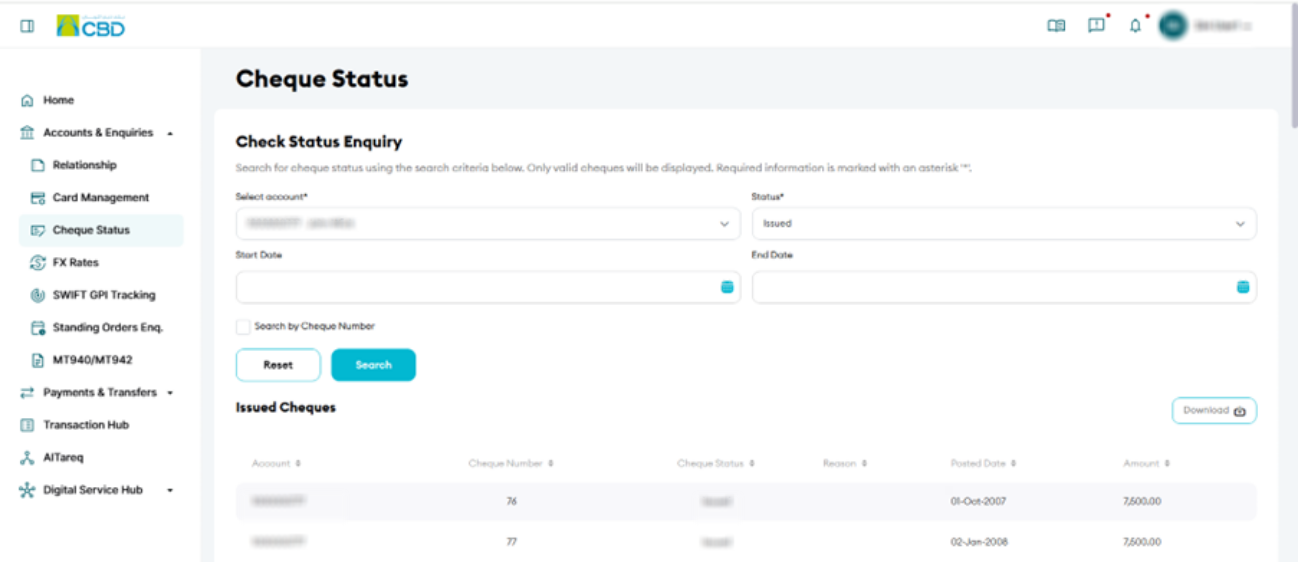
- The system will display all cheques grouped by month
- For each cheque, you can view:
- Account Number
- Cheque Number
- Cheque Status
- Reason for return (if applicable)
- Posting Date
- Amount
Helpful Tips
- Use date filters to quickly narrow down results
- Check the Cheque Status and Return Reason for rejected cheques
- Use the Cheque Number to identify specific transactions
- Review posting dates to track when cheques were processed