
Downloading Debit/Credit Advice in Next Gen CIB
Use this guide to view and download your debit or credit advice in Next Gen CIB.
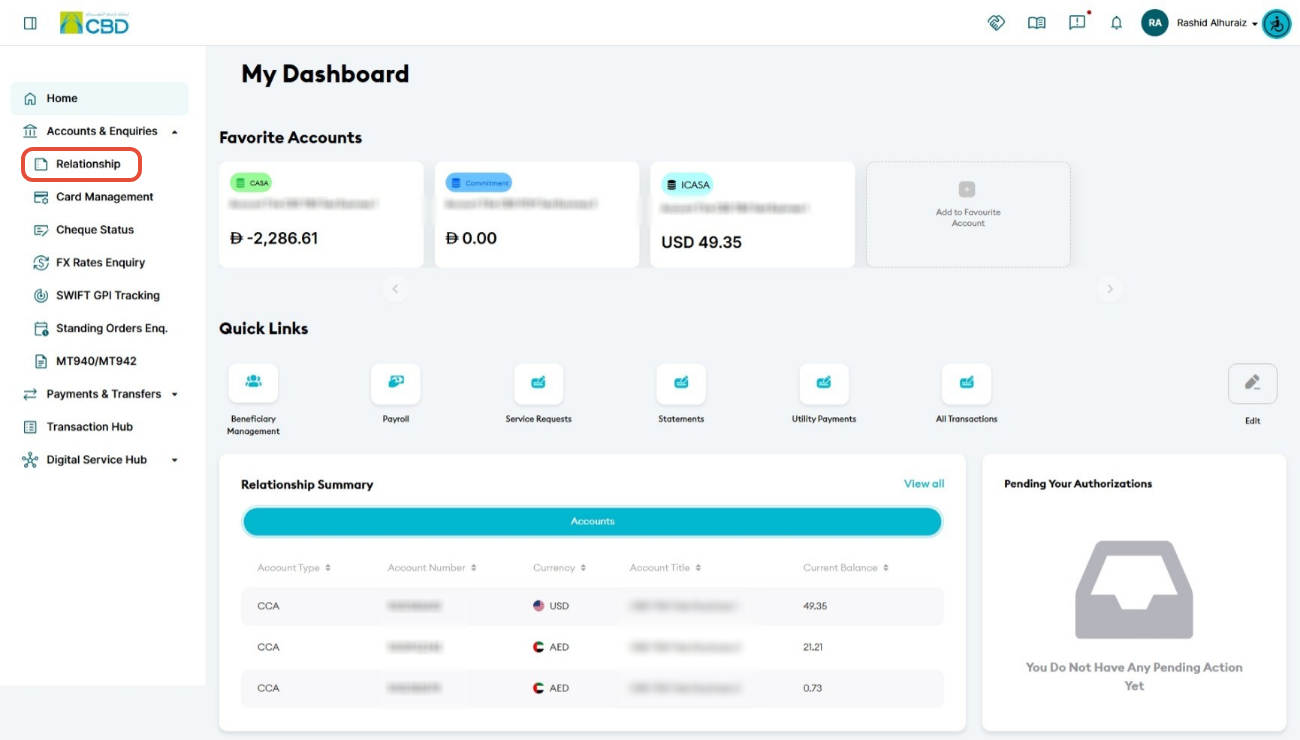
Step 1: Access account activity
- Log in to iBusiness
- Navigate to: Accounts & Enquiries > Relationship
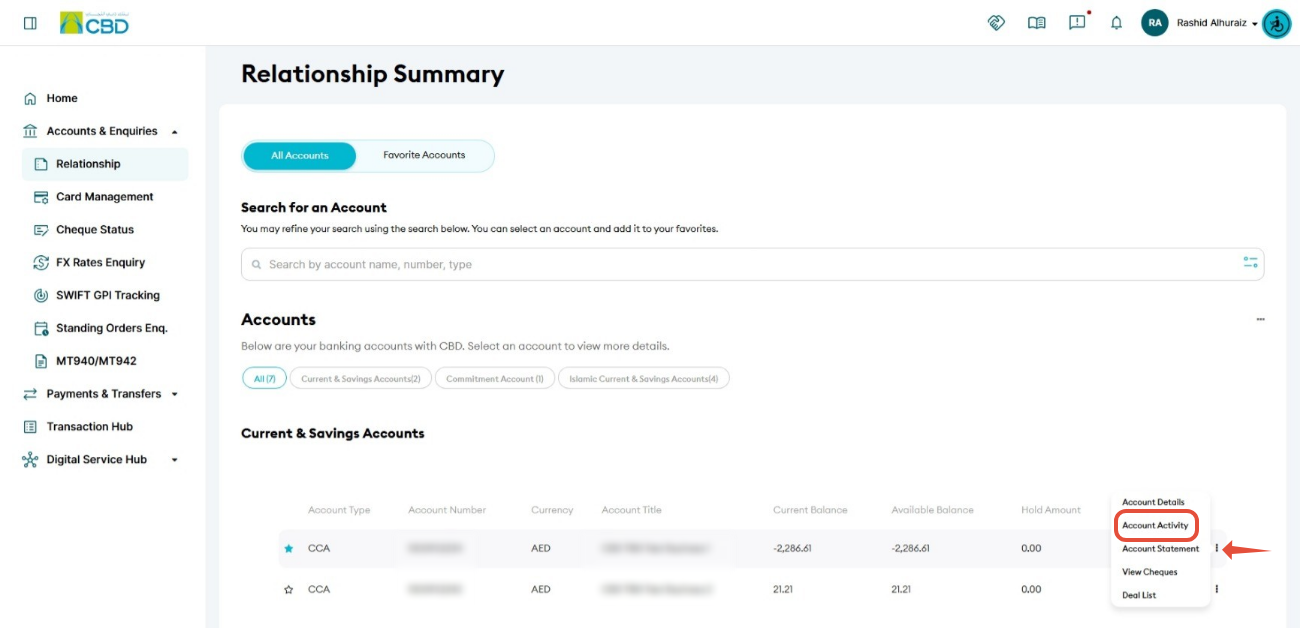
Step 2: Open account activity
- Select the relevant Account Number
- Click the ellipsis (⋯)
- Select Account Activity
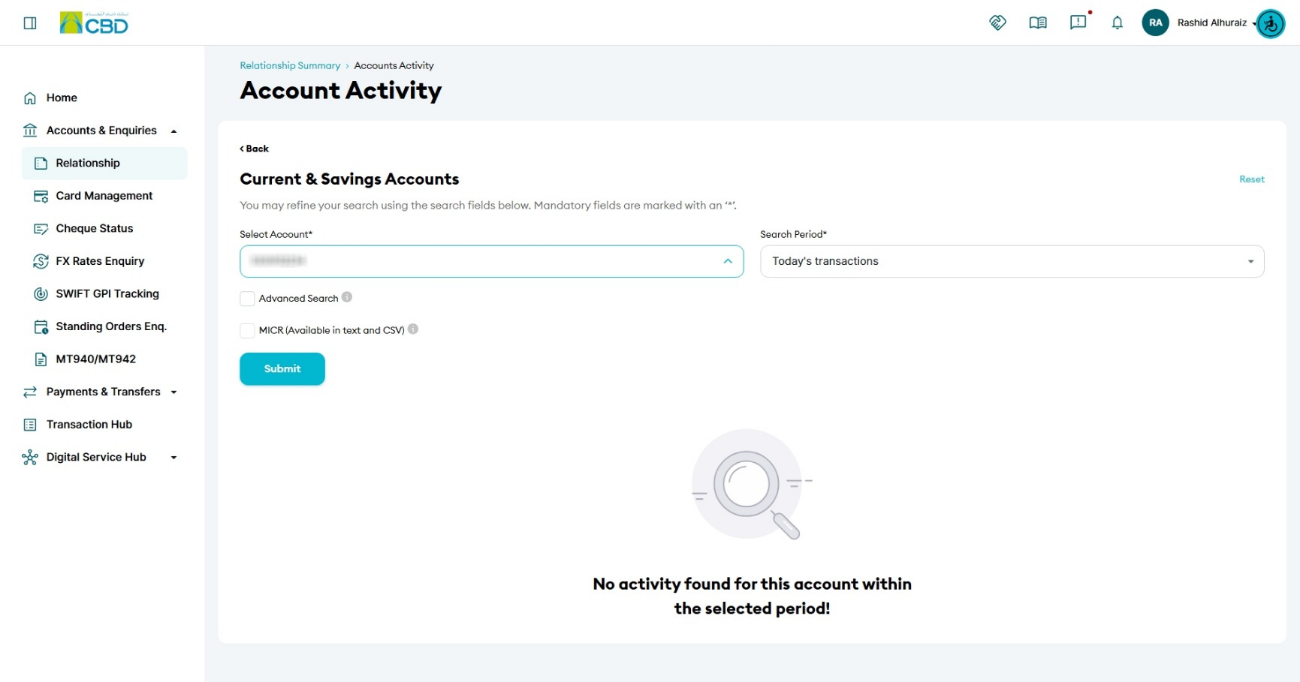
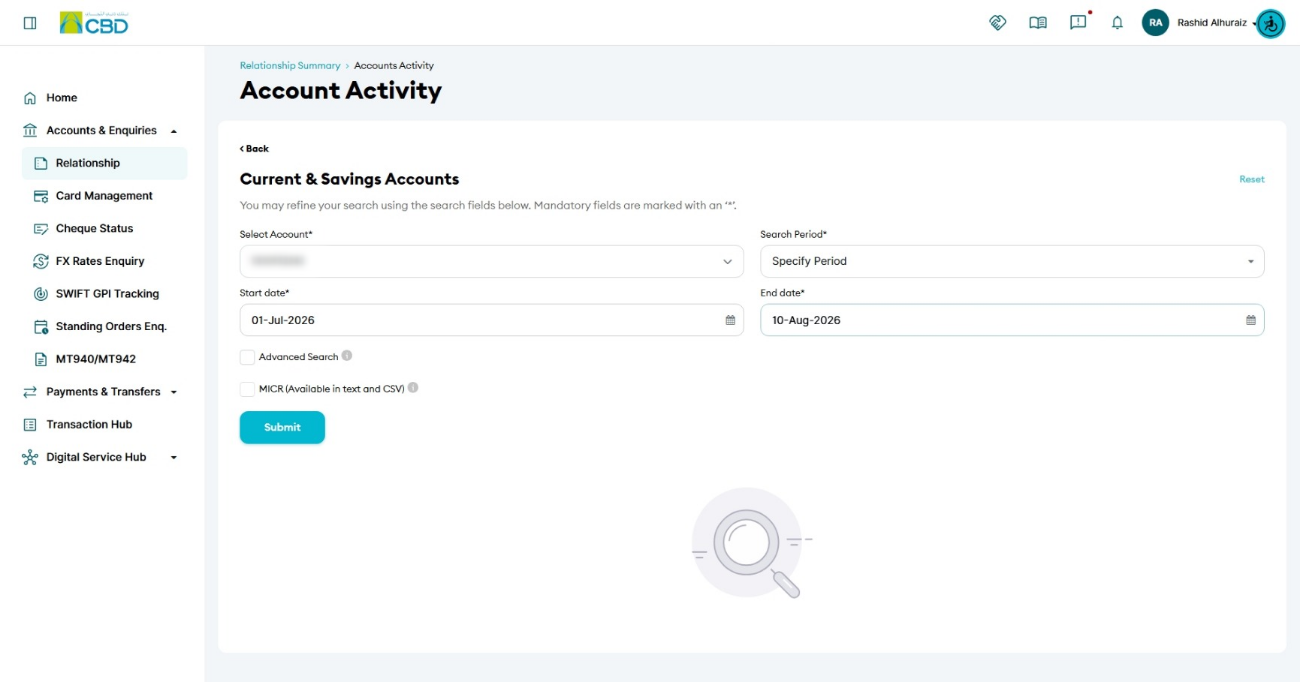
Step 3: Filter transactions
- Select the Account Number
- Choose the required Search Period
- Click Submit
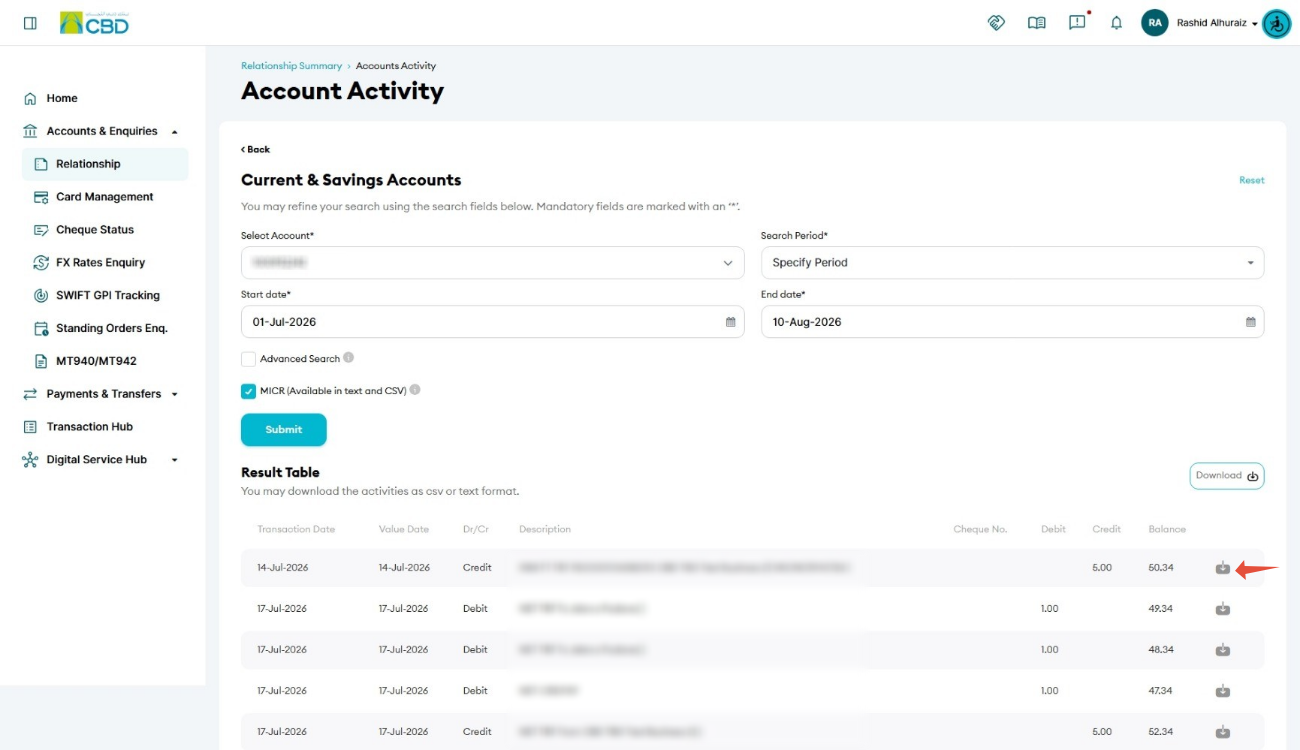
- The system will display the matching transaction details
Step 4: Download debit/credit advice
- Locate the required transaction
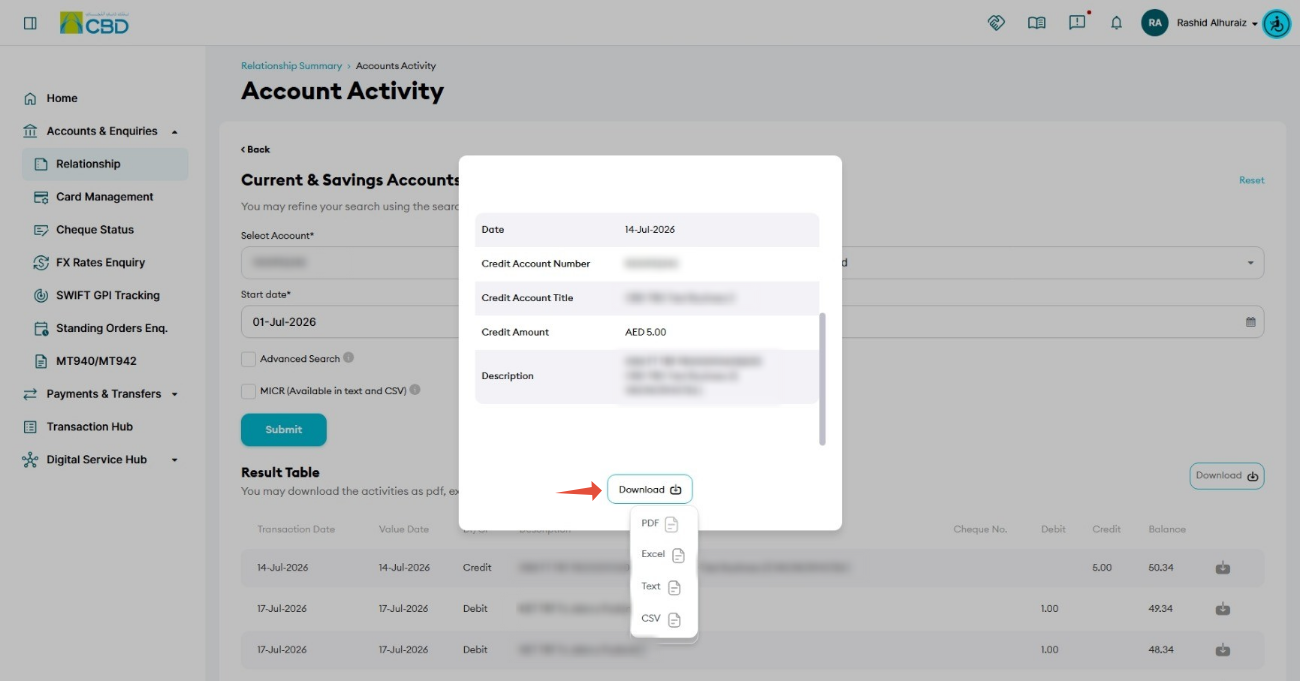
- Click Download

- Select your preferred format:
- Text
- CSV
- Save the file to your device
Helpful Tips
- Use a specific date range to quickly locate the required transaction
- Choose PDF format for official use or sharing
- Use CSV/Text formats for analysis or reconciliation
- Verify the transaction details before downloading