
Use this guide to view and download your recent account activity in Next Gen CIB.
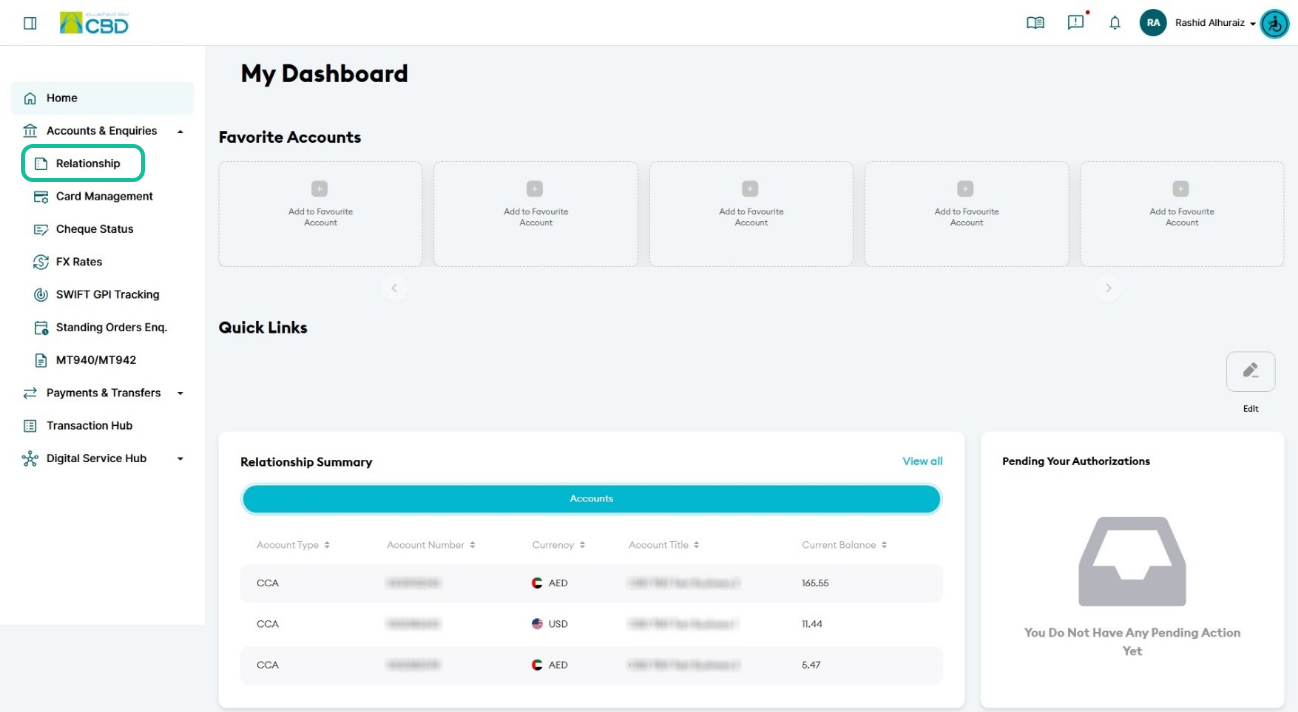
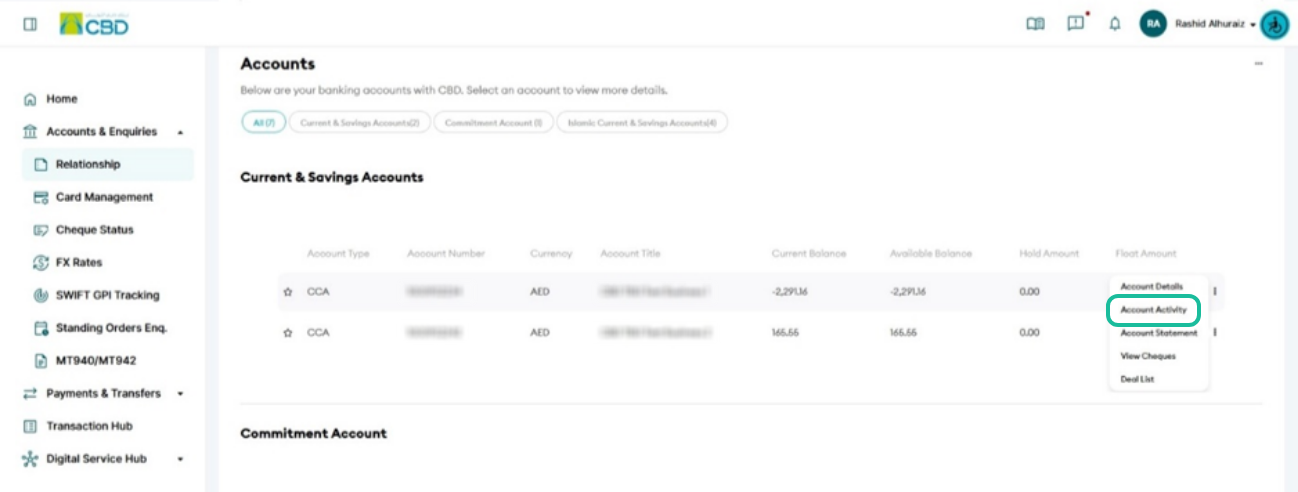
Step 1: Access account activity
- Log in to iBusiness
- Navigate to:
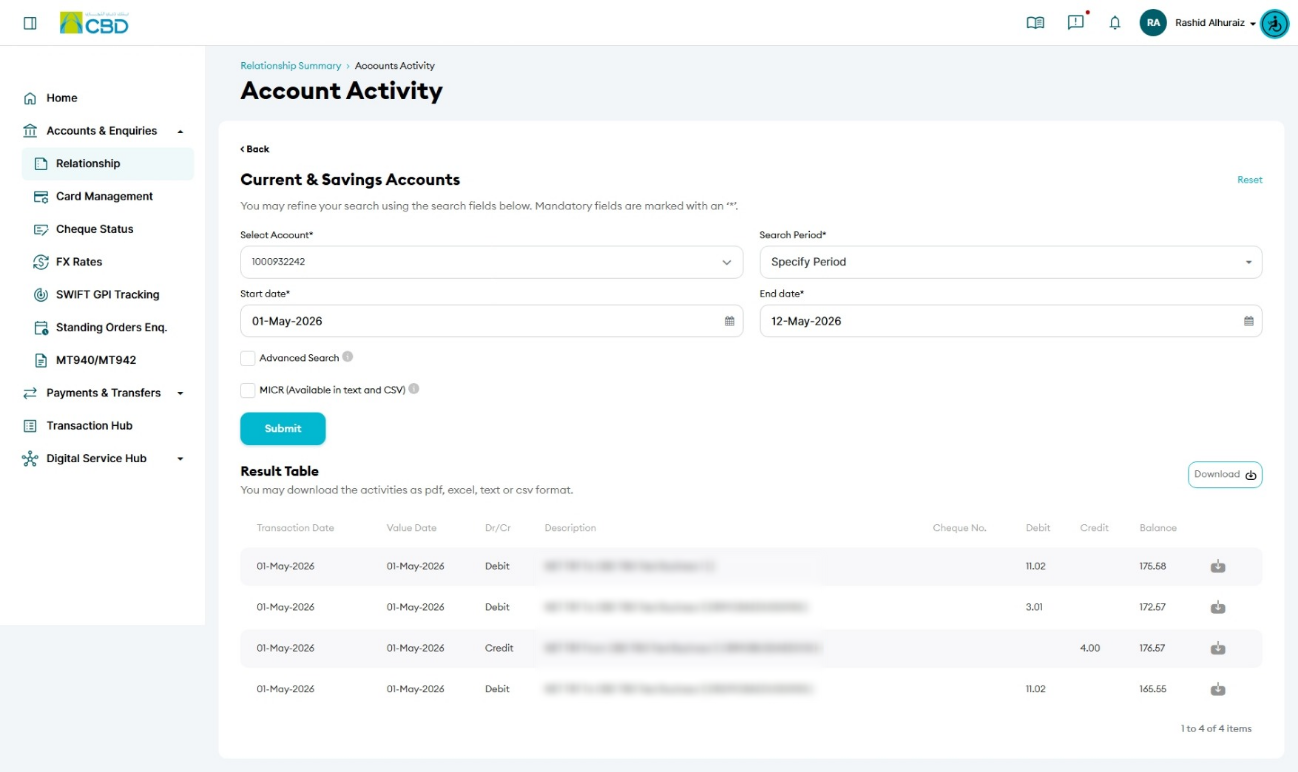
Accounts & Enquiries > Relationship - Select Account Activity
Step 2: Filter your activity
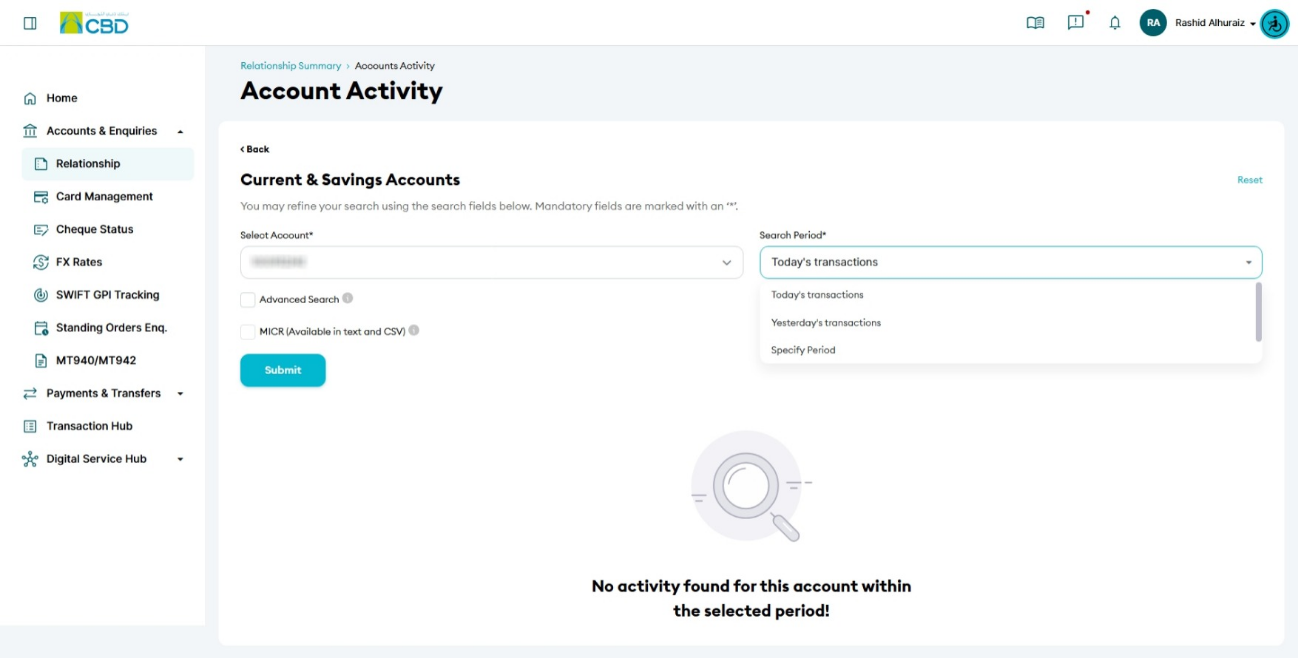
- Select the Account
- Choose a Search Period:
- Specify Period: Select custom dates using the From Date and To Date fields
- Current Period: Displays transactions from the start of the current month until yesterday
- Yesterday’s Transactions: Shows transactions from the previous day
- Today’s Transactions: Shows transactions from today
Step 3: View or download activity
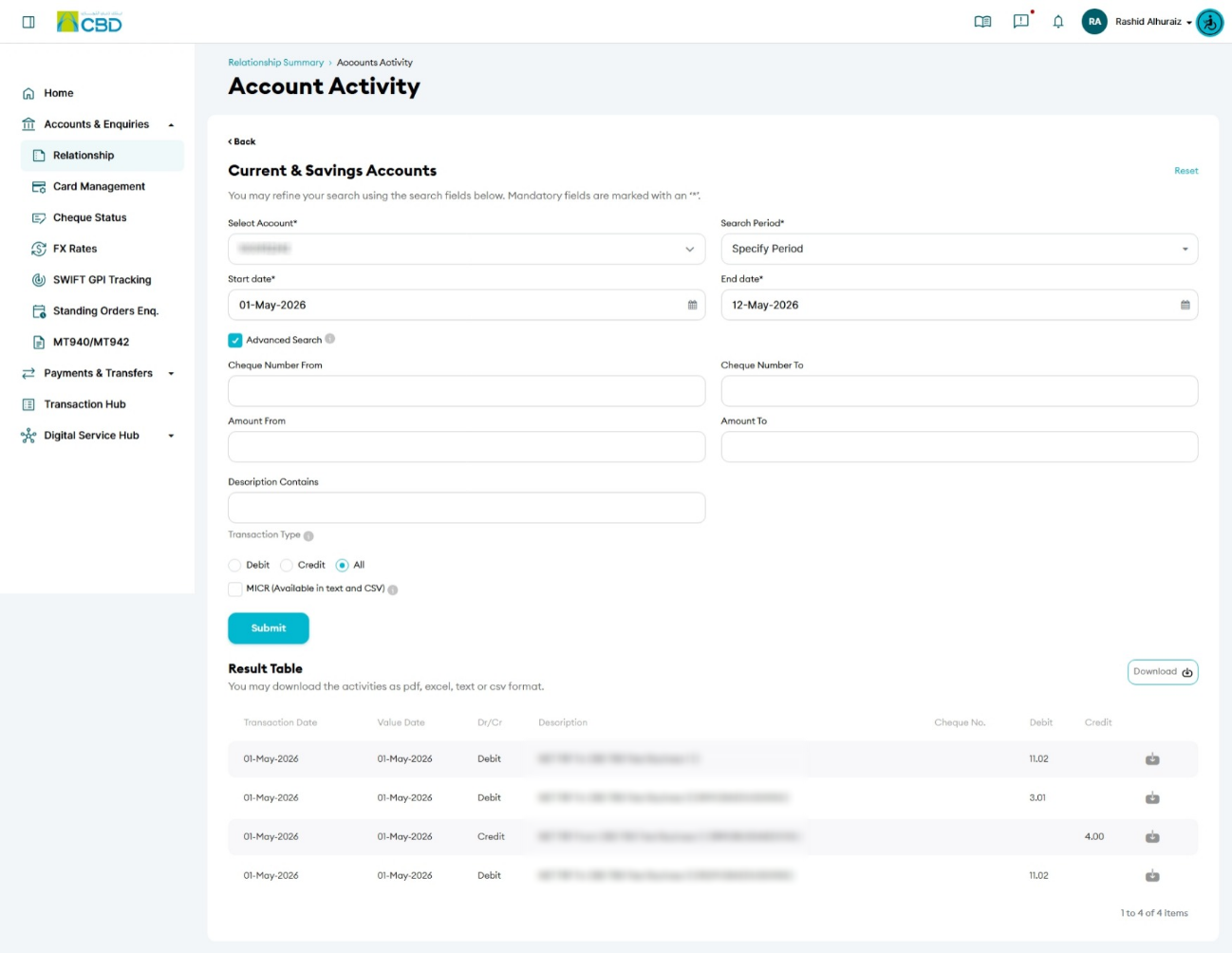
- The system will display the selected account activity
- To download the data:
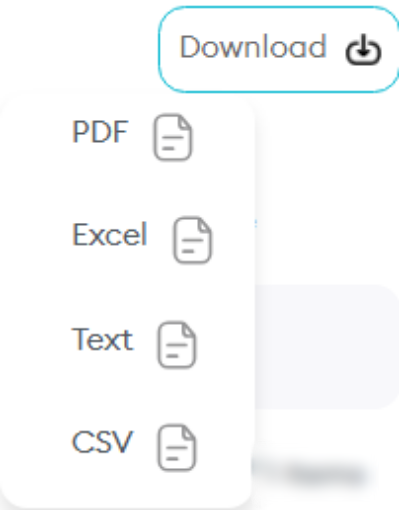
- Click Download
- Choose your preferred format:
- Excel
- Text
- CSV
Helpful Tips
- Use Specify Period to quickly locate transactions within a specific date range
- Choose Excel or CSV format for easier sorting and analysis
- Verify selected filters before downloading to ensure accurate results