
Use this guide to view your loan details, outstanding balance, and repayment schedule in Next Gen CIB.
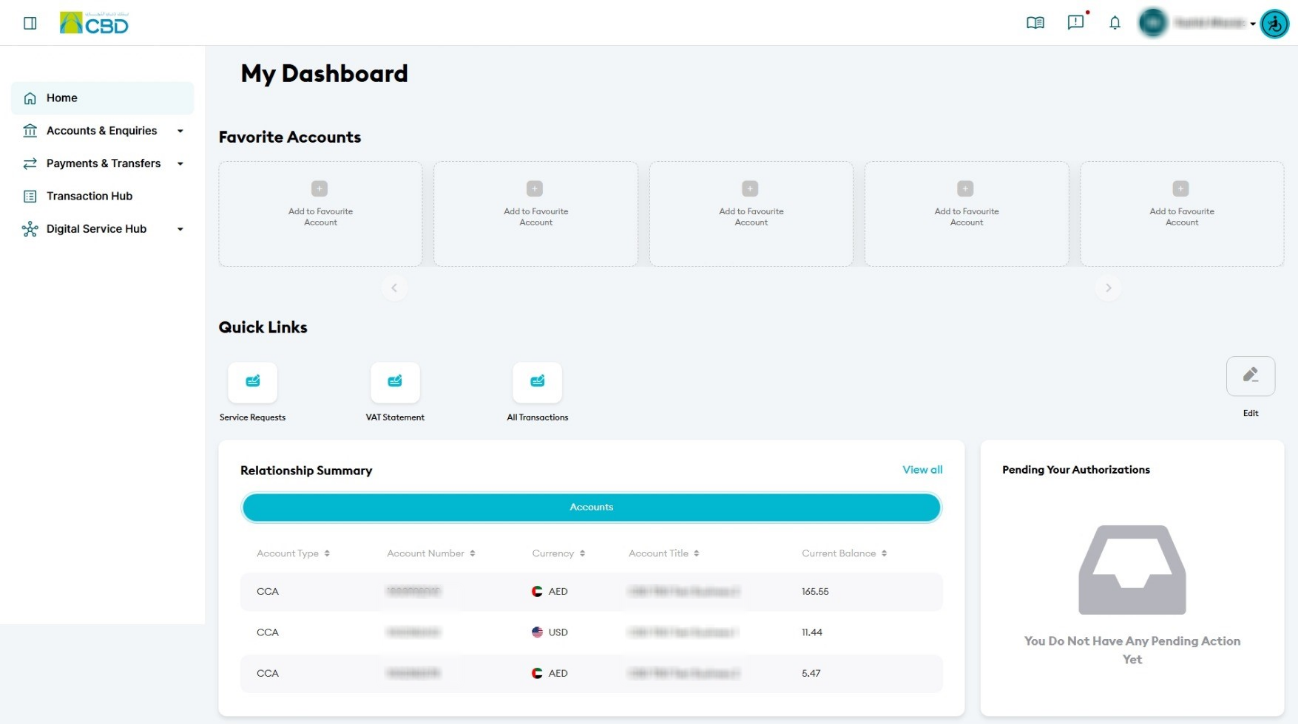
Step 1: Access your loan accounts
- Log in to iBusiness
- Navigate to:
Accounts & Enquiries > Relationship - Apply the Loans filter
- A list of all loan accounts linked to your profile will be displayed
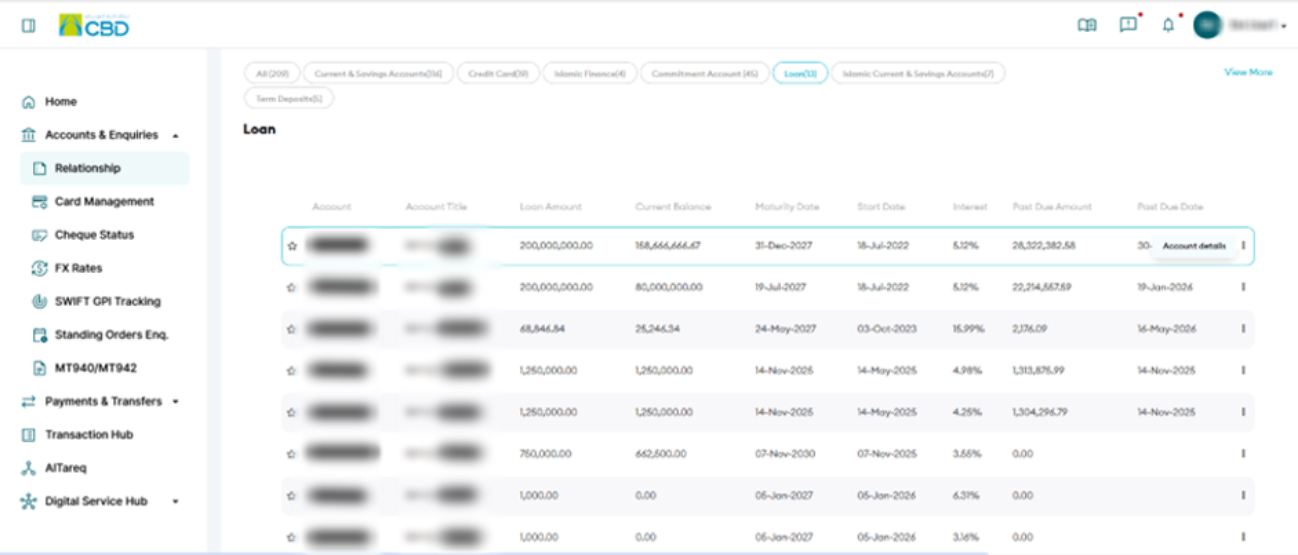
Step 2: View loan details
- Click the ellipsis (⋯) next to the loan account
- Select Account Details
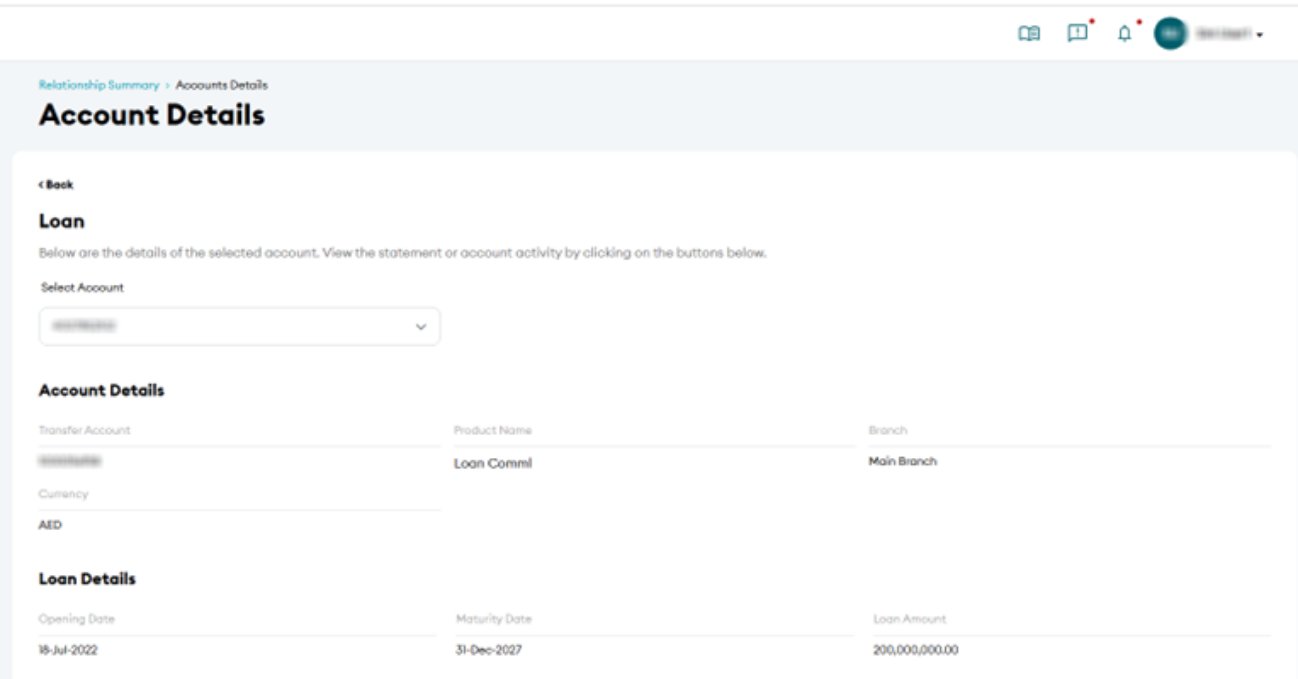
Step 3: Review loan information
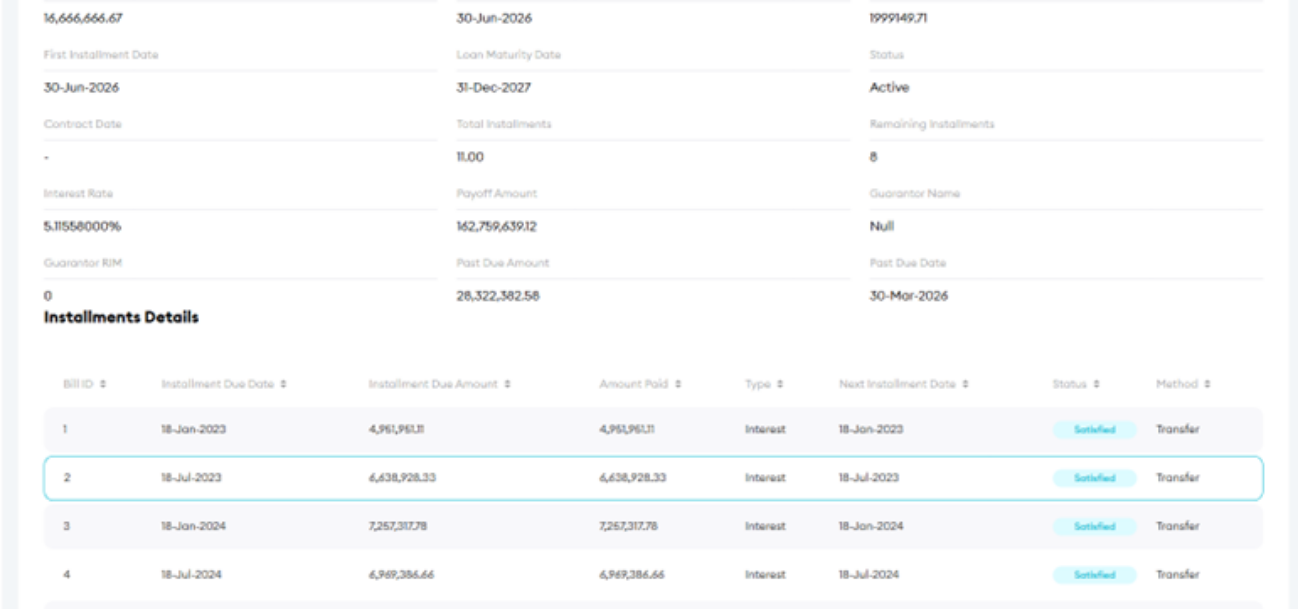
You can view:
- Account details
- Loan details
- Outstanding loan balance
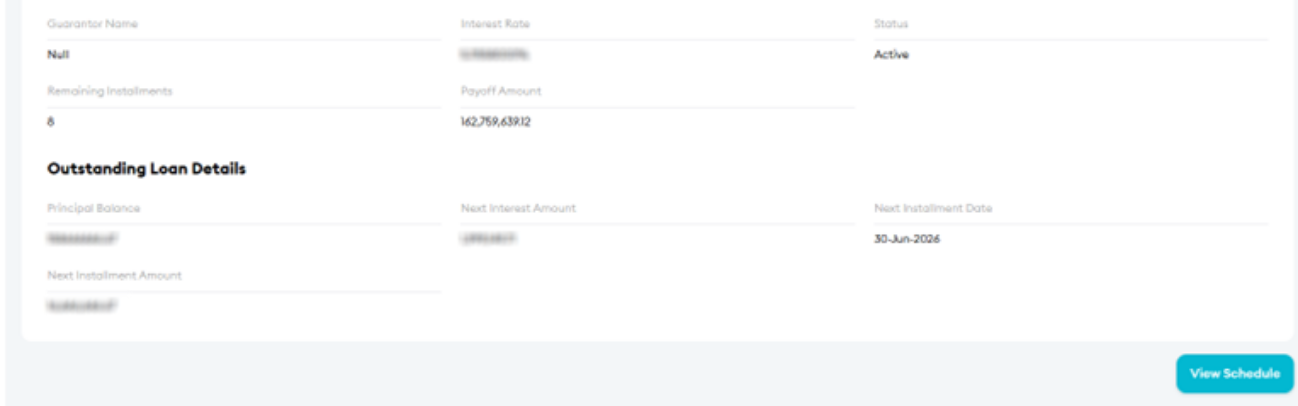
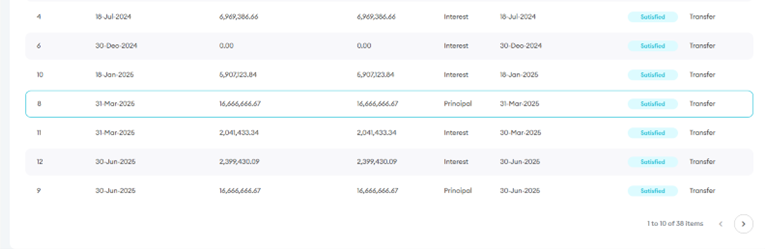
Step 4: View repayment schedule
- Click View Schedule
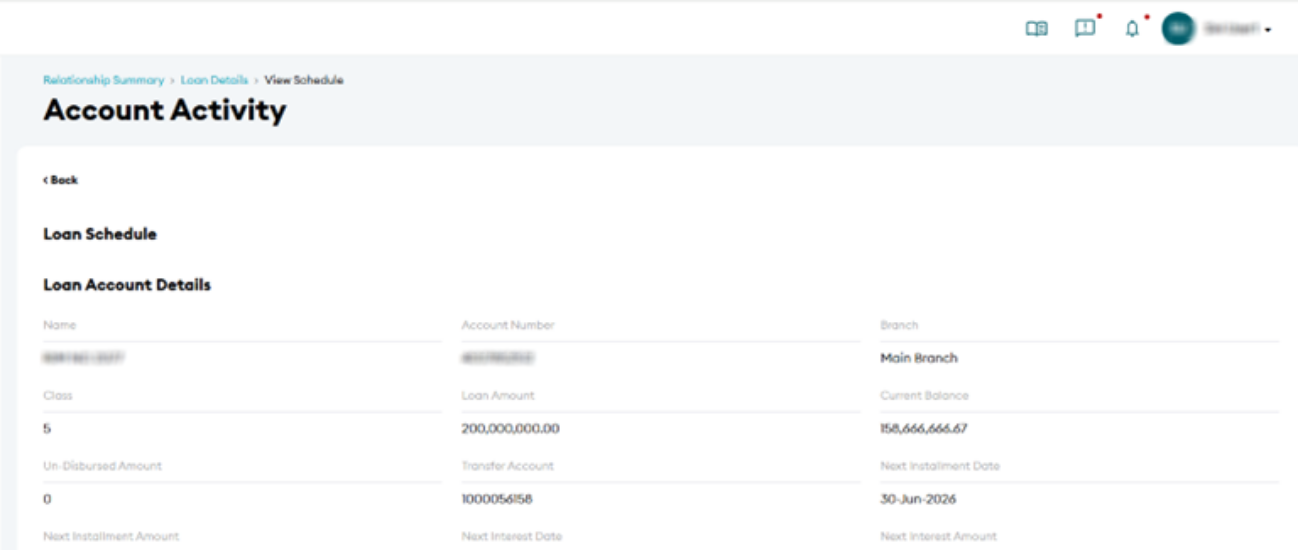
- The system will display:
- Completed payments
- Upcoming payments
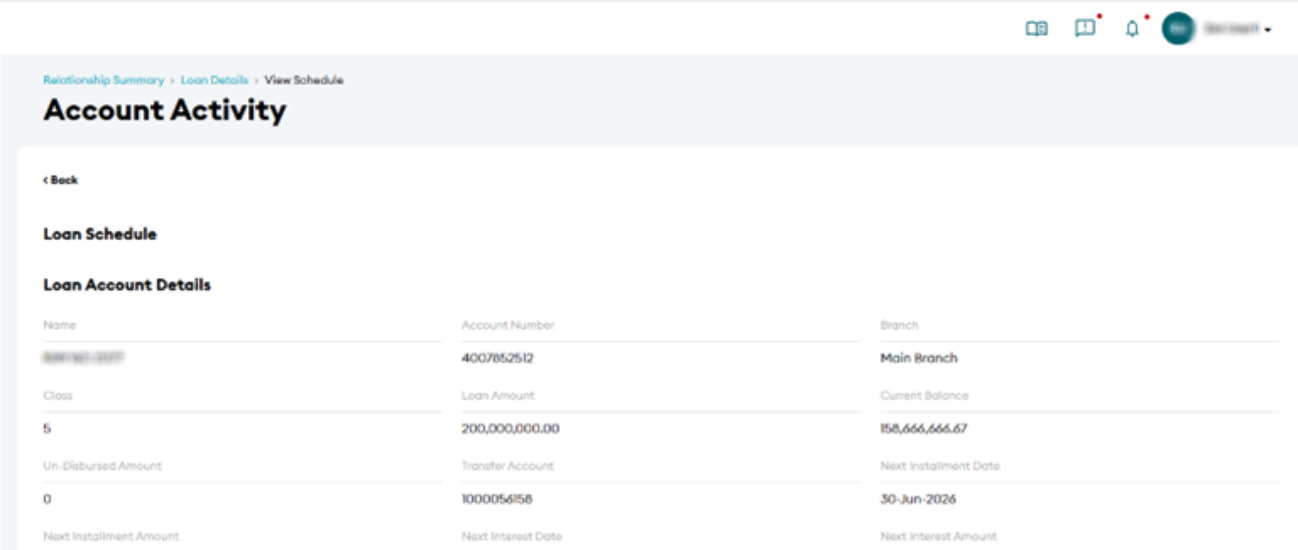
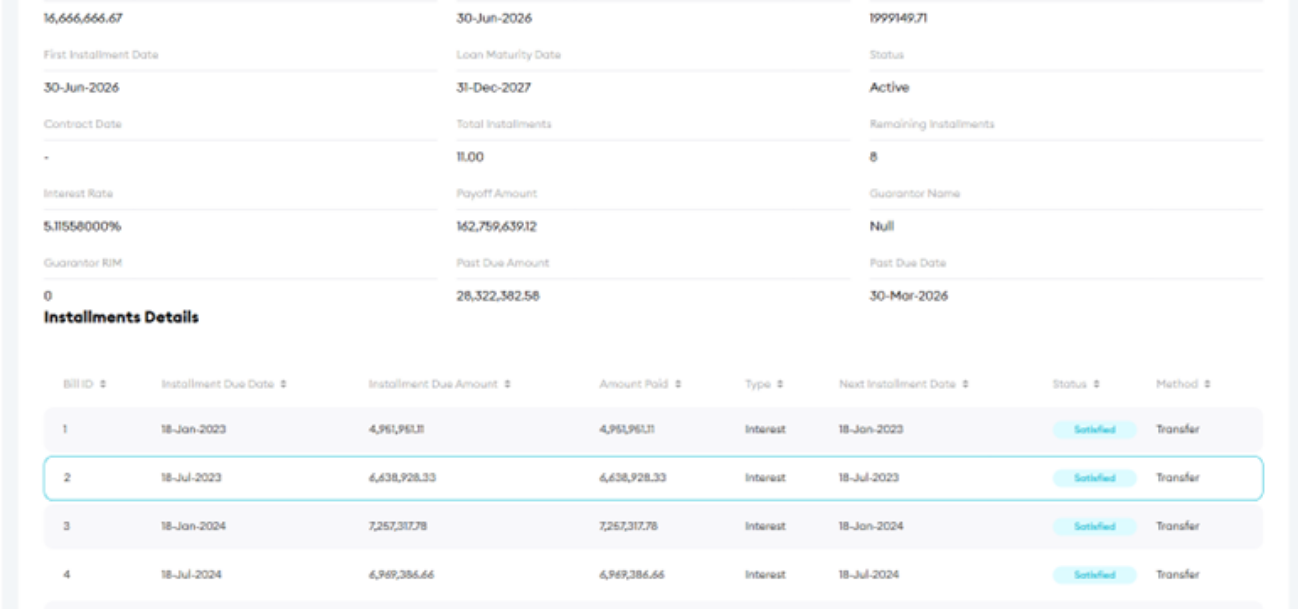
Step 5: Review full loan schedule
You can view the complete loan repayment schedule, including:
- Payment dates
- Amounts
- Status of each instalment
Helpful Tips
- Use the schedule view to track upcoming payments
- Check the outstanding balance regularly for better financial planning
- Review completed payments to confirm past transactions
- Select the correct loan account if multiple loans are available