
Use this guide to view your account details and balance information in Next Gen CIB.
Step 1: Access Your Accounts
- Log in to iBusiness.
- Navigate to: Accounts & Enquiries ➜ Relationship
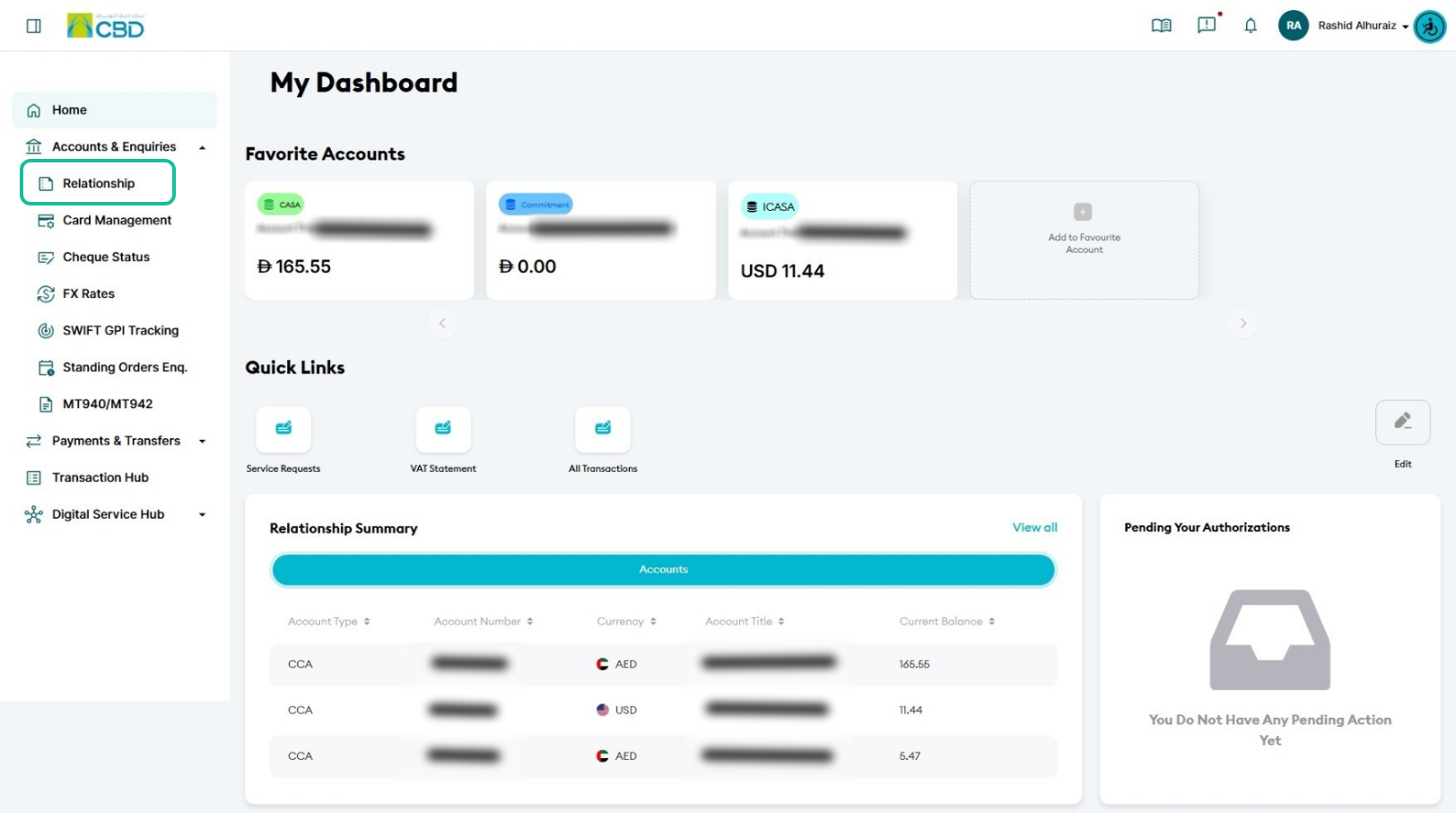
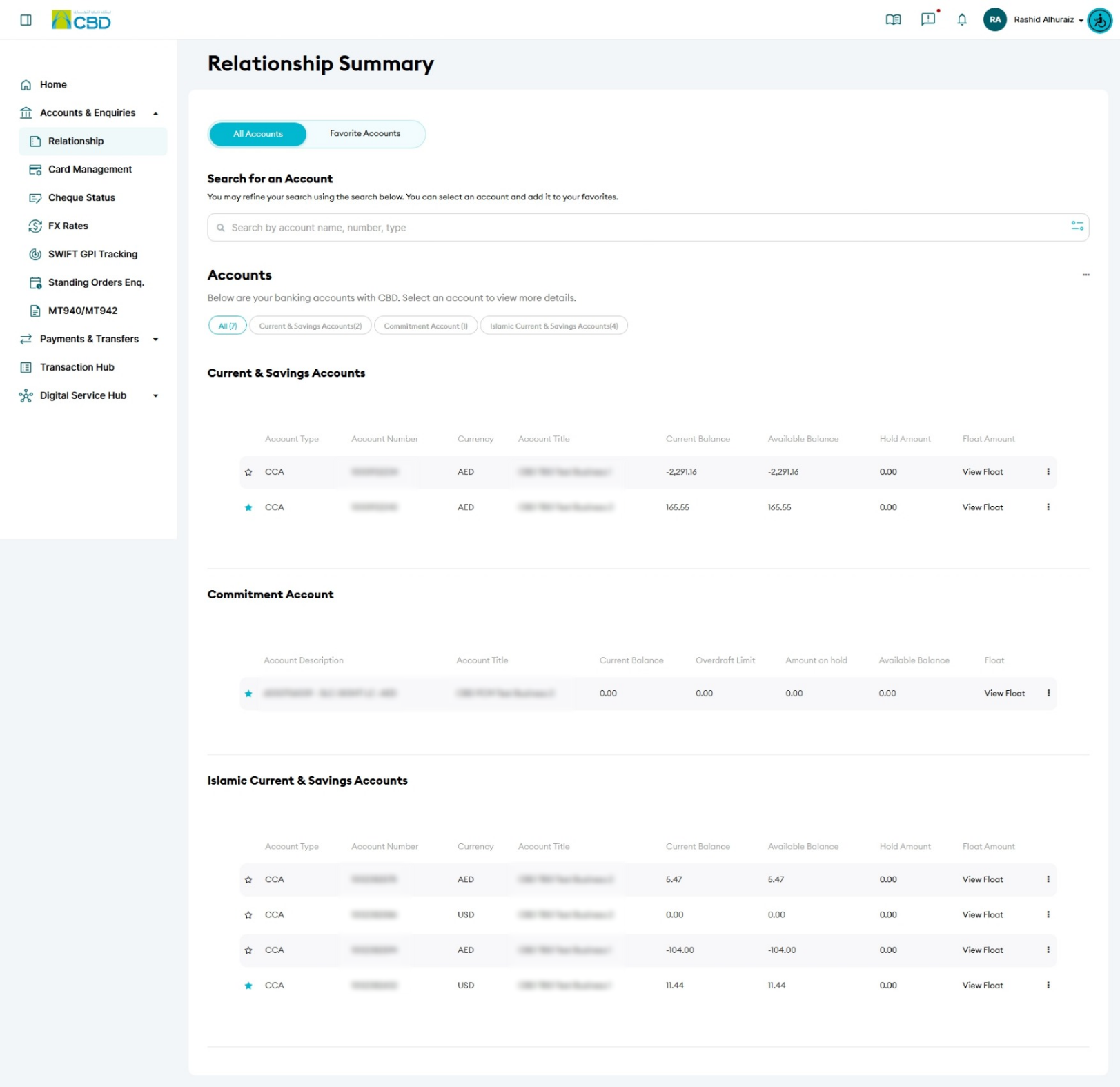
A list of all accounts linked to your profile will be displayed.
From this screen, you can:
- View your account numbers
- Check available balances
- Review account relationships
- Access additional account services
Step 2: Open Account Services
- Locate the required account.
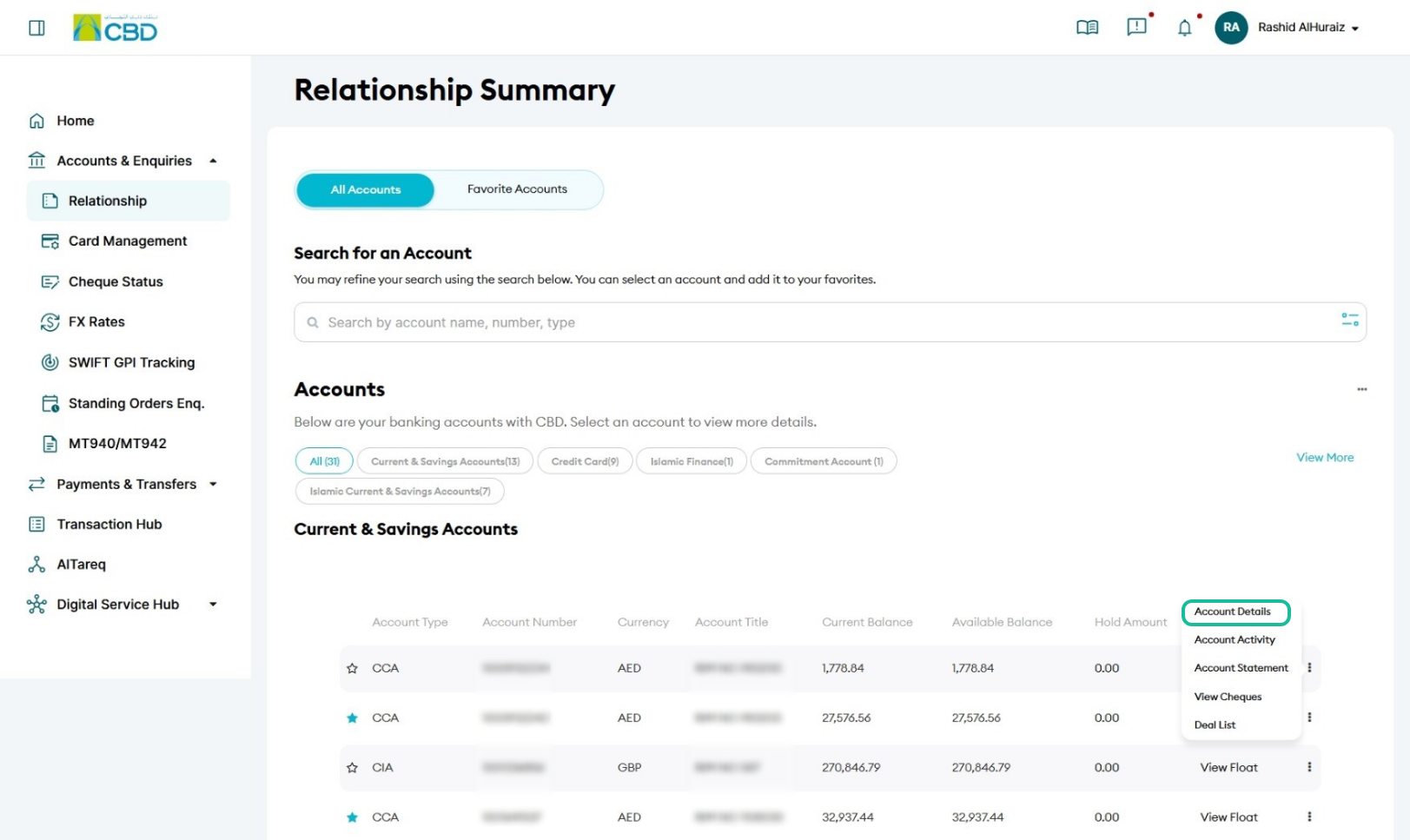
- Click the More Options (...) menu next to the account.
The following options will be available:
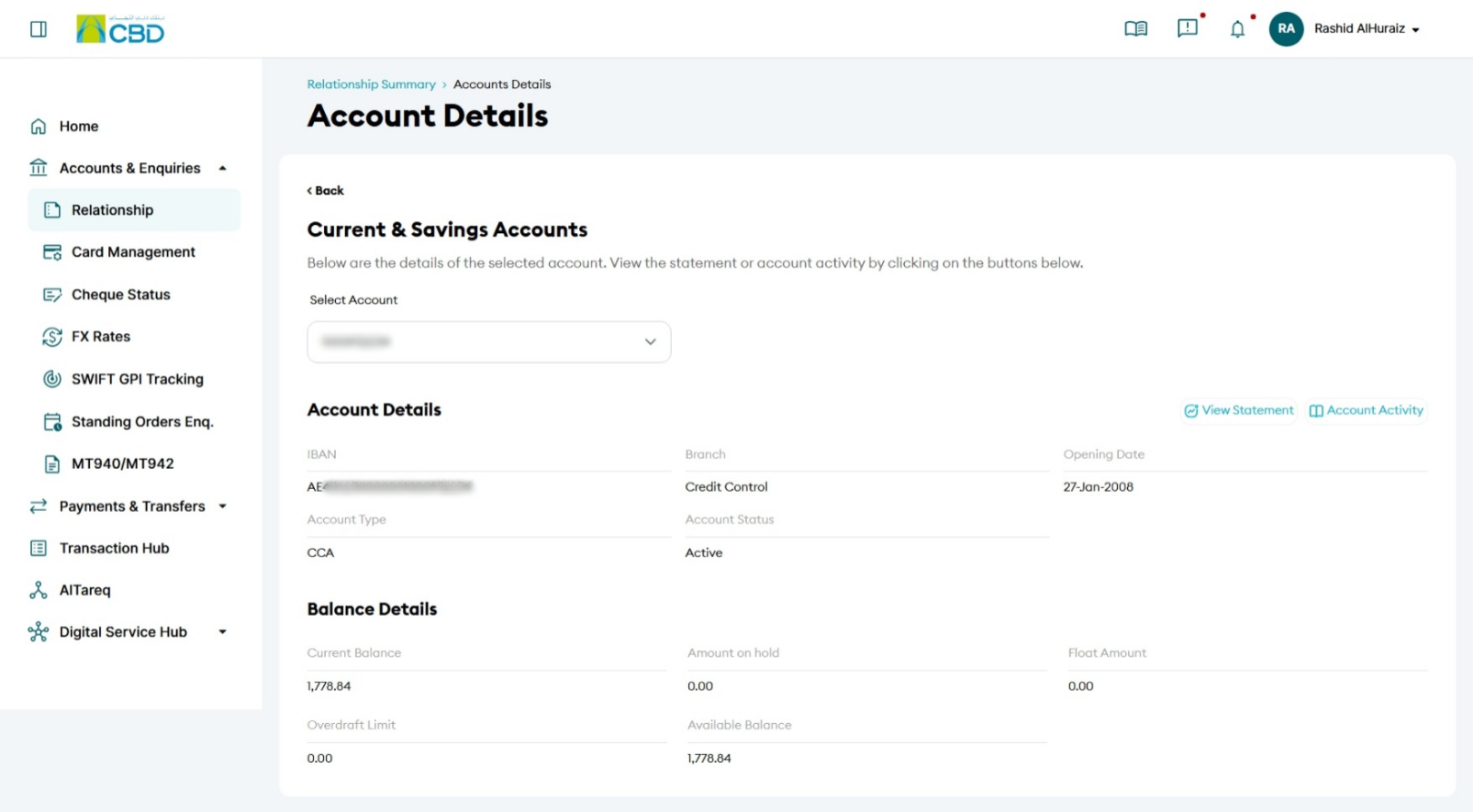
Account Details
View detailed account information, including:
- Account Number
- Currency
- Account Status
- Available Balance
- Relationship Information
Account Activity
View recent transactions and account movements, including:
- Credits
- Debits
- Transaction Dates
- Transaction Descriptions
Account Statement
Generate or download account statements for selected date ranges.
View Cheques
View cheque-related information associated with the selected account.
Deal List
View treasury and deposit-related deals linked to the account.
Step 3: Review Account Information
Select the required service to view the corresponding account information.
Depending on the option selected, you can review:
- Account balances
- Transaction history
- Statements
- Cheque information
- Treasury deal information
Support Notes / Best Practices
- Verify that you have selected the correct account before reviewing account information.
- Use Account Activity to review recent transactions and account movements.
- Use Account Statements when you require downloadable account records.
- Review your available balance before initiating payments or transfers.
- Use Deal List to view treasury or deposit-related deals linked to the account.