
Use this guide to check the status of your Post-Dated Cheques (PDCs) in Next Gen CIB.
Step 1: Access cheque status
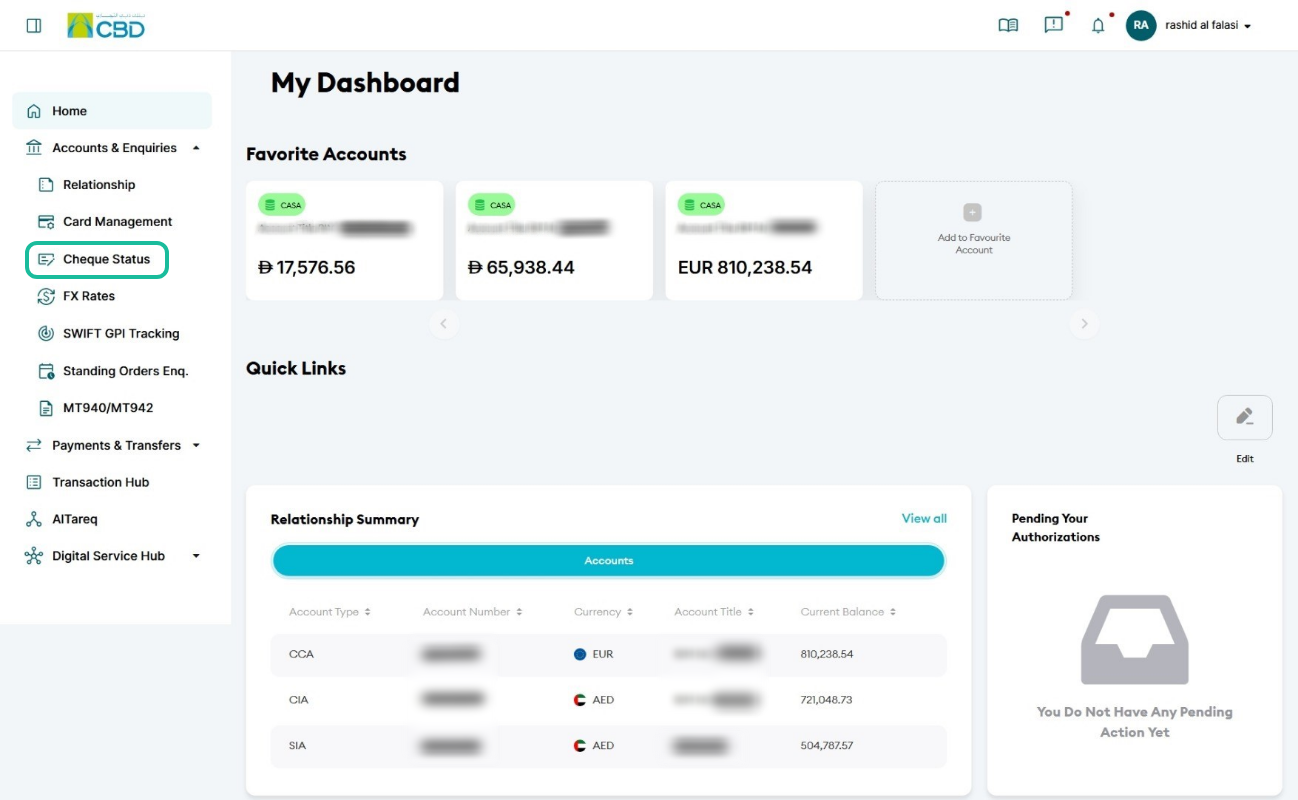
- Log in to iBusiness
- Navigate to: Accounts & Enquiries > Cheque Status
Step 2: Enter search details
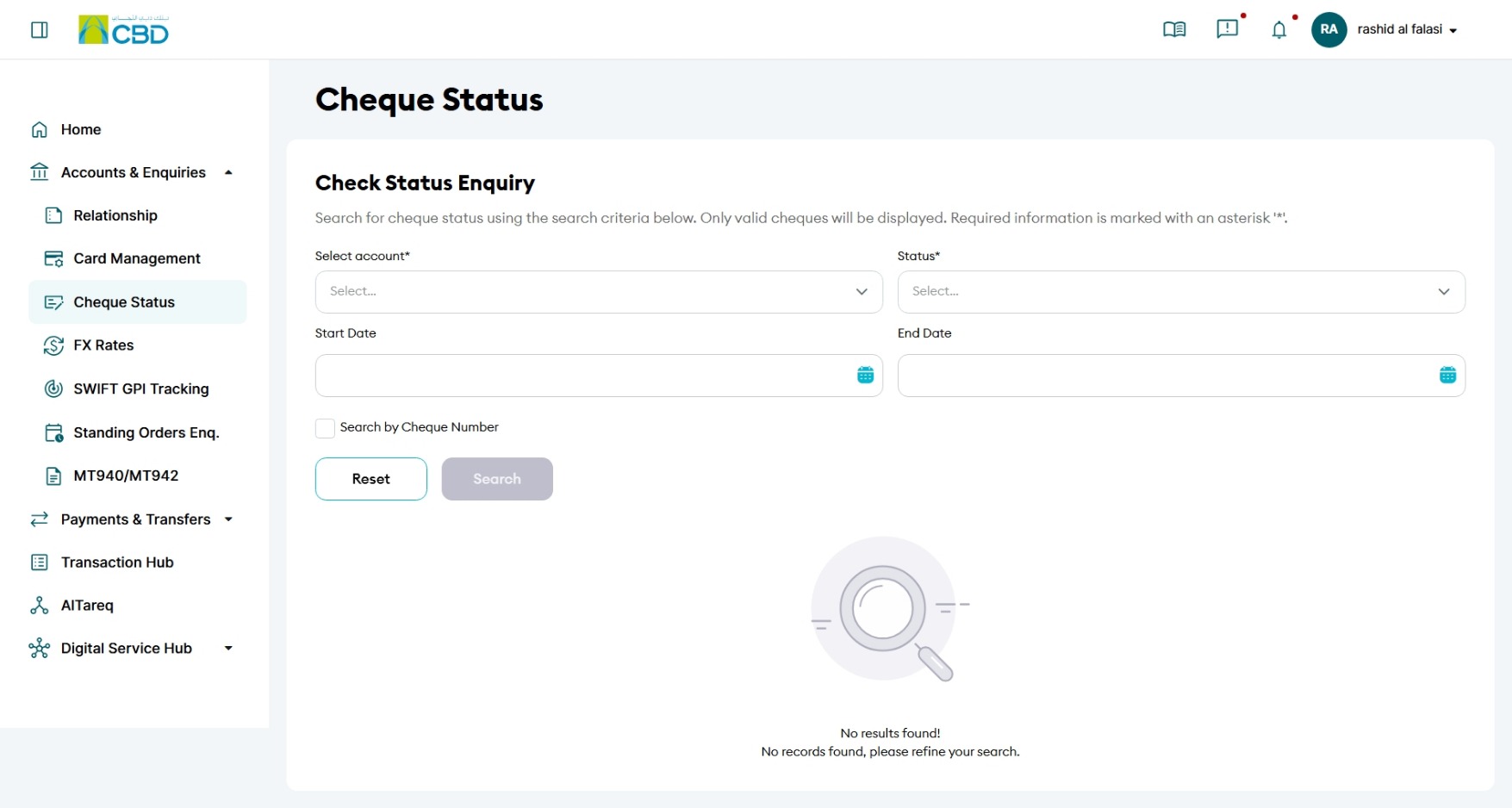
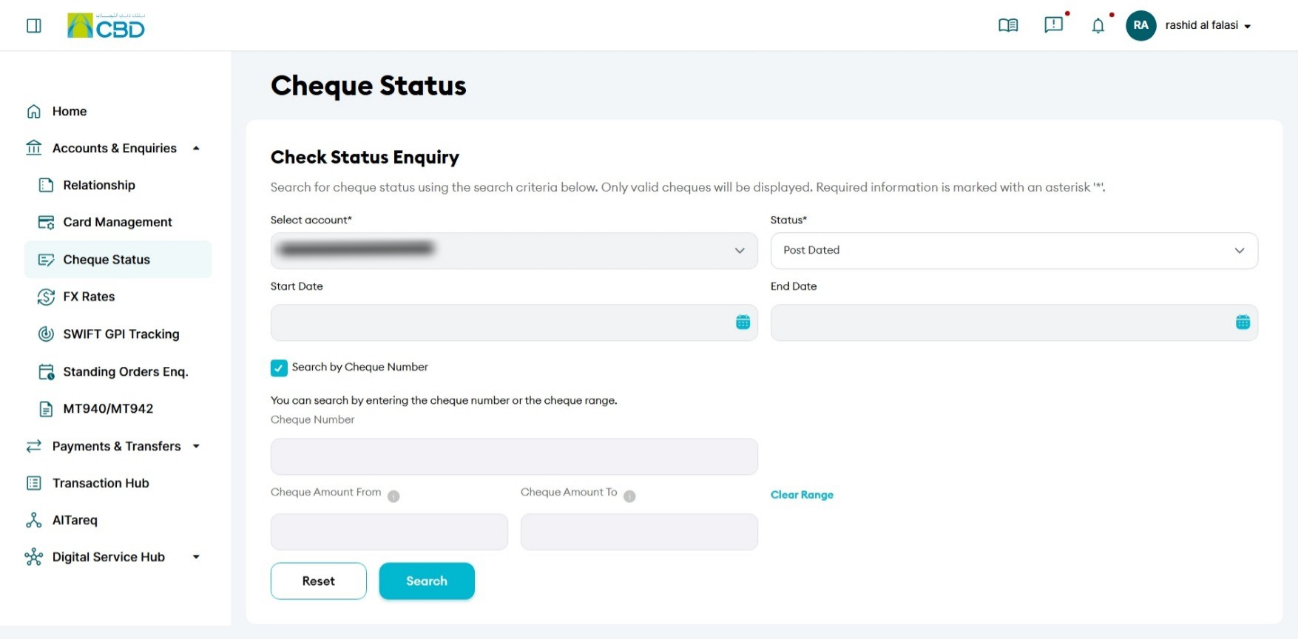
- Select the Account Number
- From the Status dropdown, choose Post-Dated Cheque (PDC)
- (Optional) Use Start Date and End Date to refine your search
- Click Submit or Search
Step 3: View PDC results
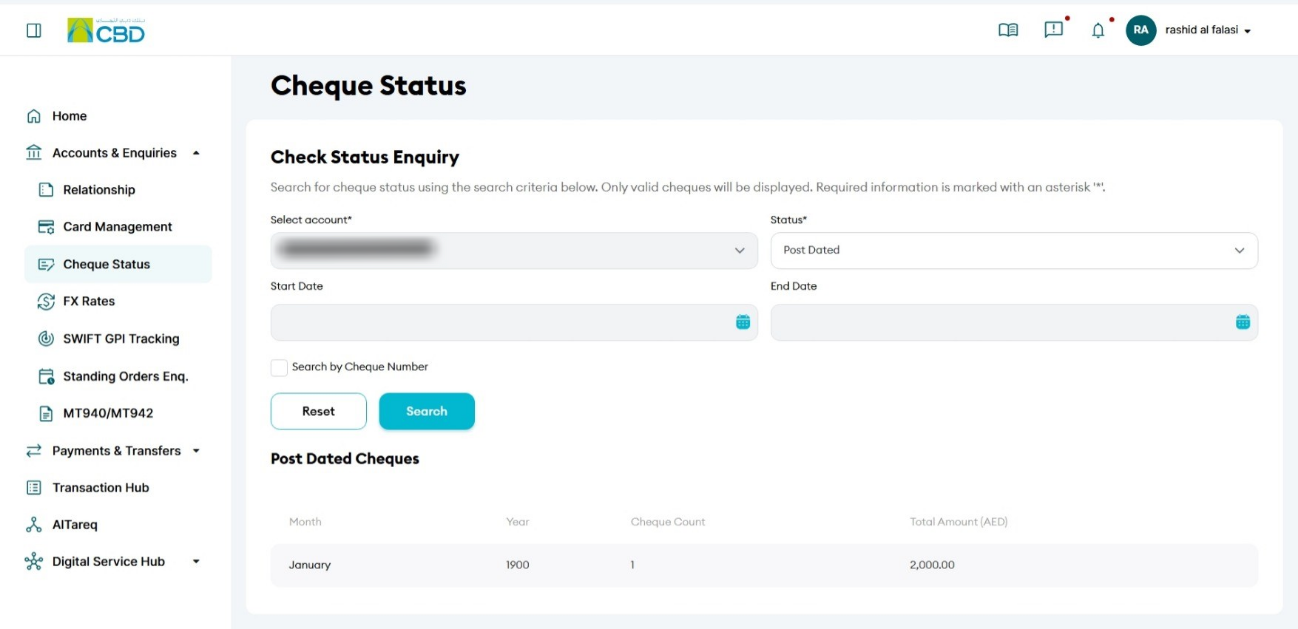
- A list of all matching Post-Dated Cheques will be displayed
- Review the details shown for each cheque
Step 3: View cheque details
- The system displays post-dated cheques grouped by month
- Click on a month to view detailed cheque information
- Click on a cheque number to view the cheque image
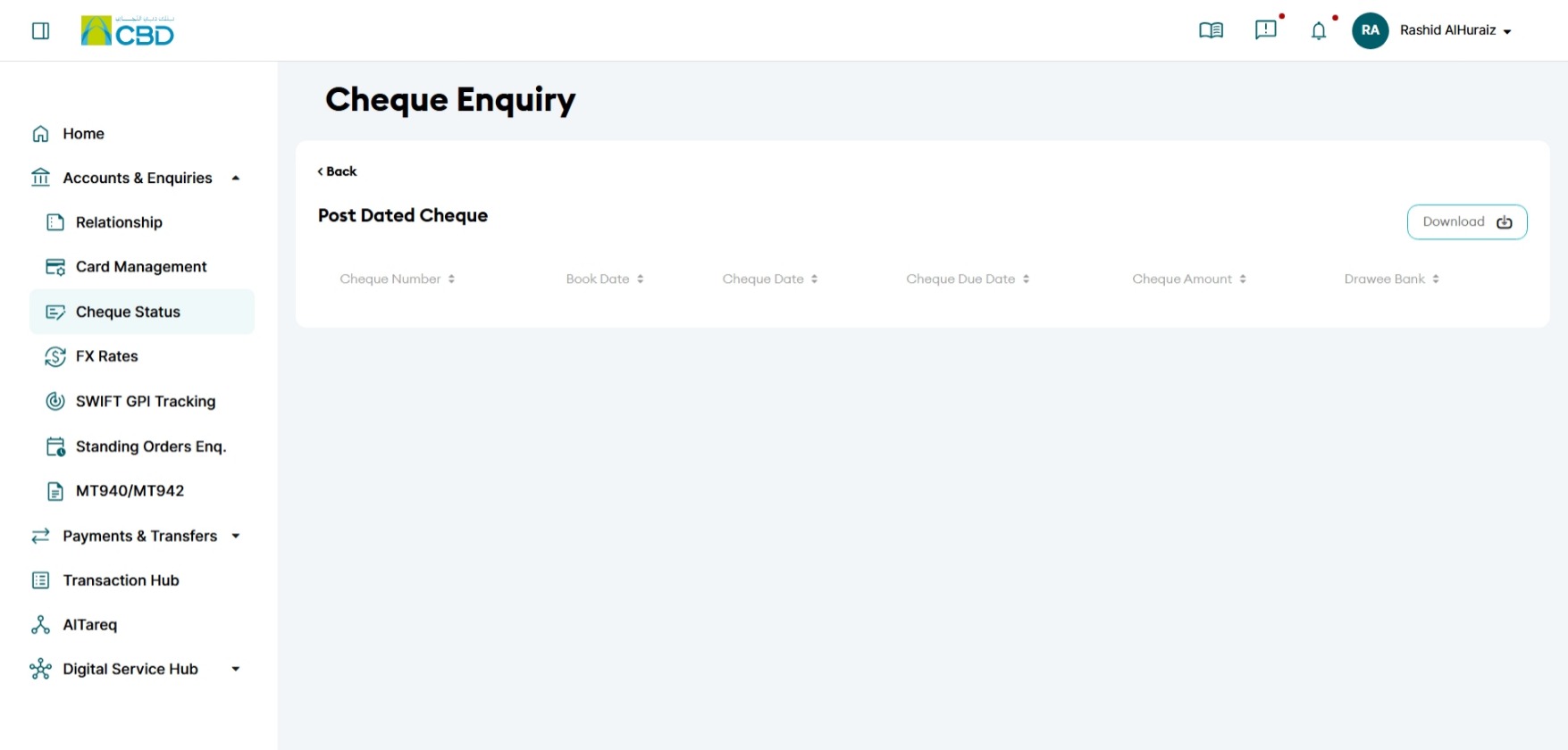
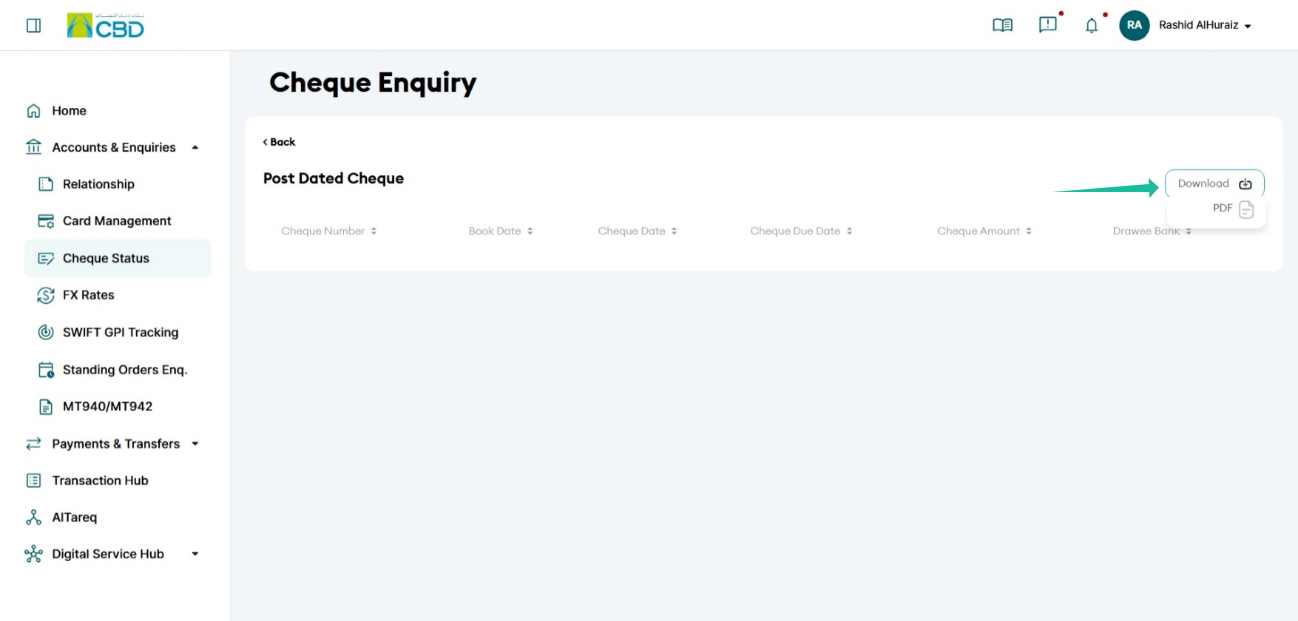
Step 4: Download cheque details
- Click Download
- Select your preferred format
- Save the file to your device
Helpful Tips
- Use the Cheque Number to quickly locate a specific cheque
- Apply date filters to narrow down results when dealing with multiple records
- Click on the cheque number to view the cheque image for verification
- Download the data in a suitable format for reporting or reconciliation