
Use this guide to withdraw or defer a post-dated cheque (PDC) through Next Gen CIB.
Step 1: Search for the cheque
- Log in to iBusiness
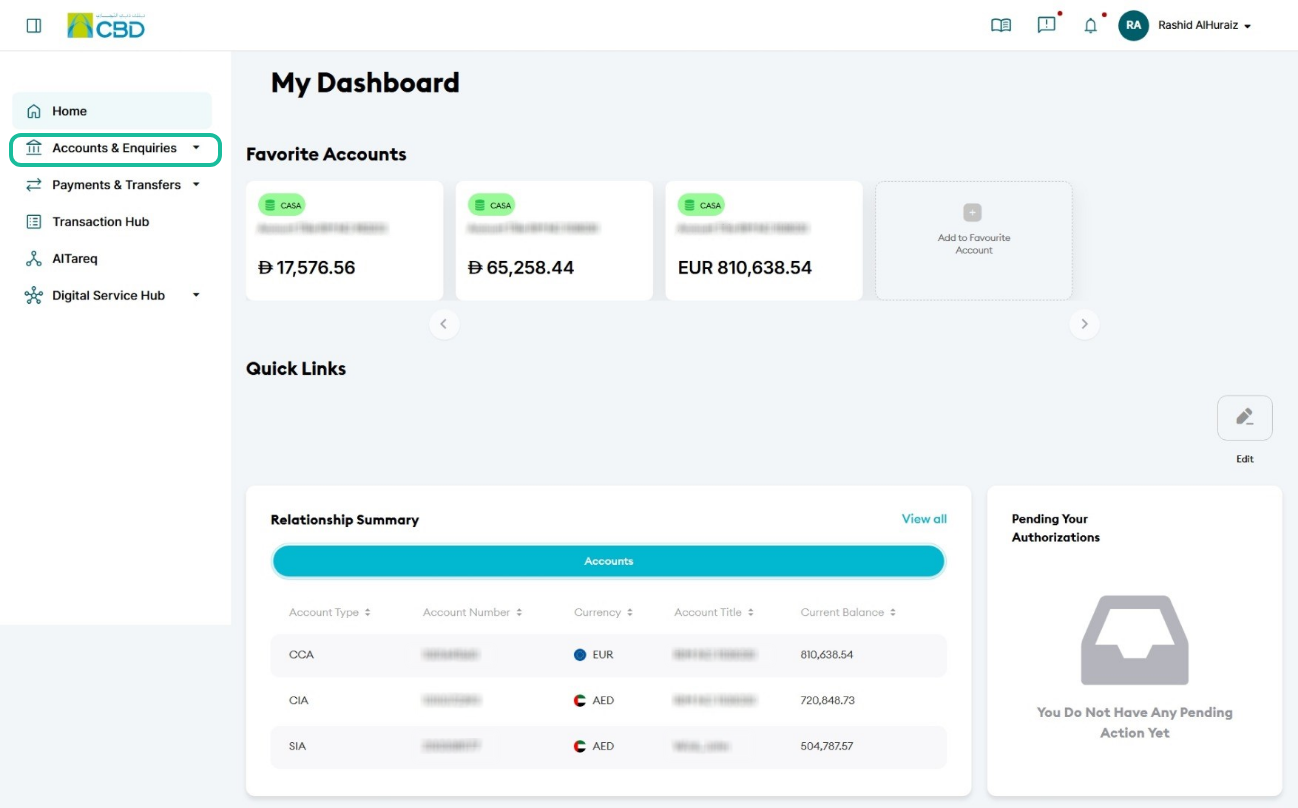
- Navigate to:
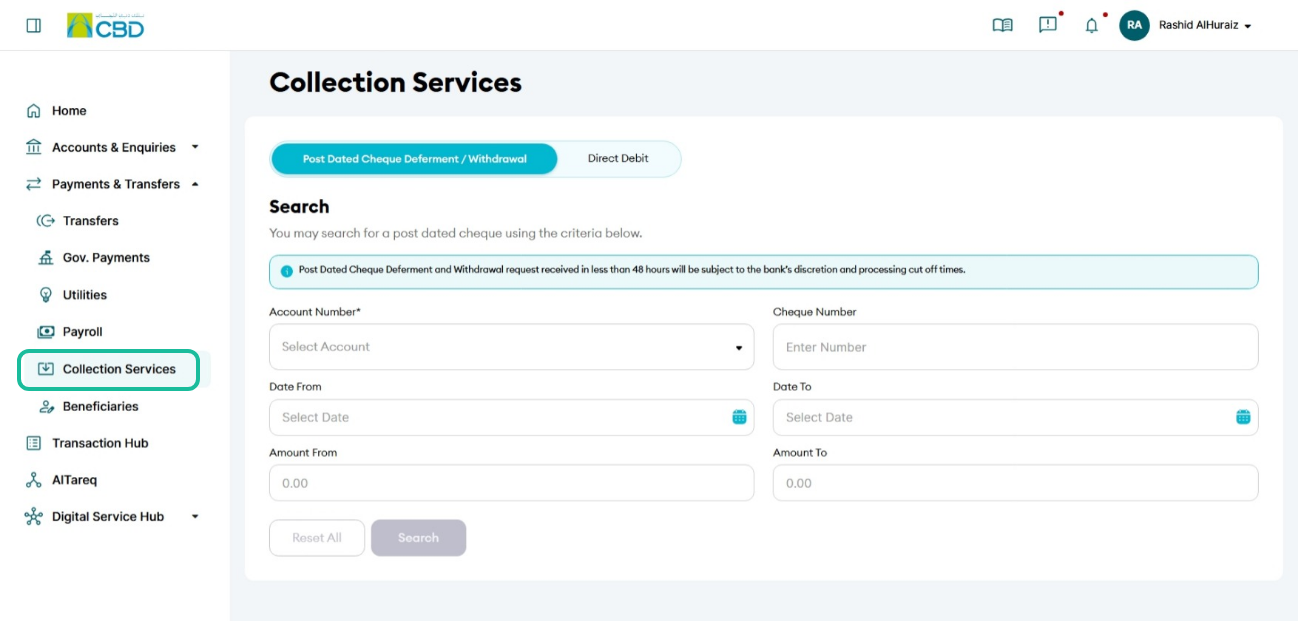
Payments & Transfers > Collection Services - Select the Account Number and/or apply filters
- Click Search to view all post-dated cheques
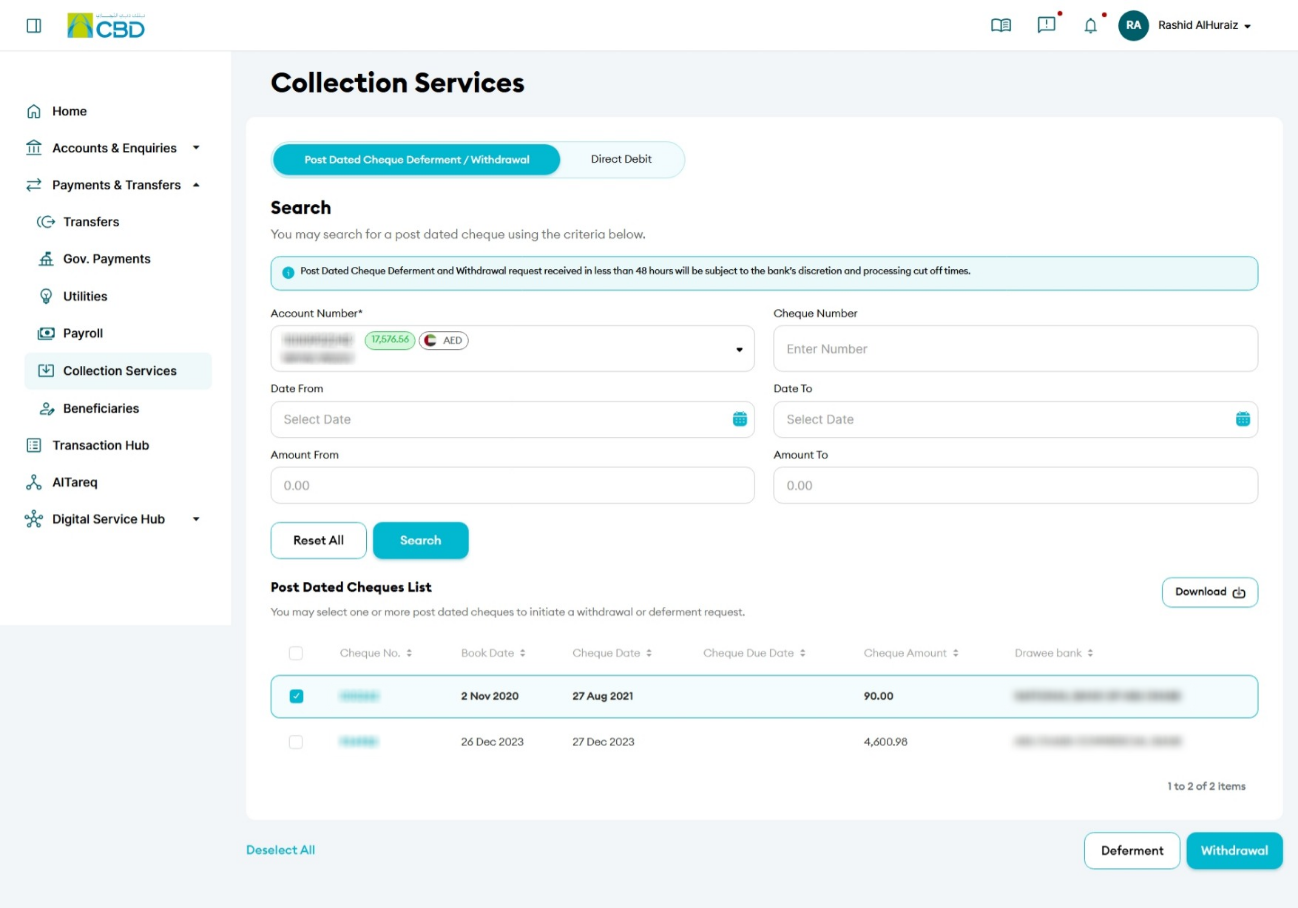
- Select the cheque you want to manage
Step 2: Choose an action
- To withdraw the cheque, select PDC Withdrawal
- To defer the cheque:
- Select PDC Deferment
- Enter the new presentation date
Step 3: Review and submit
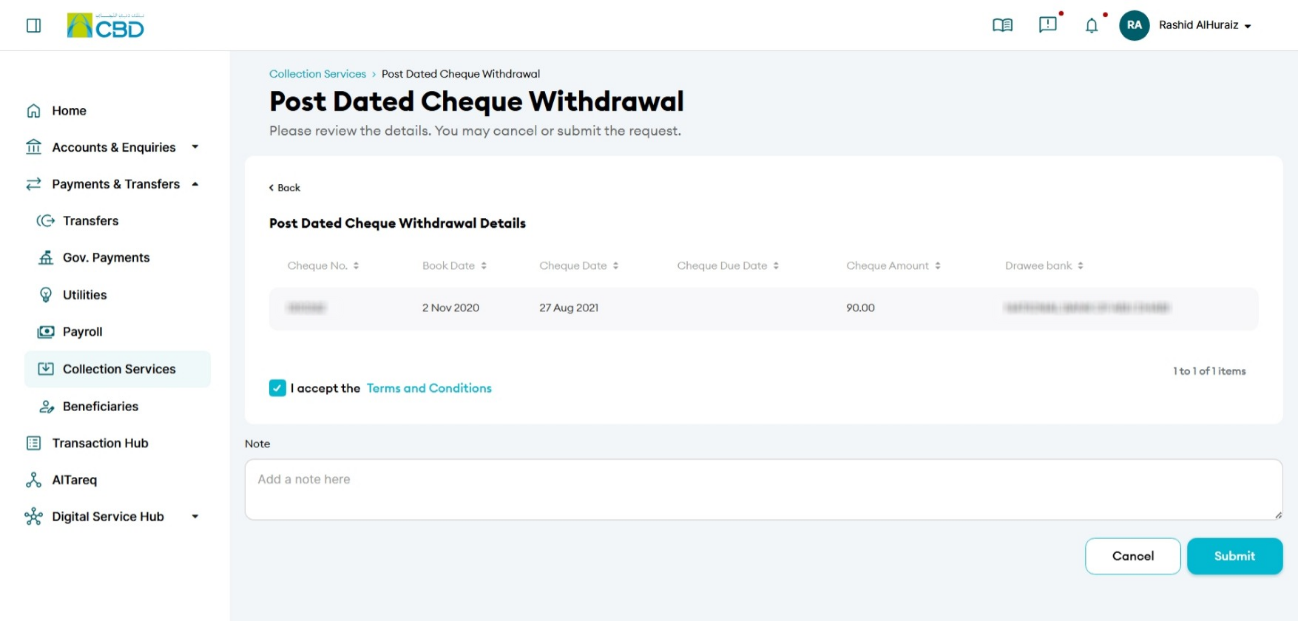
- Review the selected details
- Click Submit
Step 4: Authenticate the request
- You will receive a notification on your paired mobile device
- Approve the request to proceed
- A confirmation screen with a reference number will be displayed
Step 5: Approval (if applicable)
- If your organisation follows a maker/checker process, the request must be approved
- The approver should:
- Log in to iBusiness
- Go to Transactions > Pending Your Authorisations
- Locate the request under PDC Withdrawal (or relevant transaction type)
- Review and Approve or Reject the request
Note
- Requests for PDC withdrawal or deferment submitted within 48 hours of the cheque date are subject to:
- Bank discretion
- Processing cut-off times
Helpful Tips
- Use filters (e.g., account number or cheque details) to quickly locate the required cheque
- Double-check the new date before confirming a deferment
- Submit requests early to avoid processing restrictions close to the cheque date
- Keep the reference number for tracking your request