
This guide provides step-by-step instructions to reactivate a temporarily deactivated corporate user in Next Gen CIB using the iBusiness platform.
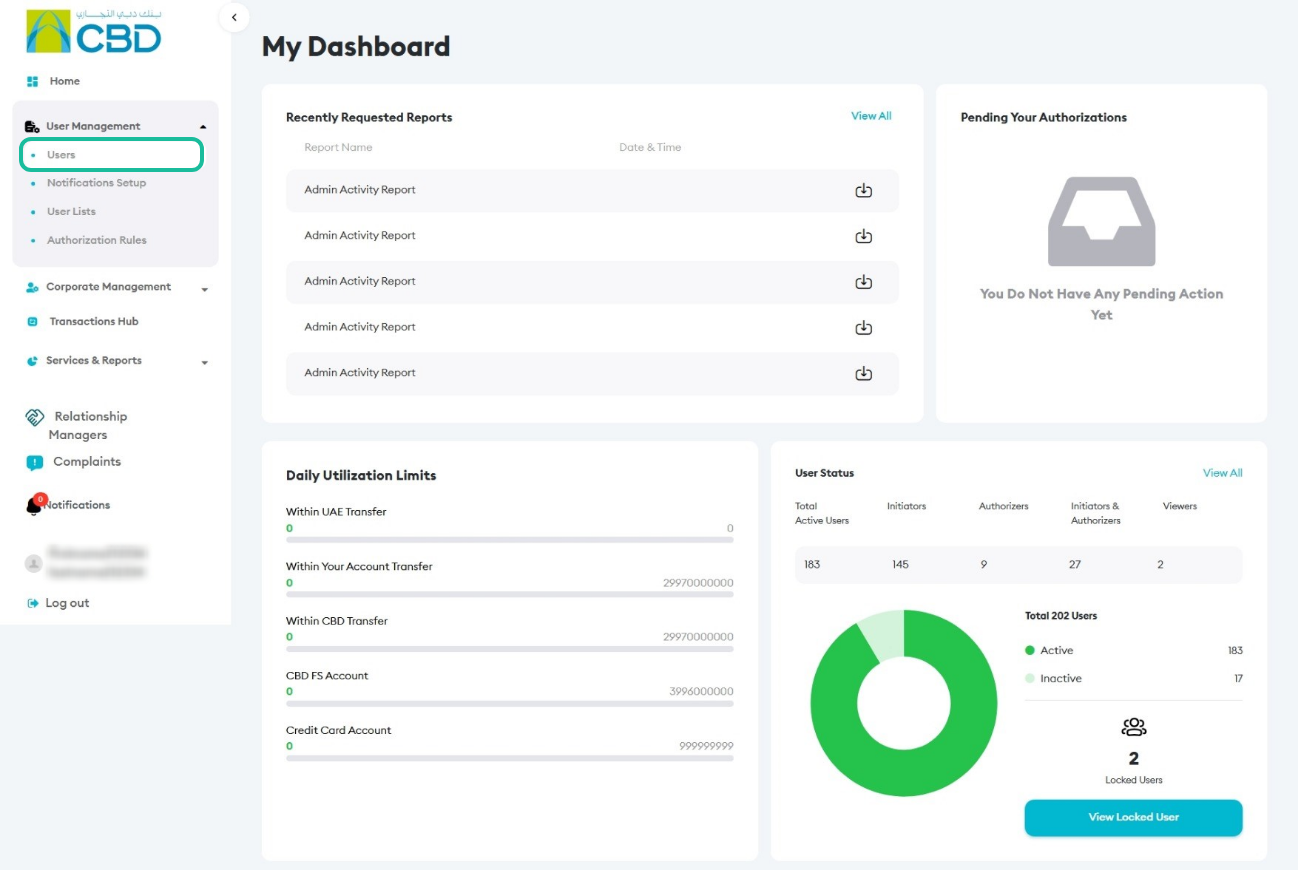
Step 1: Access User Management
- Log in to iBusiness using your Corporate Admin credentials.
- Navigate to User Management > Users.
- Use the search function to filter users by Inactive status.
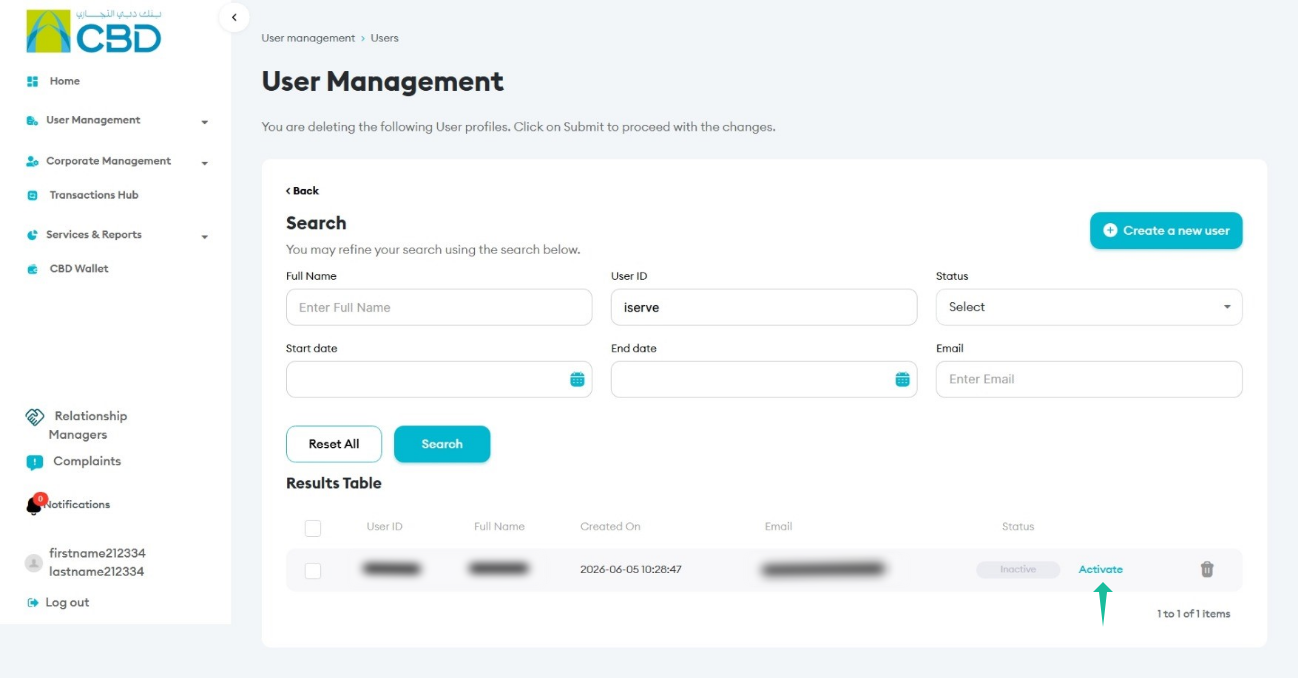
Step 2: Activate the User
- Search for the user you want to activate.
- Locate the user with Inactive/Deactivated status.
- Click the Activate button next to the user.
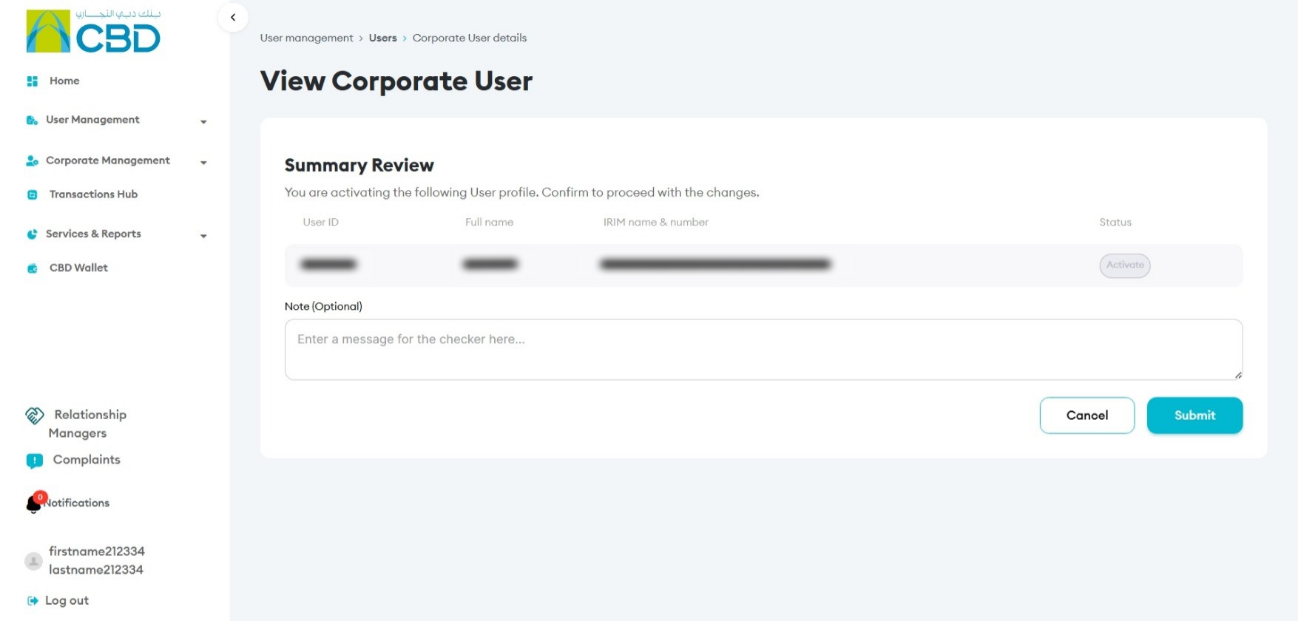
Step 3: Review Activation Details
- The Summary Review screen will be displayed.
- Verify that the correct user has been selected for activation.
- Confirm all details before proceeding.
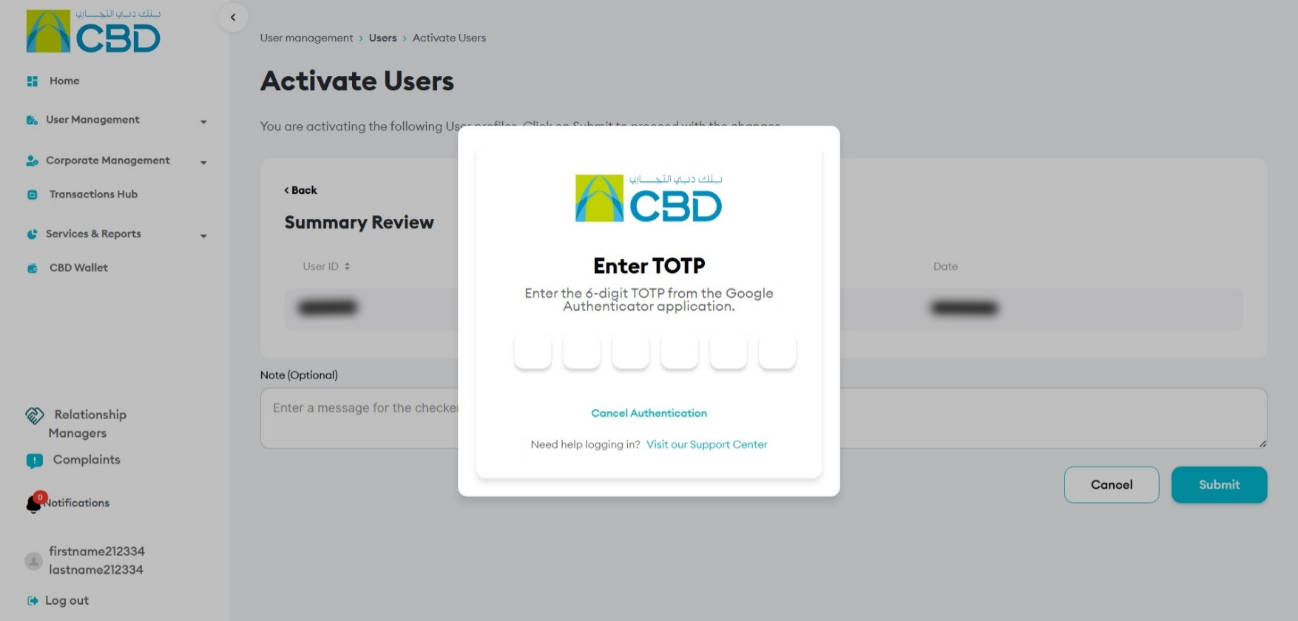
Step 4: Authenticate the Request
Complete the authentication step using one of the following methods:
- Mobile App Authentication
- Approve the request via the iBusiness mobile app notification (biometric/device authentication)
- Google Authenticator
- Enter the One-Time Password (OTP) generated by Google Authenticator
Result:
A confirmation message will be displayed with a reference number once the activation is successful.
Step 5: Approval (If Maker–Checker is Enabled)
If a Maker–Checker setup is configured:
- The activation request is routed to a Checker/Approver.
- The Approver must review the request in Transactions.
- The request must be Approved before the user is fully activated.
Helpful notes
- Always verify the user’s identity before activation.
- Ensure the user is eligible for reactivation (not permanently blocked).
- Confirm the correct authentication method is used.
- Review details carefully on the Summary Screen before submission.
- Track the reference number for audit and troubleshooting.
- Ensure Maker–Checker segregation is followed where applicable.