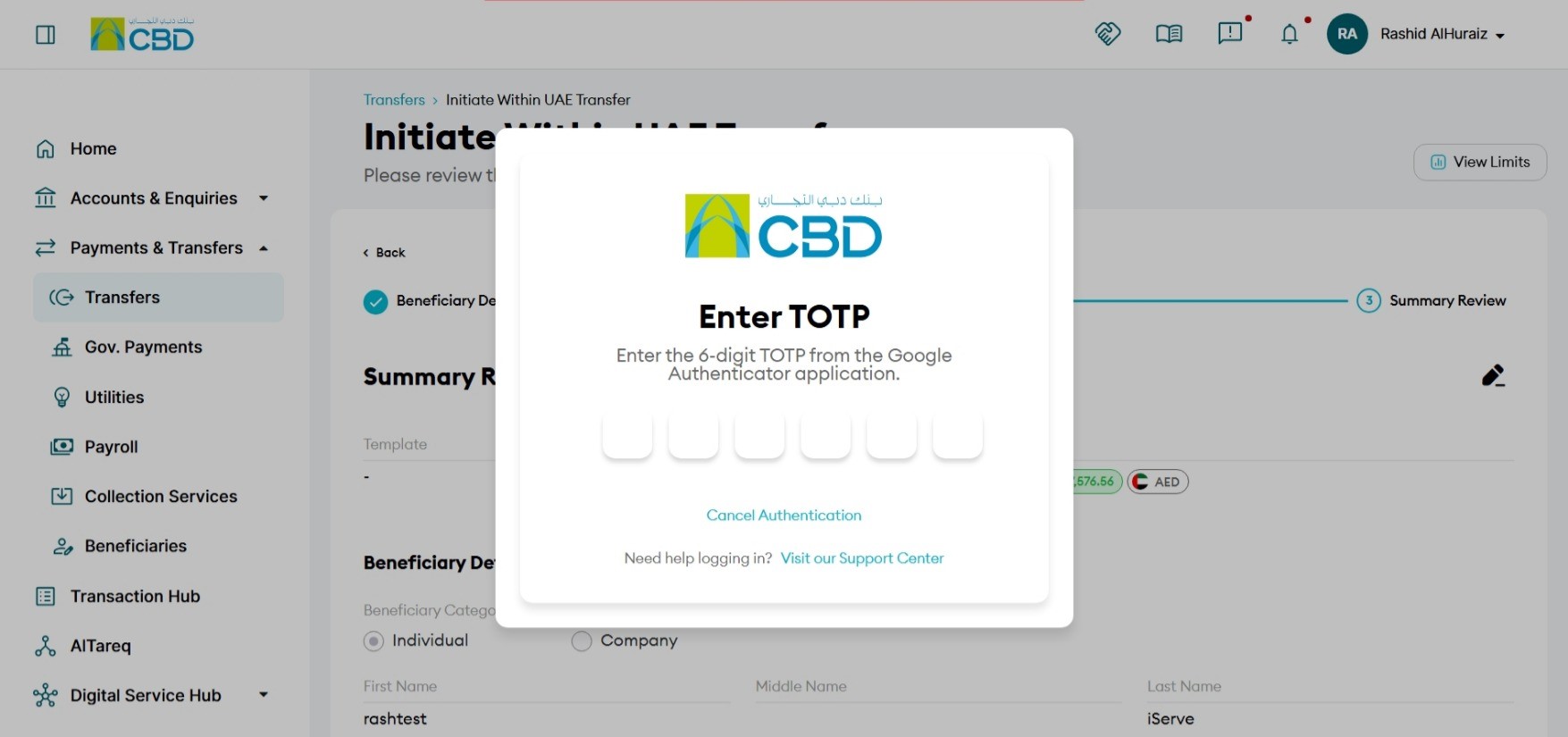
This guide provides step-by-step instructions for initiating a pension payment to the General Pension and Social Security Authority (GPSSA) using the iBusiness platform.
Step 1: Log in to iBusiness
From the iBusiness dashboard, navigate to Payments & Transfers from the left-hand menu.
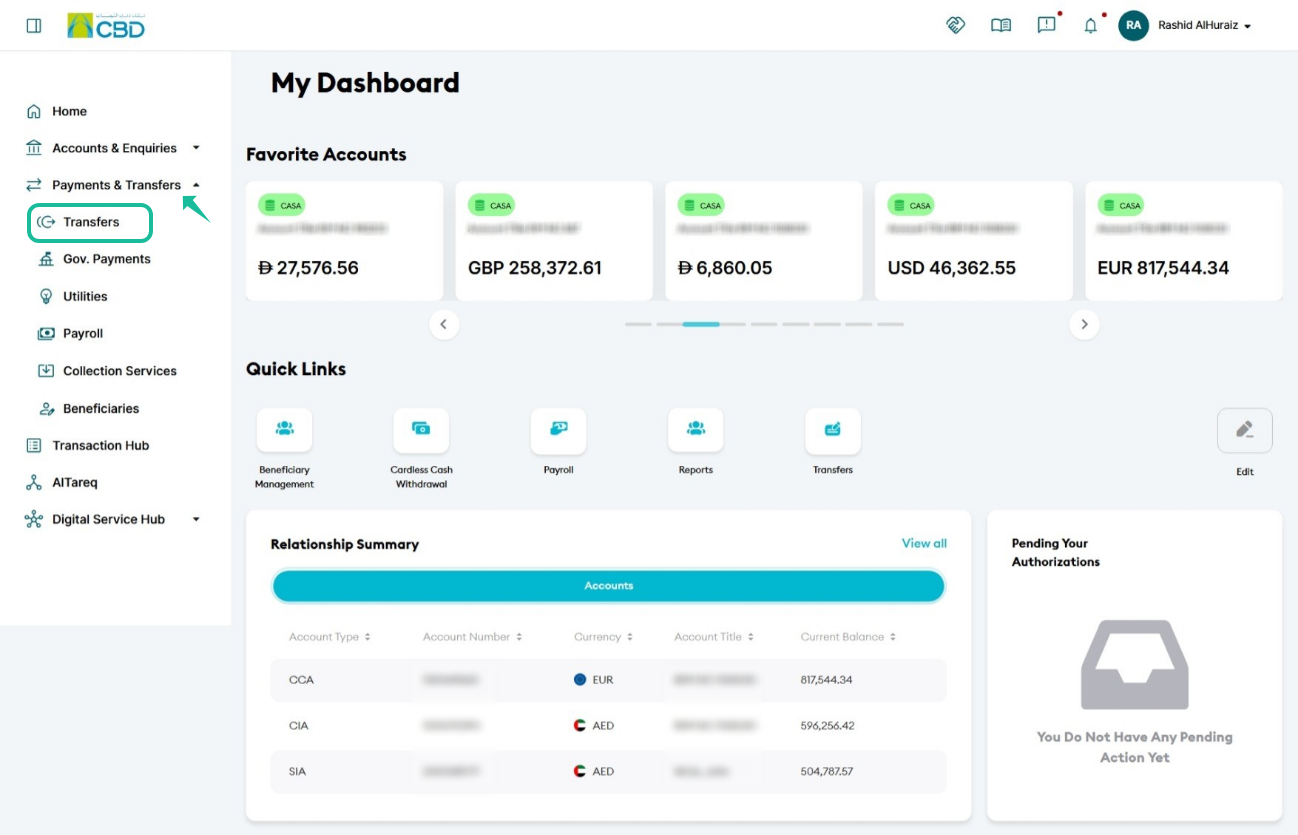
Step 2: Navigate to Transfers
Navigate to: Payment & Transfers > Transfers > Initiate Transfer
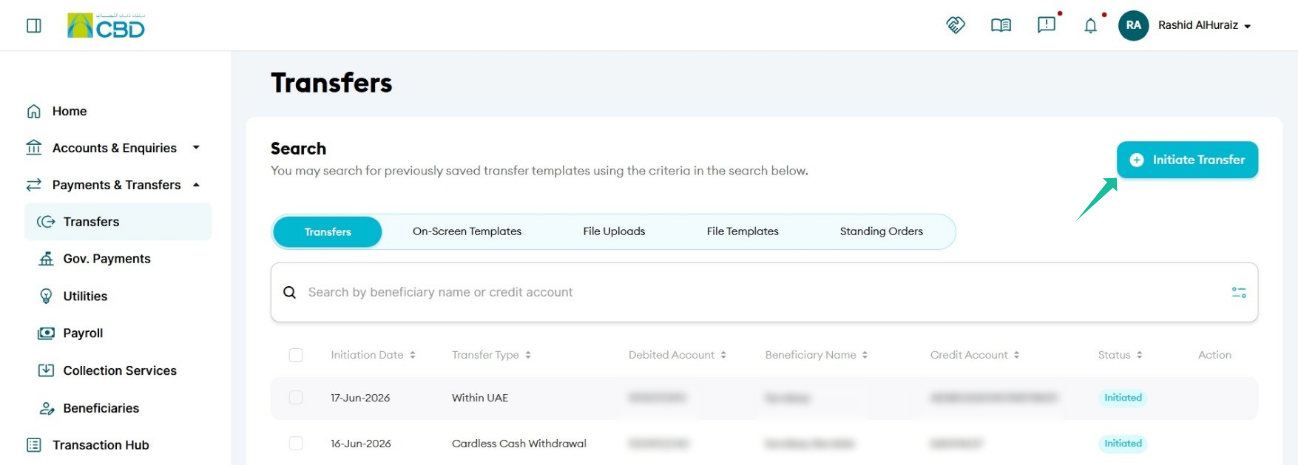
Step 3: Create a New Transfer
On the Transfer Method screen, select Single Transfer to initiate a onetime transfer.
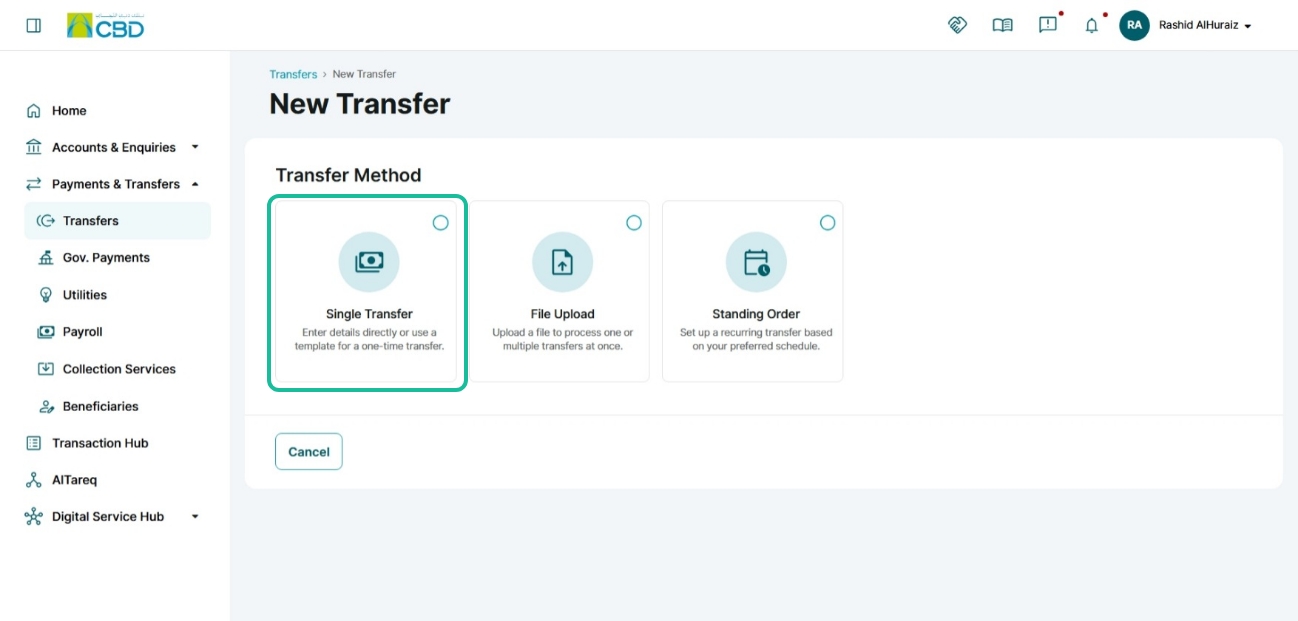
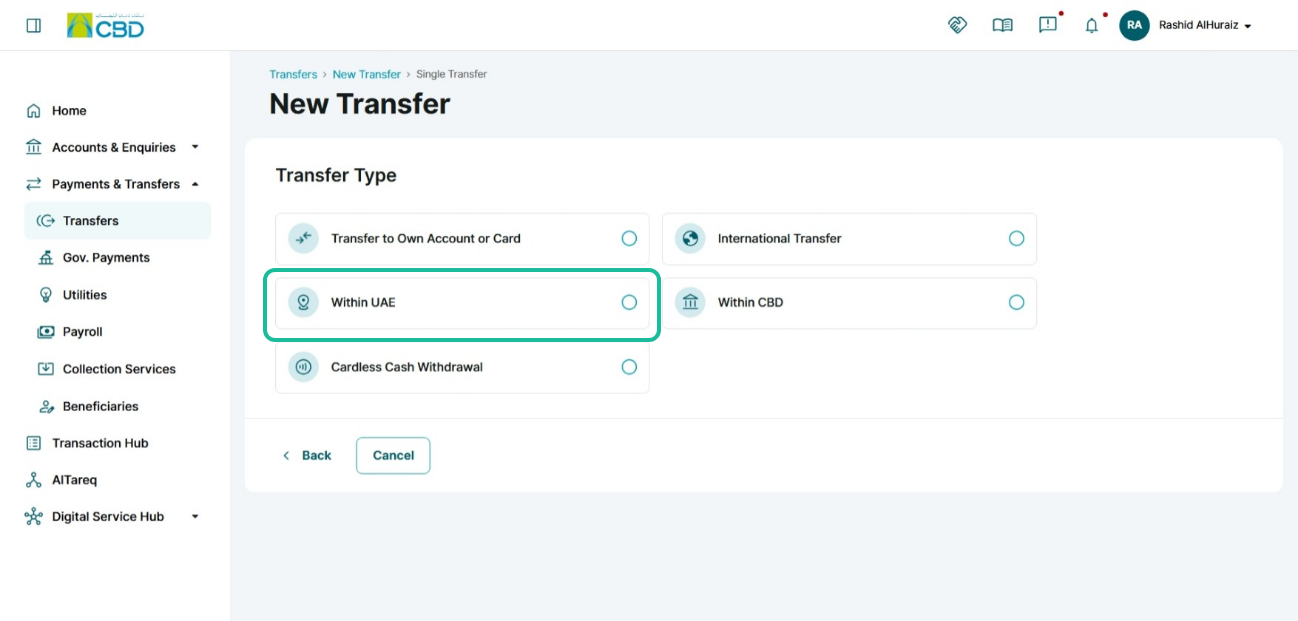
Step 4: Select Transfer Type
From the list of transfer types, select Within UAE.
Step 5: Enter Beneficiary Details
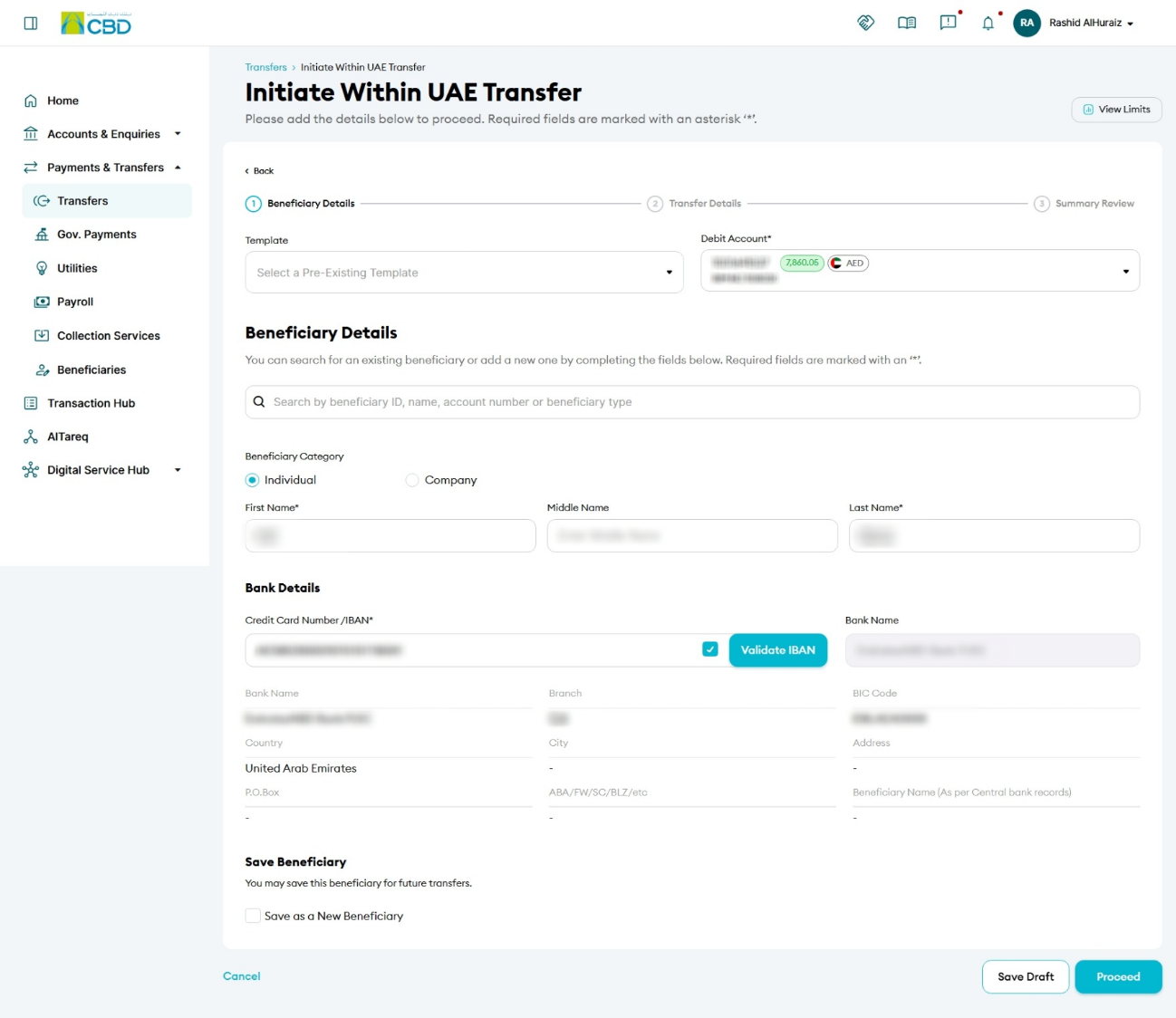
Under the Beneficiary Details section:
1. Select the debit account.
2. Choose Company as the Beneficiary Category (if applicable).
3. Enter the beneficiary details, including:
- Beneficiary Name
- IBAN
- Bank Name
- Beneficiary Bank Country
4. Enable Save as a New Beneficiary to register the beneficiary for future use.
Step 6: Complete Transfer Details
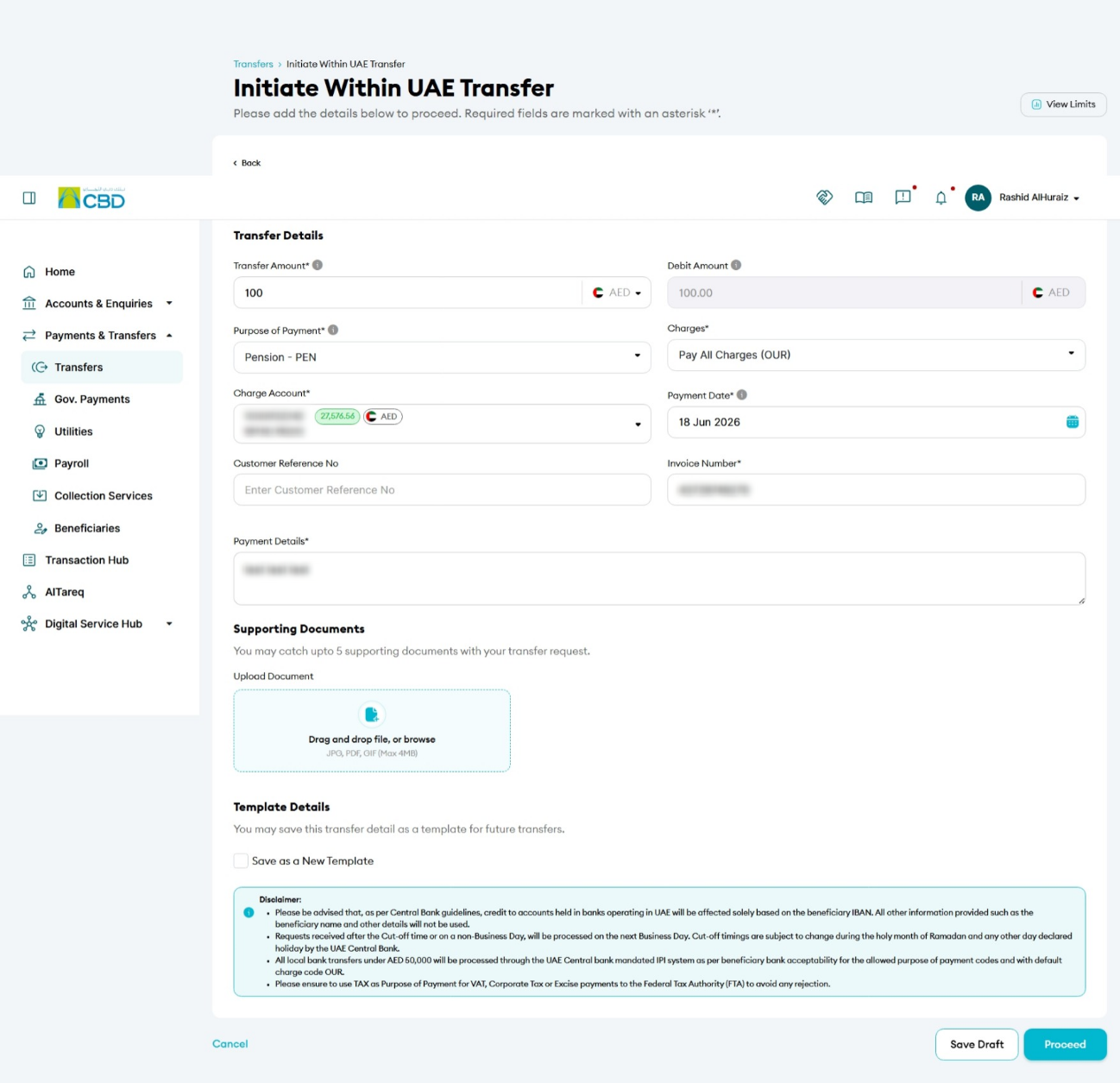
Fill out all the mandatory fields
- Transfer Amount: The amount of money you want to send to the beneficiary.
- Charges: Indicates who will bear the transfer fees. (Example: AED 5,000.00)
- OUR: Sender pays all charges
- BEN: Beneficiary pays all charges
- SHA: Charges are shared between sender and beneficiary
- Charge account: The account that will pay the transfer fees
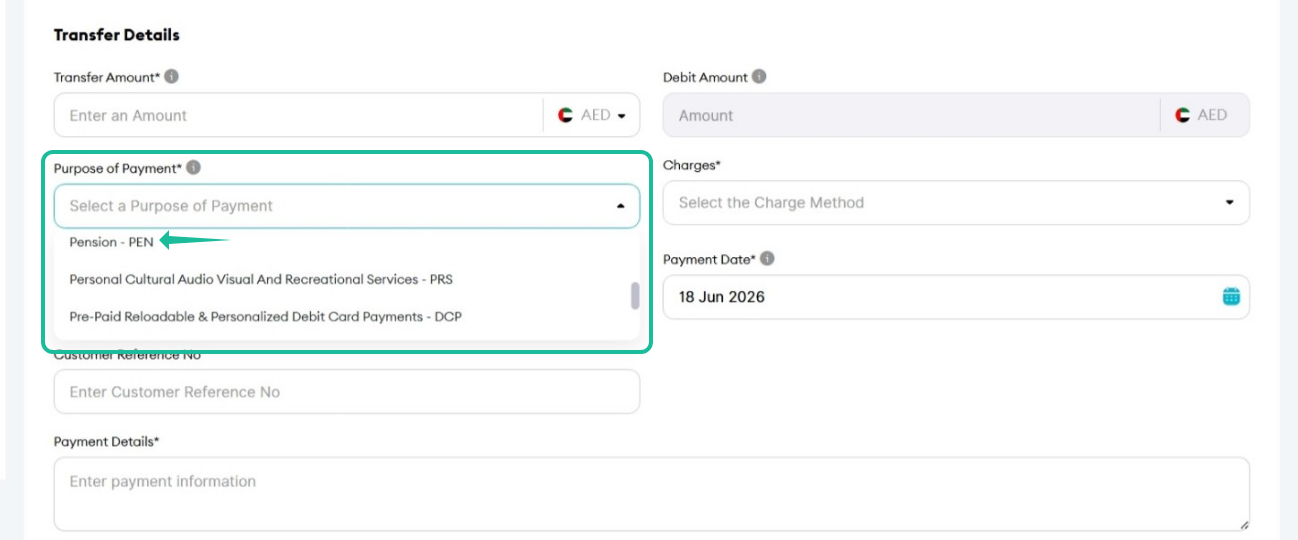
- Choose Pension (PEN) as your payment purpose
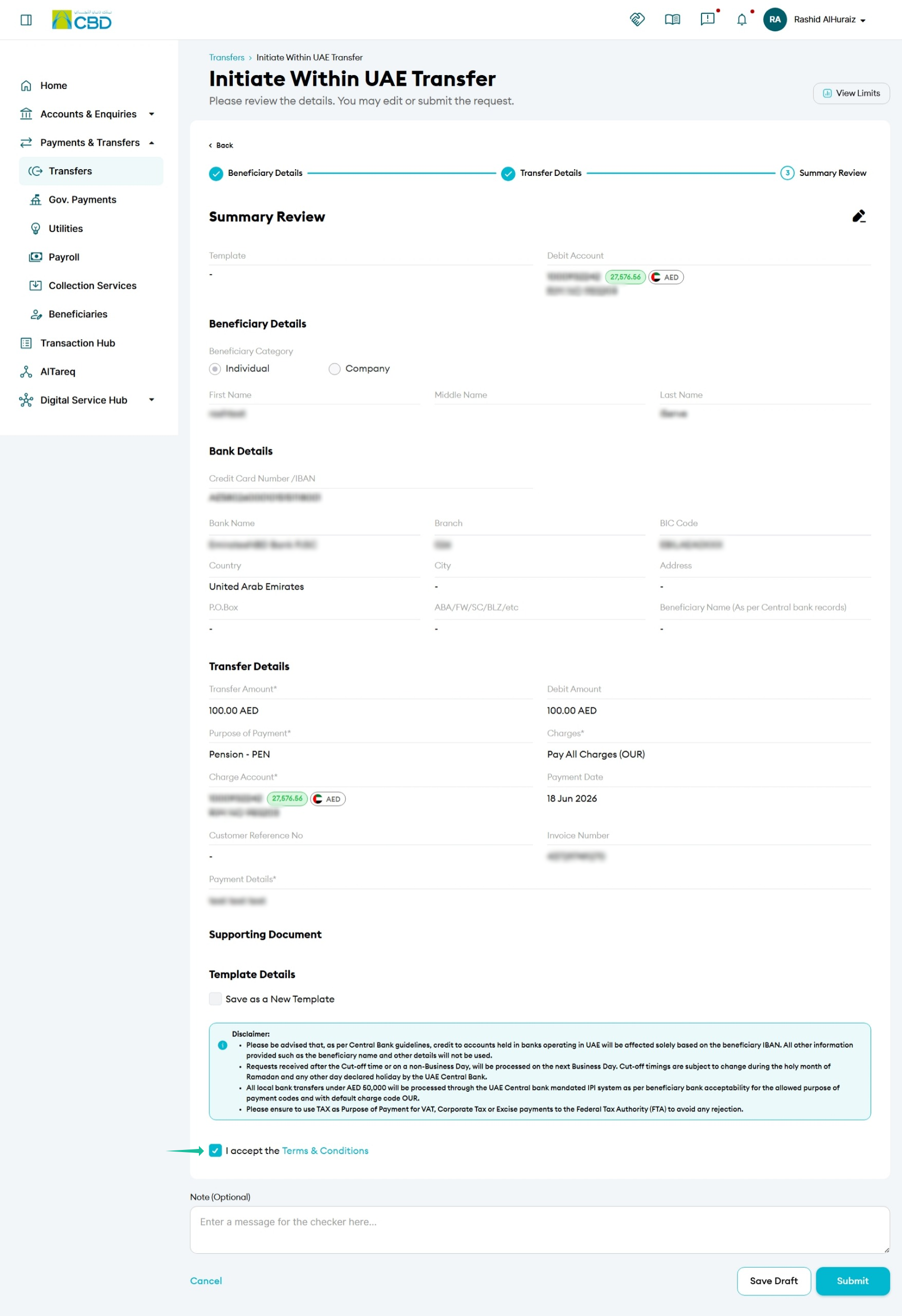
Step 7: Review the Details
- Review all beneficiary and transfer information to ensure accuracy before proceeding.
- Accept the Terms & Conditions
- Click Submit
Step 9: Authorize the Beneficiary Registration
The approver can authenticate the transaction using either of the following methods:
• Google Authenticator: Enter the One-Time Password (OTP) generated in the Google Authenticator application.
• Mobile App Authentication: Approve the transaction through the iBusiness Mobile App by reviewing the request and confirming the authorization.