
To delete a beneficiary, follow these steps:
Step 1: Log in and Navigate
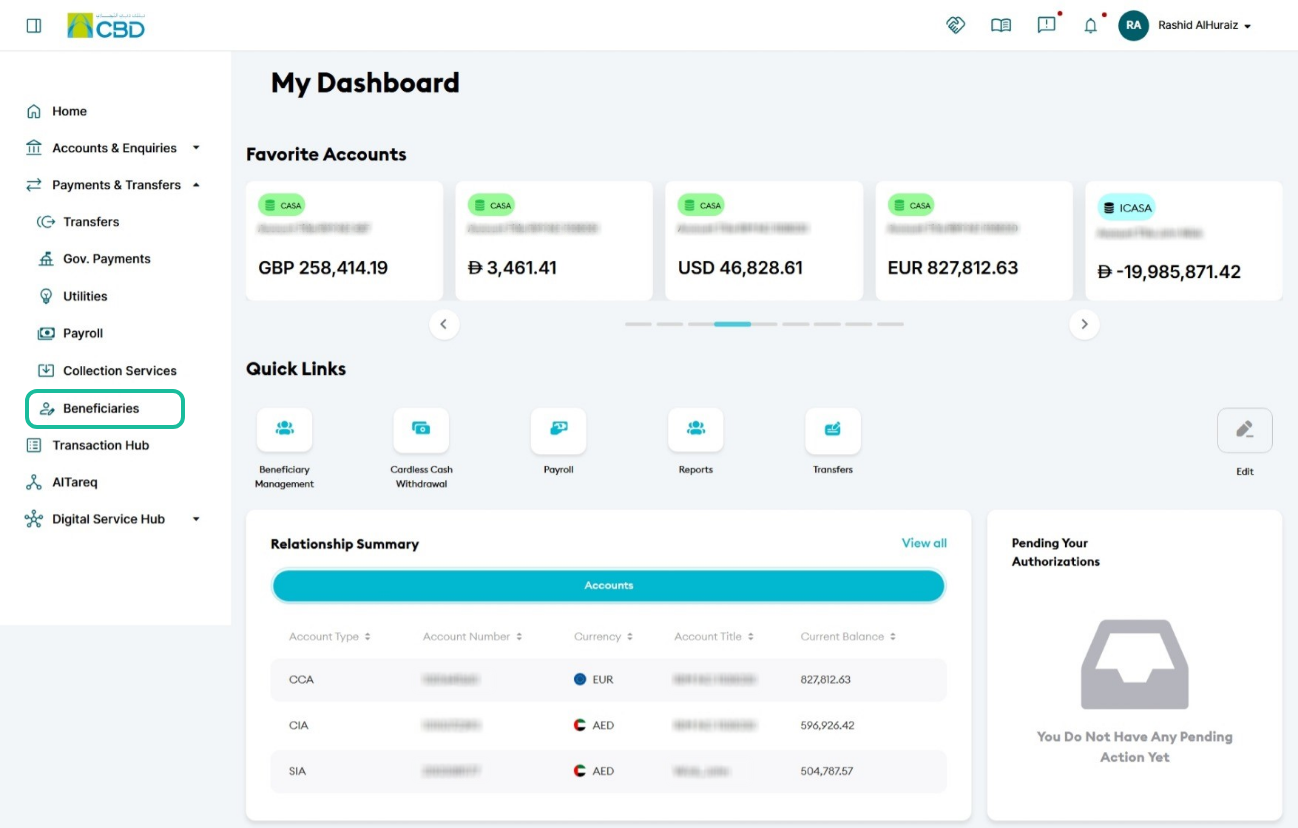
- Log in to iBusiness using your credentials.
- From the main menu, navigate to: Payments & Transfers → Beneficiary
Step 2: Select the Delete Option
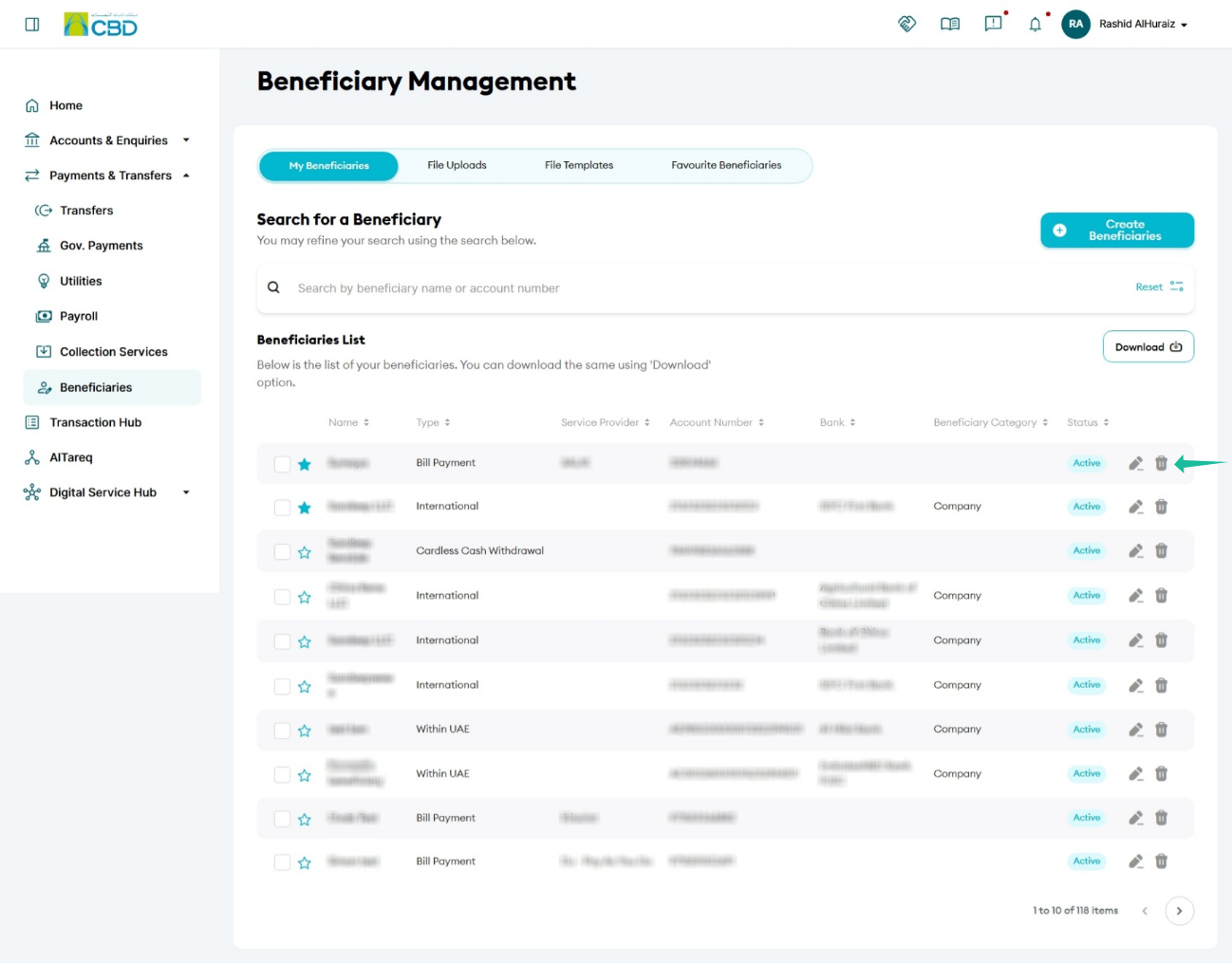
- Locate the beneficiary
- Click the Delete (trash) icon
 next to the beneficiary.
Step 3: Review and Confirm
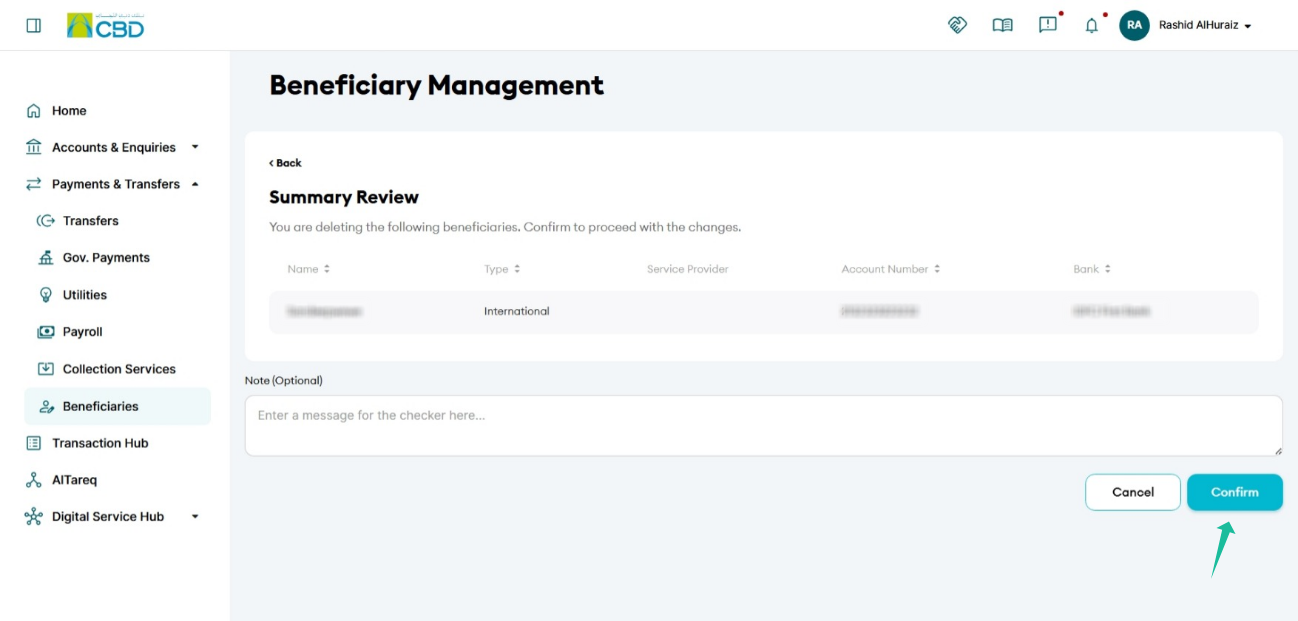
You will be redirected to a Summary Review screen.
Carefully review the details and click Confirm to proceed.
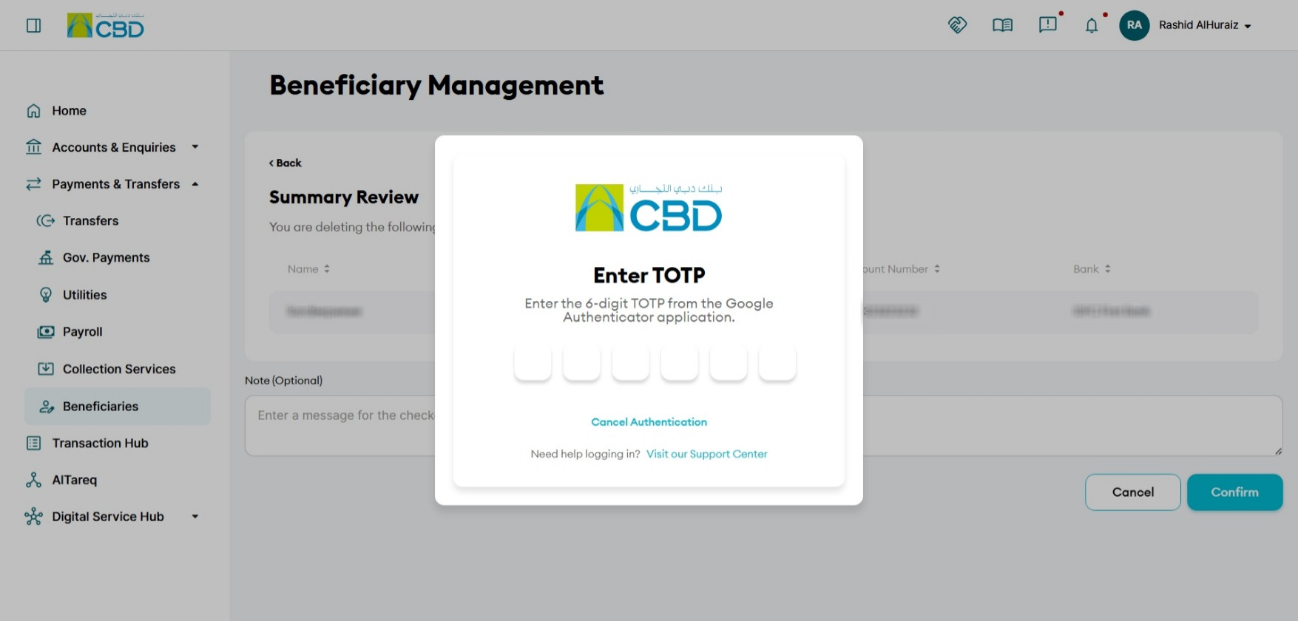
Step 4: Authentication
Authentication Methods
All transfer requests require authentication.
Option1: Mobile App Authentication
- A notification is sent to the iBusiness mobile app
- Approve using biometric/device verification
Option 2: Google Authenticator
- Enter the OTP generated in Google Authenticator
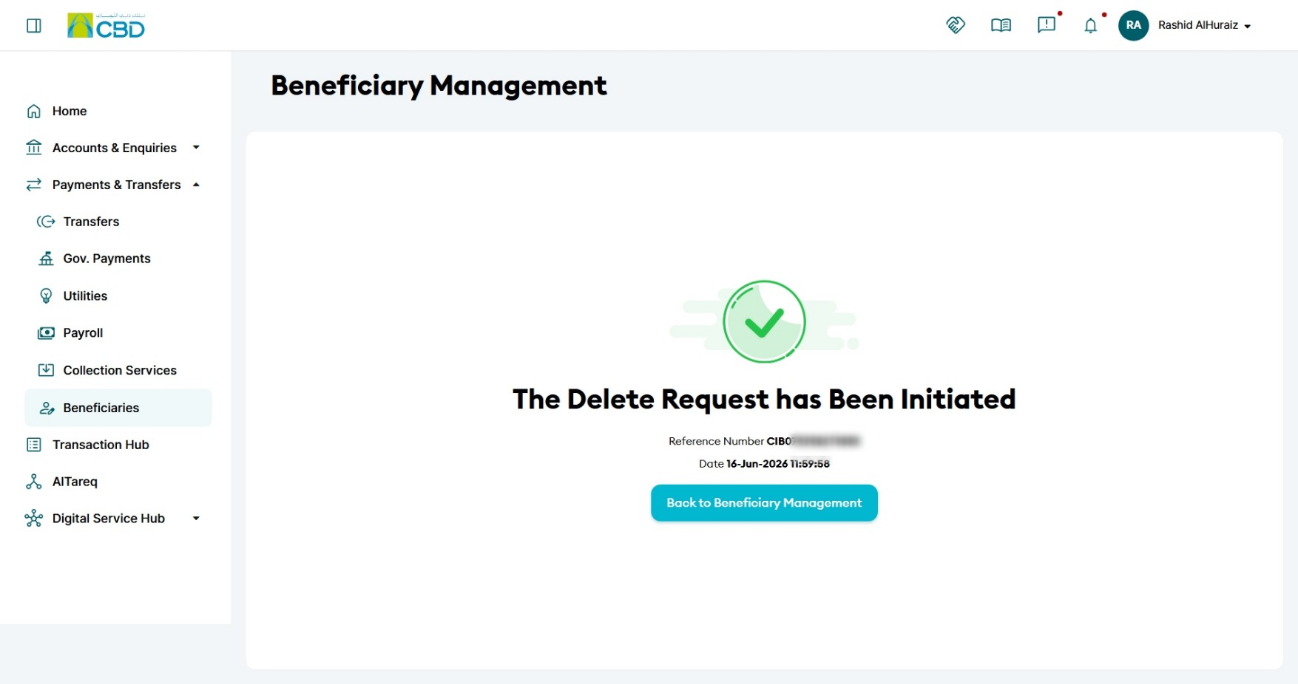
Once submitted, an Acknowledgement Screen will appear displaying:
- Reference Number
- Date
- Time of transaction initiation
Step 5: Approval Process (Checker/Approver)
After initiation, the request is routed to the checker/approver queue.
For the Approver:
- Log in to iBusiness
- Navigate to Transactions hub → Pending Your Authorization
- Locate the request under transaction type “Delete Beneficiary”
- Review the request details and any attached documents
- Take action by selecting Approve or Reject
Important Notes
- The deletion request is not completed until approved by the authorized checker/approver.
- Ensure all details are verified before confirming the request.