
Use this guide to request issuance of Rateb or NowMoney cards for employees through Next Gen CIB.
Step 1: Access service requests
- Log in to iBusiness
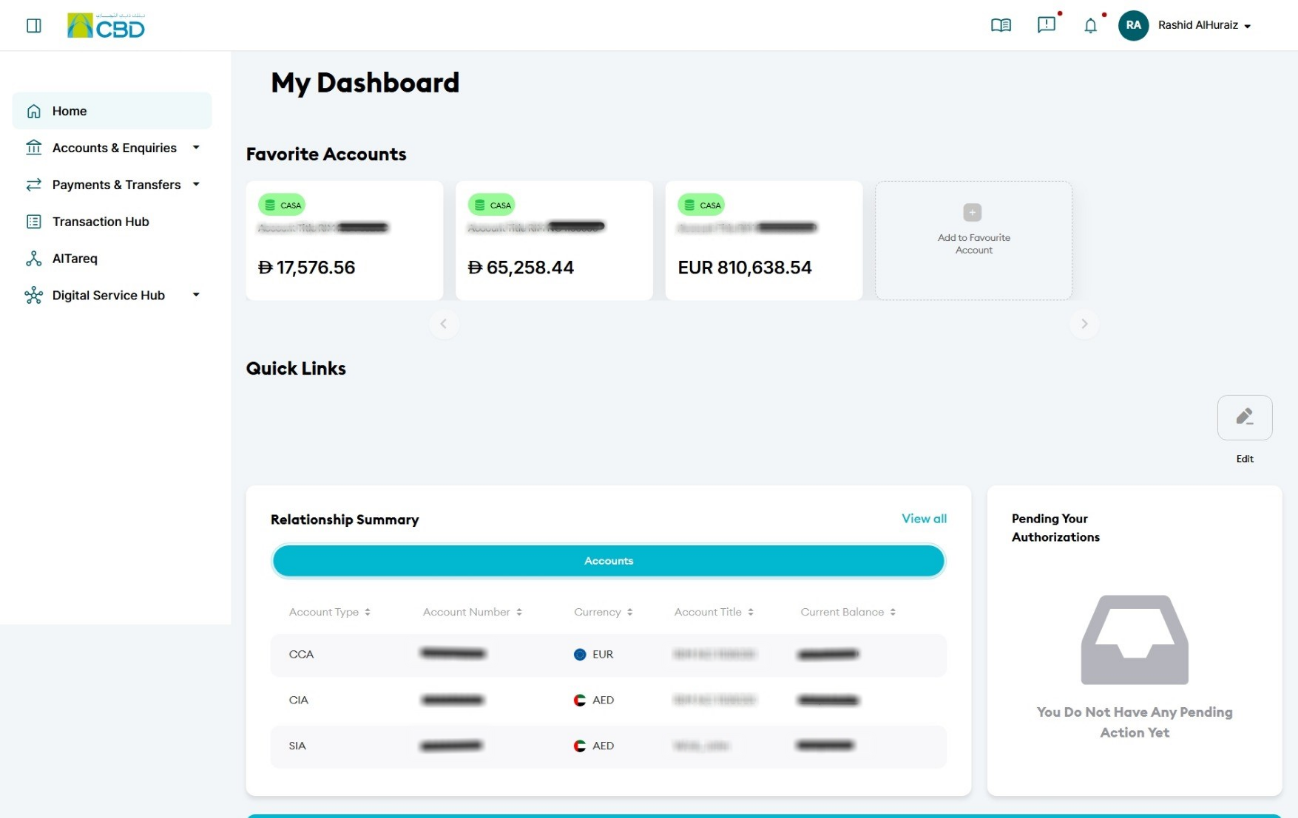
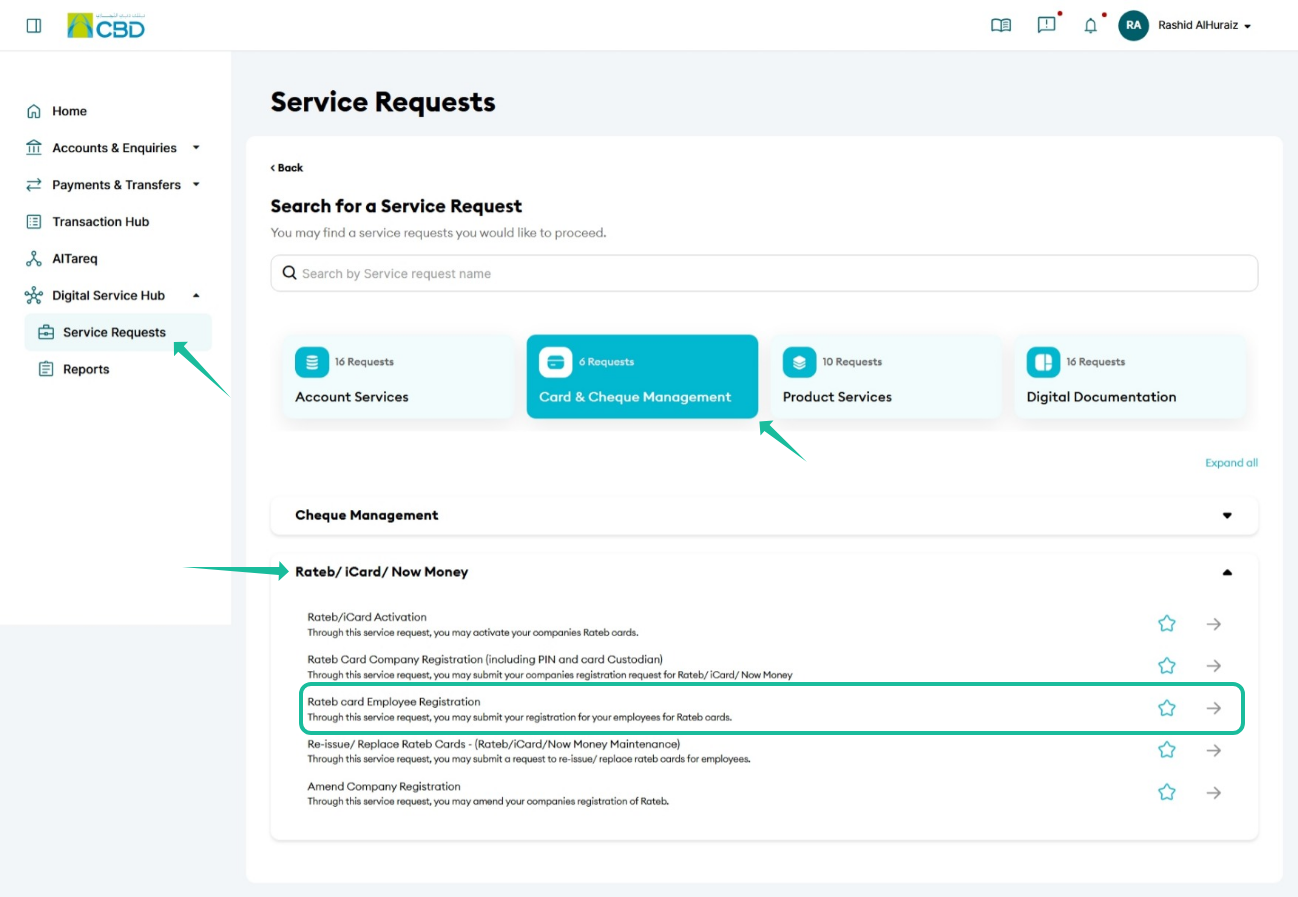
- Navigate to:
Digital Service Hub > Service Request - Select:
Card & Cheque Management > Rateb / iCard / NowMoney - Choose:
Rateb Card Employee Registration
Step 2: Enter company details
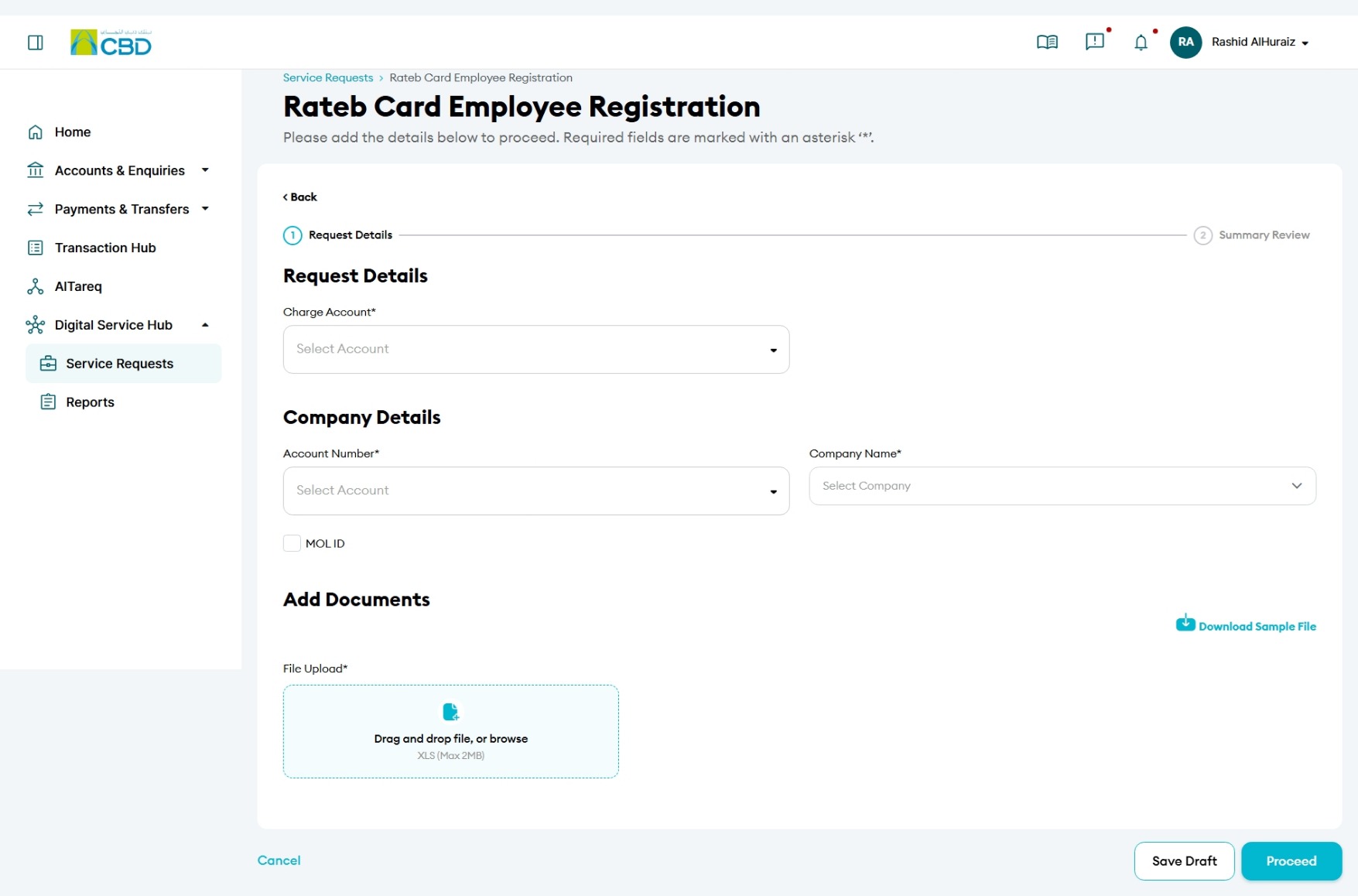
- Select the Charge Account
- Choose the Account Number linked to the company
- Select the Company Name
- Enter the MOL ID (if applicable)
Step 3: Upload employee details
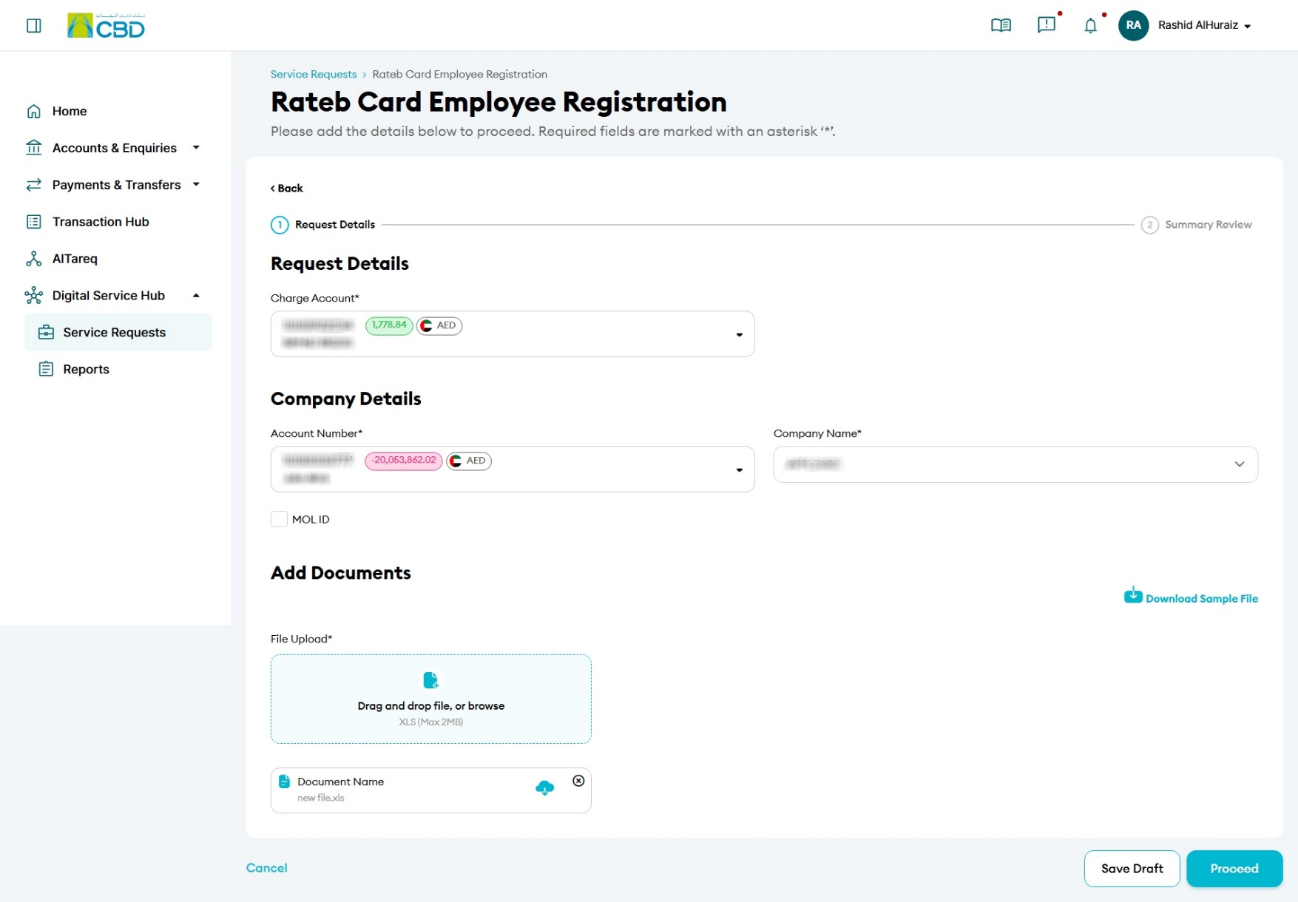
- Upload the employee file for card issuance
- Download and use the sample file template available on the screen
- Ensure all required fields are correctly completed before uploading
Step 4: Submit the request
- Review all entered details
- Accept the Terms & Conditions
- Click Submit
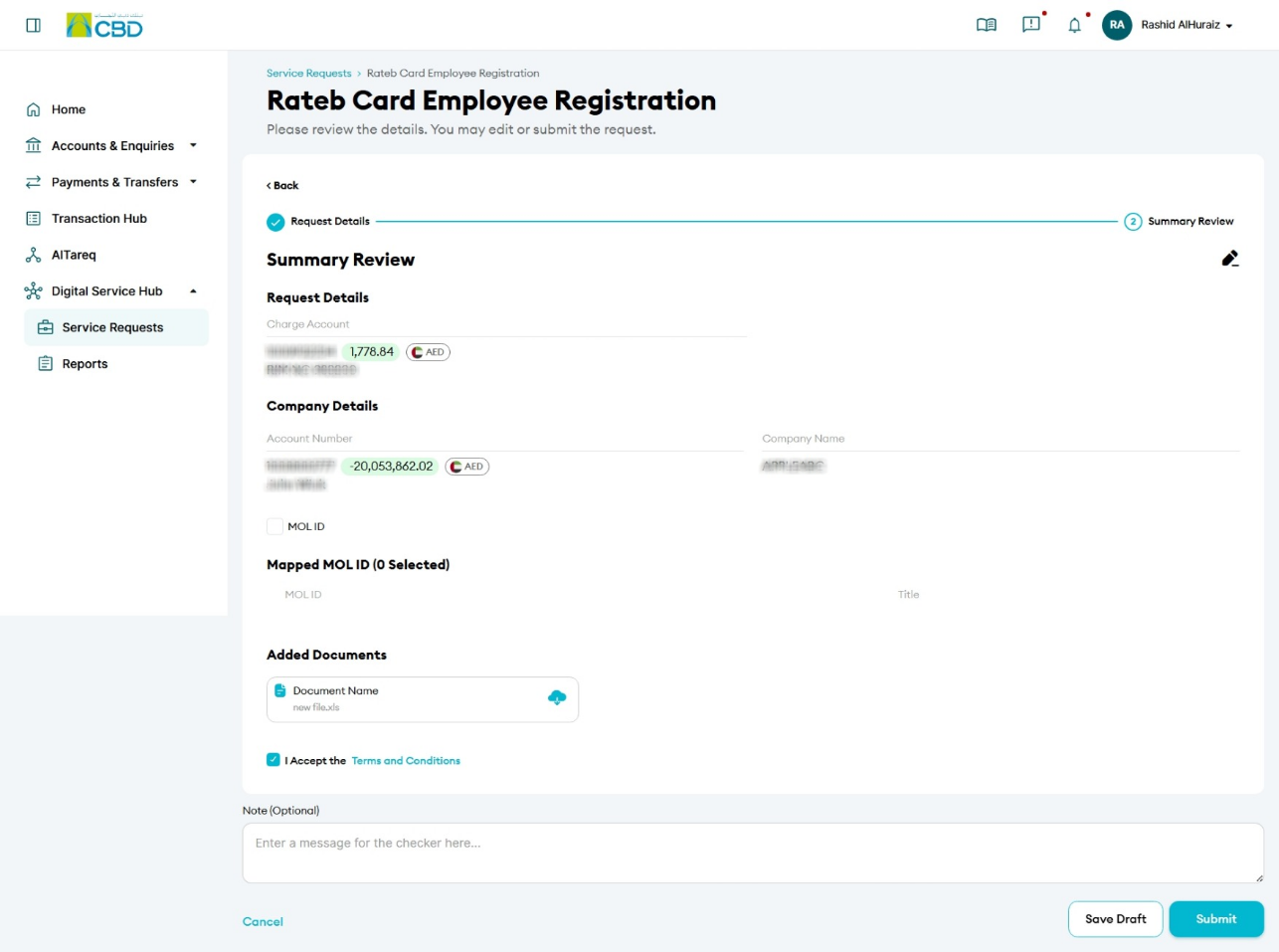
Step 5: Authenticate the request
- You will receive a notification on your paired mobile device
- Approve the request to proceed
- A confirmation screen with a reference number will be displayed
Step 6: Approval (if applicable)
- If your organisation follows a maker/checker process, the request must be approved
- The approver should:
- Log in to iBusiness
- Go to Transactions > Pending Your Authorisations
- Locate the request under Service Request
- Review and Approve or Reject the request