
Use this guide to request an IBAN letter through Next Gen CIB.
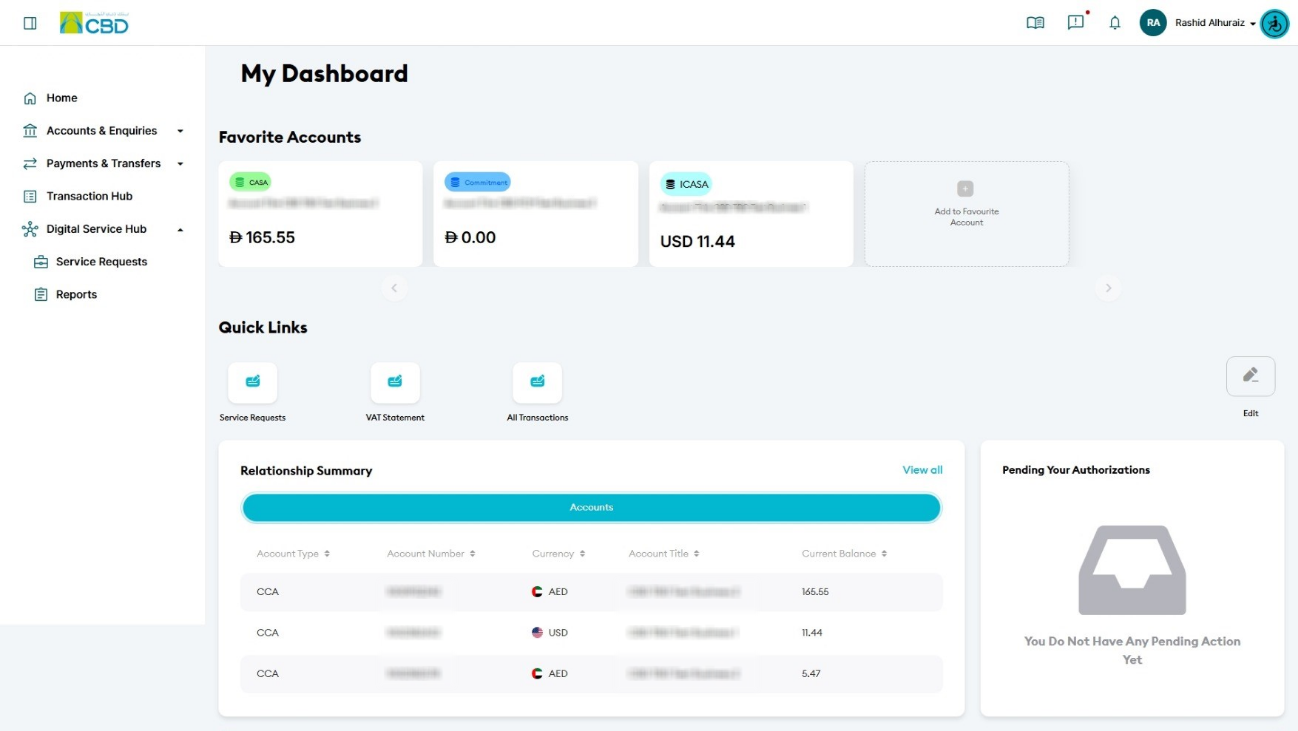
Step 1: Access service requests
- Log in to iBusiness
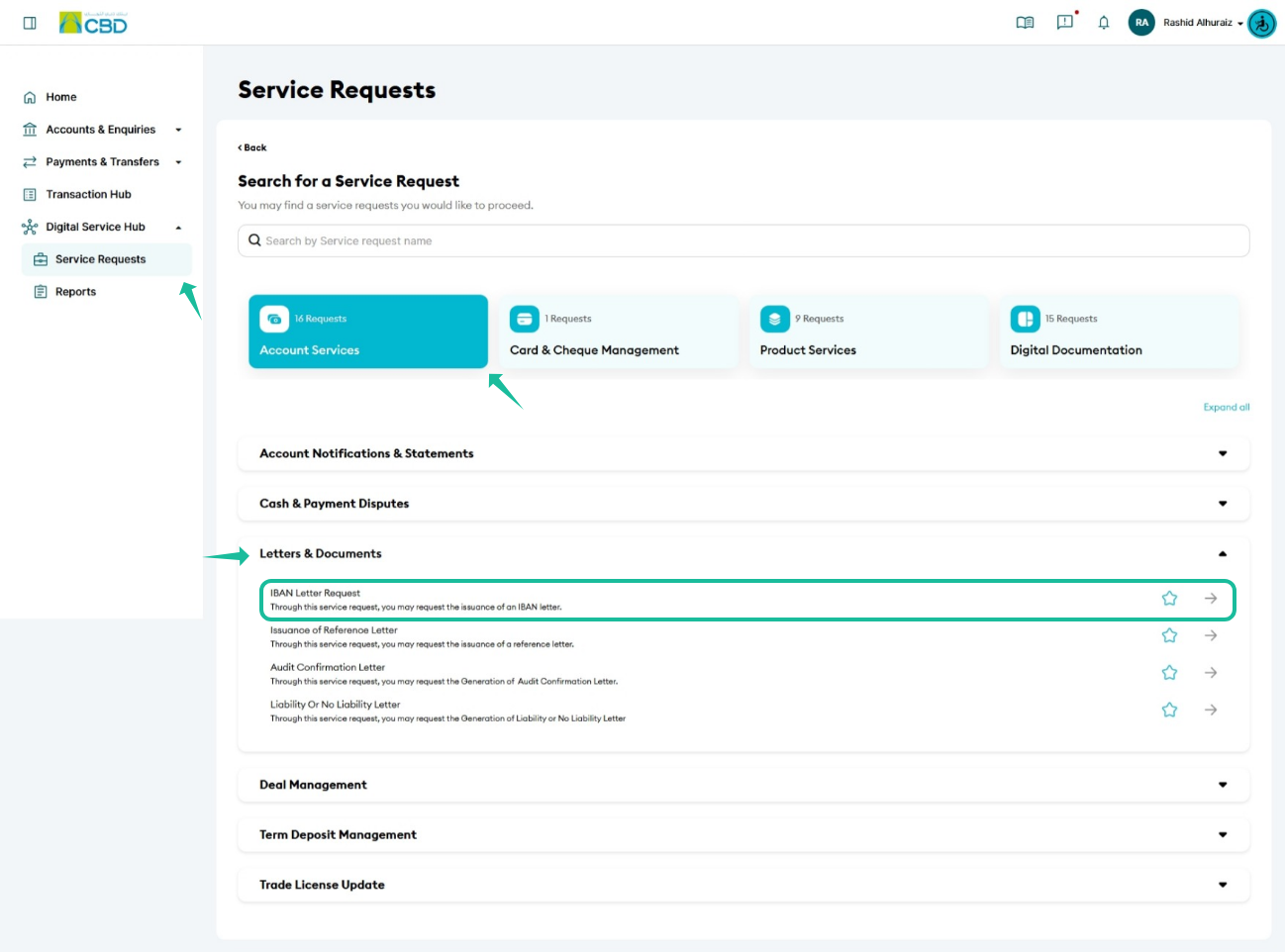
- Navigate to:
Digital Service Hub > Service Request - Select Account Services
- Choose:
Letters & Documents > IBAN Letter Request
Step 2: Enter request details
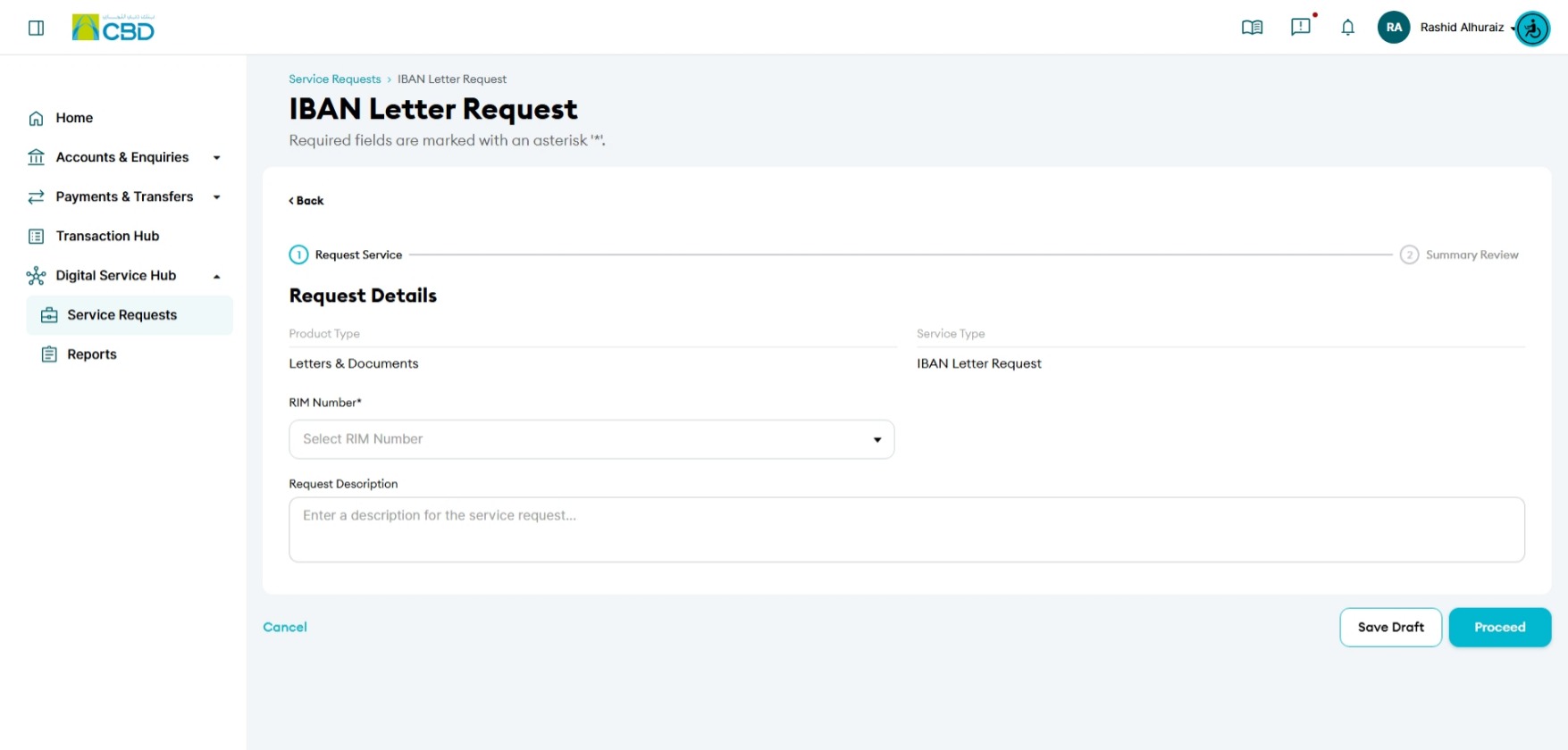
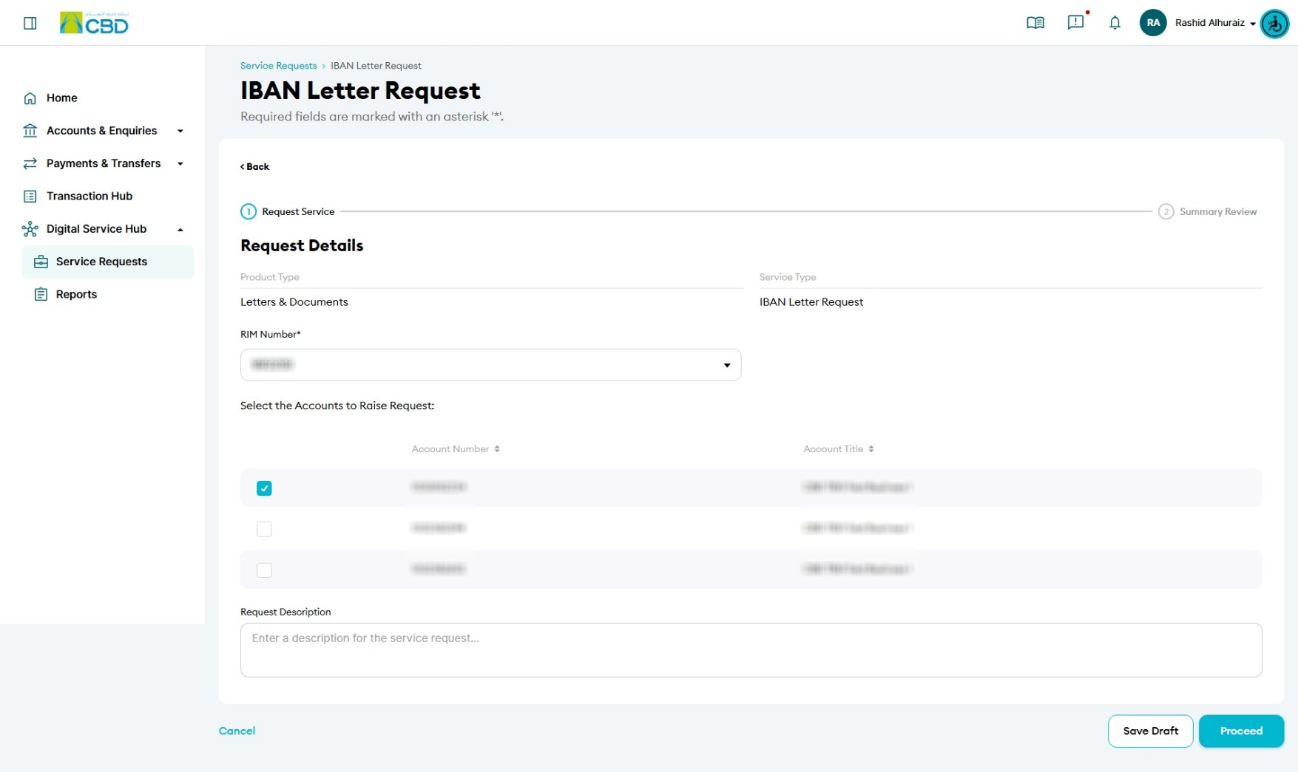
- Add any required information in the Request Description field
- Click Upload Documents (if applicable)
- Select the required file(s)
- Click Proceed
Step 3: Submit the request
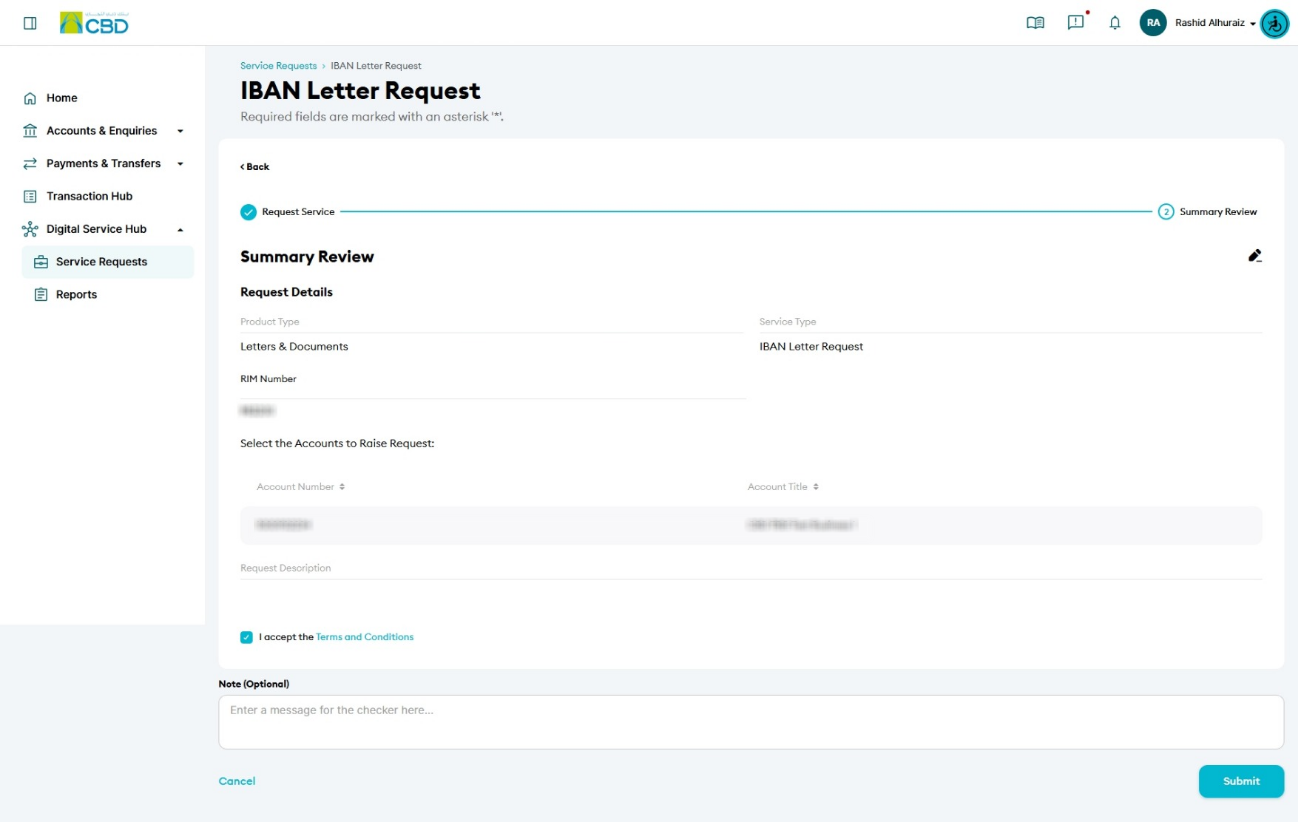
- Review the entered details
- Accept the Terms & Conditions
- Click Submit
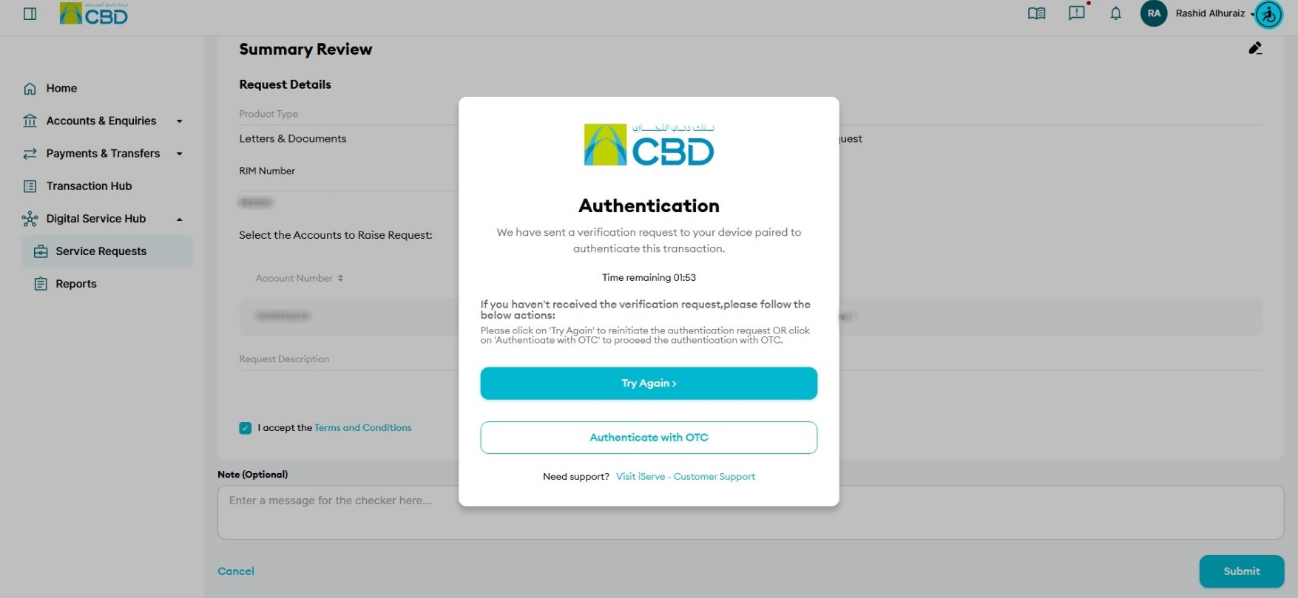
Step 4: Authenticate the request
- You will receive a notification on your paired mobile device
- Approve the request to proceed
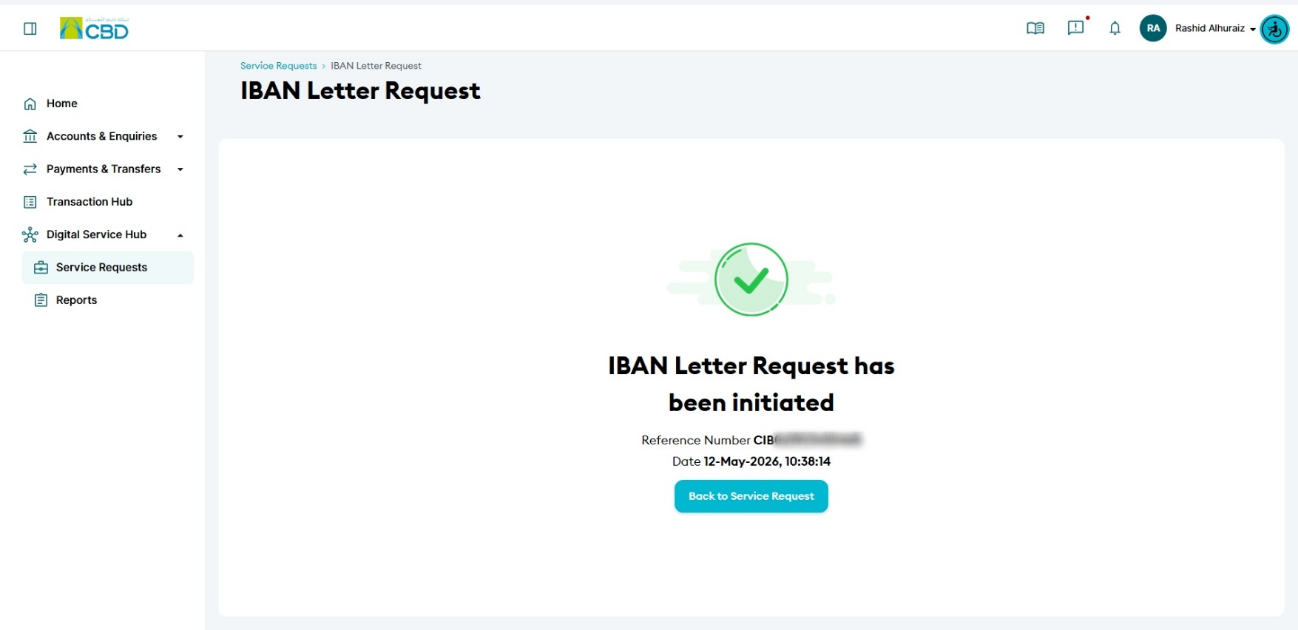
- A confirmation screen with a reference number will be displayed
Step 5: Approval (if applicable)
- If your organisation follows a maker/checker process, the request must be approved
- The approver should:
- Log in to iBusiness
- Go to Transactions > Pending Your Authorisations
- Locate the request under Service Request
- Review and Approve or Reject the request
Important Note
- The original IBAN letter will be available for collection at the CBD Main Office
Helpful Tips
- Ensure all required documents are uploaded to avoid delays
- Double-check request details before submission
- Use the reference number to track your request status