
Use this guide to temporarily block a Rateb / iCard / NowMoney card through Next Gen CIB.
Step 1: Access service requests
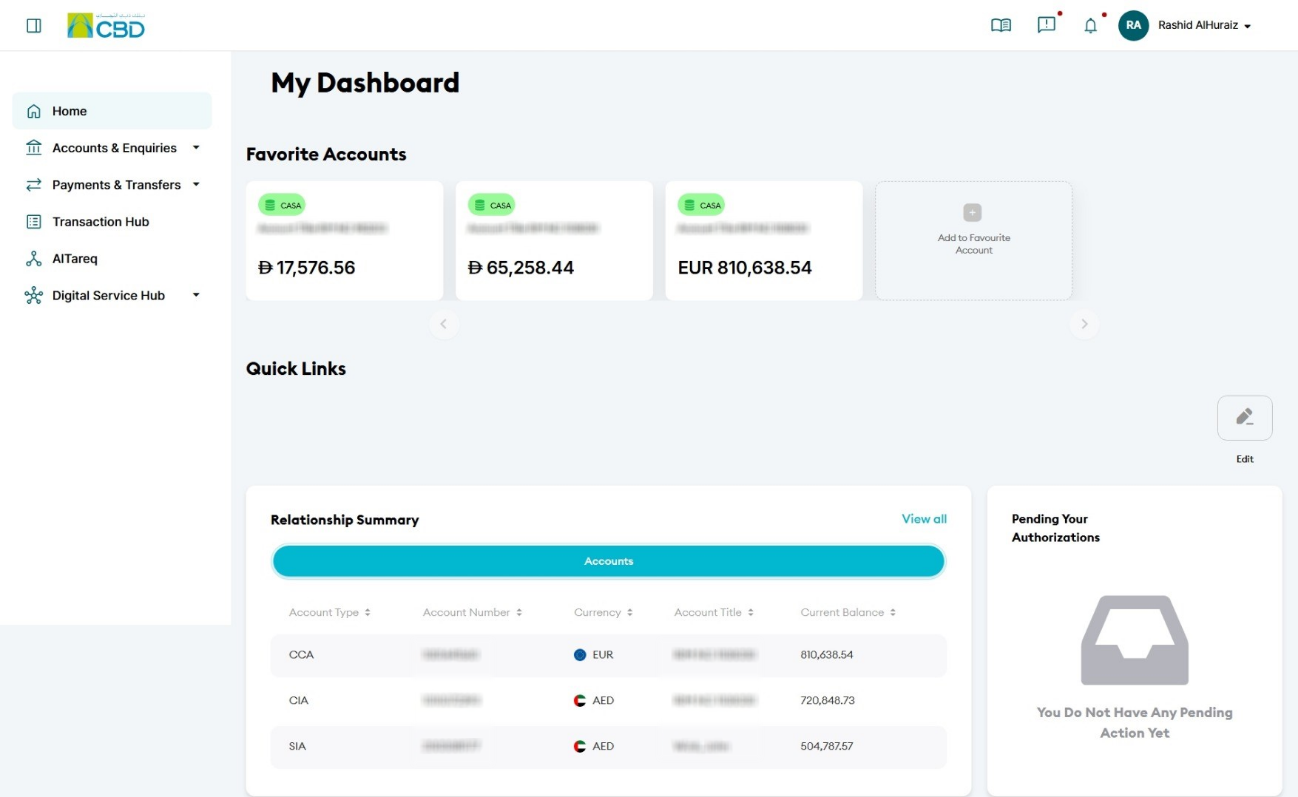
- Log in to iBusiness
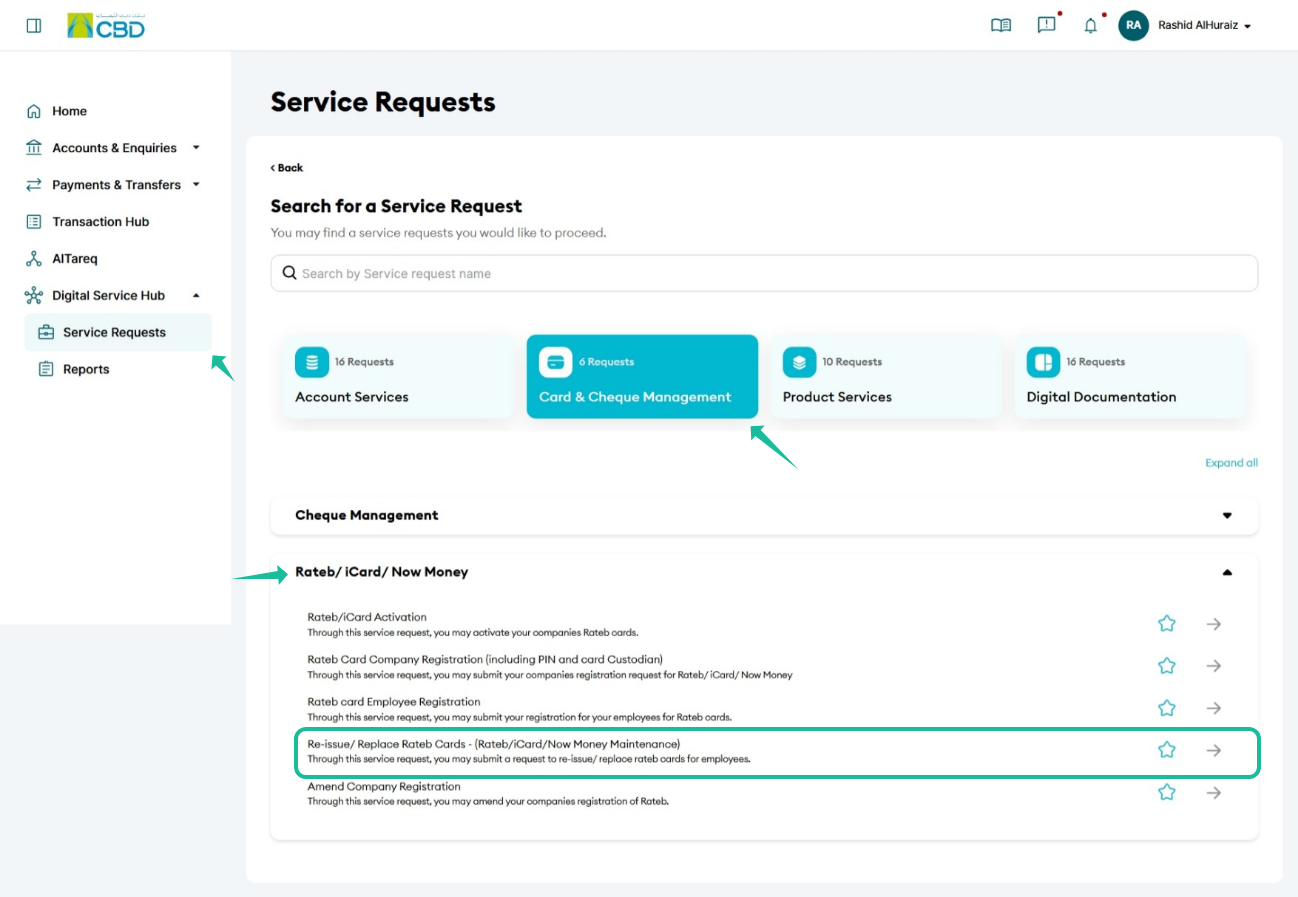
- Navigate to:
Digital Service Hub > Service Request - Select:
Card & Cheque Management > Rateb / iCard / NowMoney - Choose:
Re-issue / Replace Rateb Cards
Step 2: Enter request details
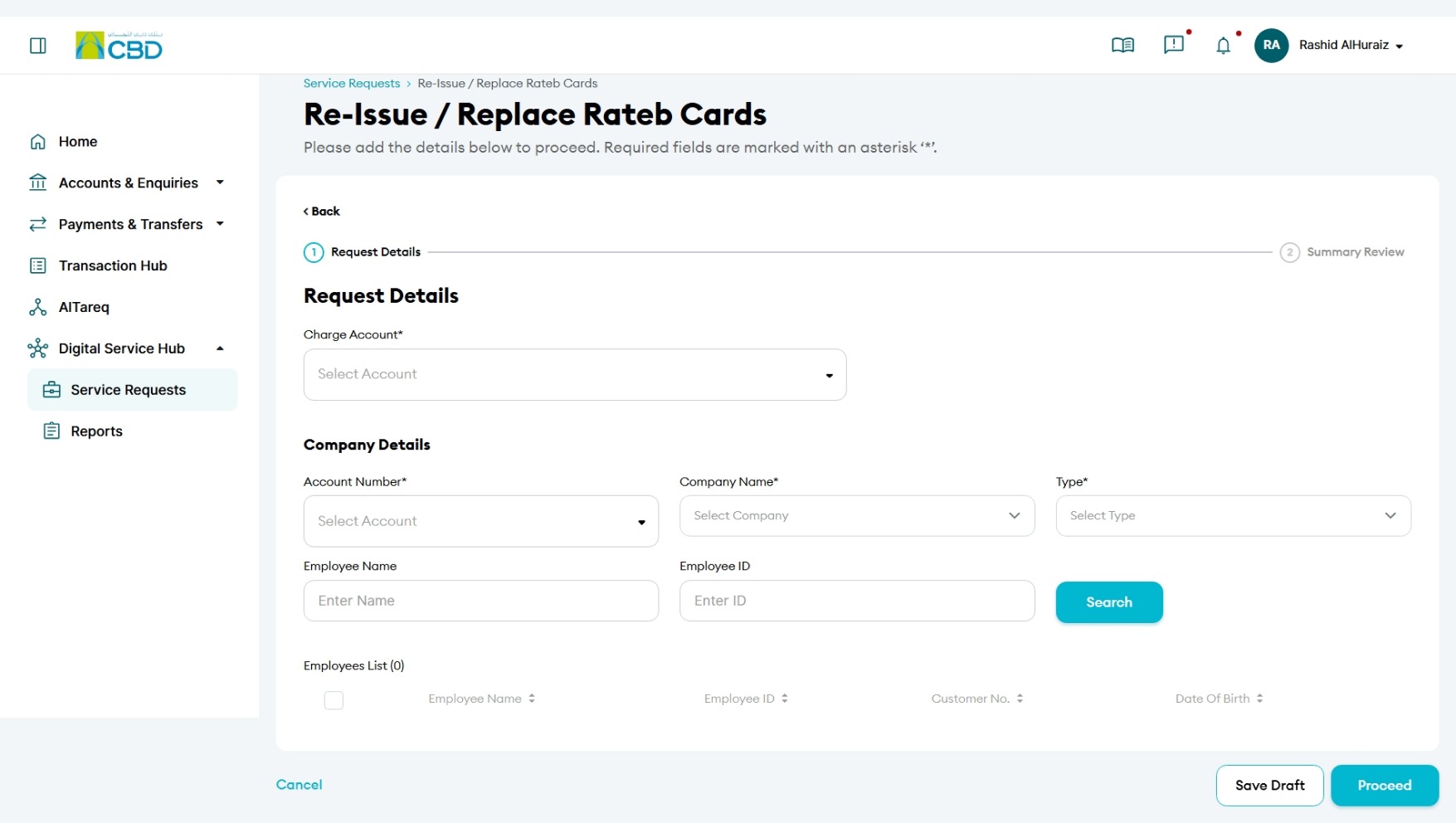
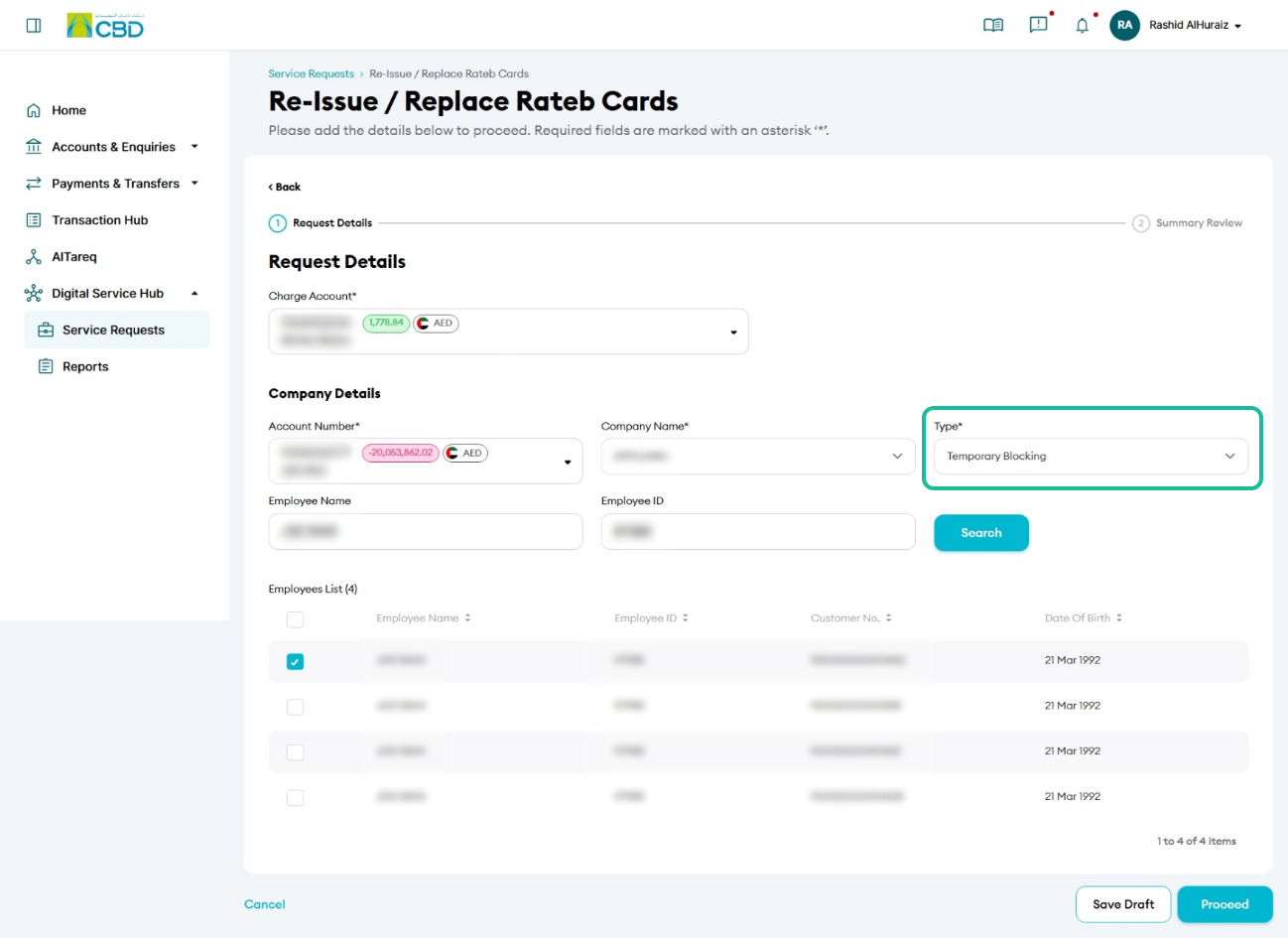
- Select the Charge Account
- Choose the Account Number linked to the company
- Select the Company Name
- Under Type, select Temporary Blocking
- Select the relevant employee(s) from the list
- Click Proceed.
Step 3: Submit the request
- Review the selected details
- Accept the Terms & Conditions
- Click Submit
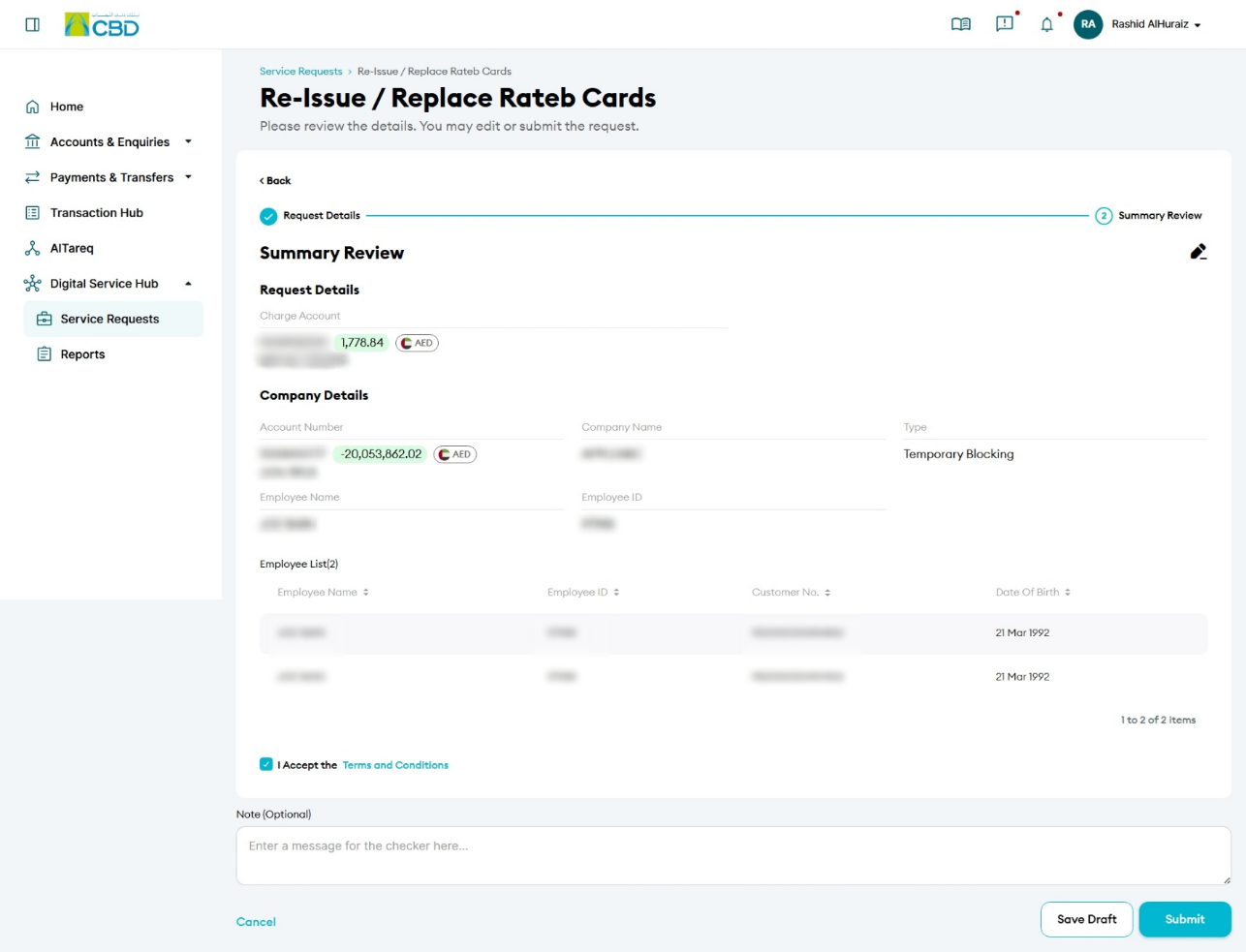
Step 4: Authenticate the request
- You will receive a notification on your paired mobile device
- Approve the request to proceed
- A confirmation screen with a reference number will be displayed
Step 5: Approval (if applicable)
- If your organisation follows a maker/checker process, the request must be approved
- The approver should:
- Log in to iBusiness
- Go to Transactions > Pending Your Authorisations
- Locate the request under Service Request
- Review and Approve or Reject the request
Helpful Tips
- Select the correct employee(s) to avoid blocking the wrong card
- Use temporary blocking if the card is misplaced or needs temporary restriction
- Keep the reference number to track the request status
- Contact support if urgent action is required